Blogs

Magento 2.4.8-p4 Security Patch – Vulnerabilities Fixed (Full Breakdown)

Magento regularly releases security updates to protect online stores from newly discovered vulnerabilities. The Magento 2.4.8-p4 security patch is one such update that focuses on strengthening platform security and improving overall system stability.

Security patches are important because outdated Magento installations can expose stores to risks such as unauthorized access, payment vulnerabilities, and malware injections.

If you haven’t reviewed the latest update yet, you can read our detailed explanation of the update in the Magento 2.4.8-p4 release guide, where we explain the patch and what it means for store owners.

What is Magento 2.4.8-p4?

Magento 2.4.8-p4 is a security patch update designed to fix vulnerabilities identified in previous Magento versions and improve the stability of the platform.

Unlike major Magento upgrades, patch releases mainly focus on:

  • Security vulnerability fixes
  • Bug fixes and platform stability improvements
  • Dependency updates for third-party libraries
  • Compatibility improvements

Security patches are usually released to protect Magento stores against newly discovered threats.

If you want to understand the full update announcement, see our article explaining the Magento 2.4.8-p4 security patch update.

Vulnerabilities Fixed in Magento 2.4.8-p4

Magento security patches typically address vulnerabilities discovered in the Magento platform and related dependencies.

Although security patch details are sometimes summarized for security reasons, they usually address issues in several categories.

Authentication and Authorization Issues

Authentication vulnerabilities can sometimes allow unauthorized users to access restricted sections of a Magento store.

Security patches help strengthen access control and authentication mechanisms.

Cross-Site Scripting (XSS) Vulnerabilities

Cross-site scripting vulnerabilities allow attackers to inject malicious scripts into Magento pages.

These scripts could potentially affect store administrators or customers if not fixed.

Magento security patches often address these risks by improving input validation and filtering.

API Security Improvements

Magento APIs are widely used by extensions, payment gateways, and integrations.

Security updates may improve API authentication and request validation to prevent unauthorized access or malicious requests.

Dependency and Library Updates

Magento relies on multiple third-party libraries. Security patches sometimes update these dependencies to resolve vulnerabilities discovered in external components.

Keeping these libraries updated helps protect Magento stores against broader security risks.

Why Installing Magento Security Patches is Important

Running outdated Magento versions can expose stores to several security risks.

Some common risks associated with outdated Magento installations include:

  • Unauthorized access to admin areas
  • Data breaches or customer information exposure
  • Malware injections and store compromises
  • Payment gateway vulnerabilities

A detailed analysis of these risks is explained in our guide on Magento upgrade security risks, which highlights why keeping Magento updated is essential for online stores.

Should You Upgrade to Magento 2.4.8-p4?

Most Magento store owners should review and install this patch, especially if their store:

  • Runs an older Magento version
  • Has not installed recent security patches
  • Uses multiple third-party extensions
  • Processes high volumes of customer transactions

Security patches help ensure the store remains protected and compatible with modern technologies.

How to Upgrade to Magento 2.4.8-p4

Upgrading Magento requires proper preparation, backups, and testing.

The typical upgrade workflow includes:

  1. Creating a full database and code backup
  2. Reviewing extension compatibility
  3. Updating Magento using Composer
  4. Running Magento upgrade commands
  5. Testing the upgraded store in a staging environment

For the full technical process, see our detailed Magento 2.4.8-p4 upgrade guide, where we explain the complete step-by-step upgrade procedure.

Common Issues During Magento Patch Upgrades

Even security patch upgrades can introduce issues if they are not properly planned.

Some common Magento upgrade challenges include:

  • Extension compatibility conflicts
  • Composer dependency errors
  • Theme layout problems
  • Payment gateway integration failures

Many of these issues occur when upgrades are performed directly on live stores without proper staging environments.

You can read more about these challenges in our guide on Magento 2.3 to 2.4 upgrade problems, where we discuss typical upgrade risks.

Best Practices for Magento Security Updates

To maintain a secure and stable Magento store, experts recommend following a structured update strategy.

Best practices include:

  • Installing Magento security patches regularly
  • Monitoring Magento security announcements
  • Testing upgrades in staging environments
  • Maintaining extension compatibility
  • Creating backups before every upgrade

Following these practices helps reduce upgrade risks and ensures smooth Magento updates.

Final Thoughts

The Magento 2.4.8-p4 security patch is an important update that addresses platform vulnerabilities and improves Magento stability.

Applying security patches regularly helps protect your store, maintain customer trust, and prevent security incidents.

If you want to understand the complete patch announcement and its impact on Magento stores, you can read our detailed Magento 2.4.8-p4 release guide, which explains the update and upgrade considerations for store owners.
How to Upgrade to Magento 2.4.8-p4 (Step-by-Step Guide)

Magento regularly releases updates to improve security, stability, and compatibility with modern technologies. The latest patch release, Magento 2.4.8-p4, includes important security fixes and platform improvements.

If your store is running an older Magento version, upgrading to the latest patch is recommended to maintain a secure and stable environment. Before upgrading, many businesses review the full Magento Upgrade Guide to understand the upgrade process.


Latest Magento Update

Magento recently released a new security patch update for stores running Magento 2.4.8. This update fixes important vulnerabilities and improves platform stability.

Magento 2.4.8-p4 Security Patch Explained →


What is Magento 2.4.8-p4?

Magento 2.4.8-p4 is a security patch release that focuses on fixing vulnerabilities and improving platform stability. Patch releases usually include security updates, bug fixes, and compatibility improvements.

Running outdated Magento versions can expose stores to security risks. Learn more in our article on Magento Security Risks .

Requirements Before Upgrading Magento

Before upgrading Magento, developers should review system requirements and compatibility.

  • Magento version compatibility
  • Supported PHP version
  • Extension compatibility
  • Theme compatibility
  • Server resources

Most professionals follow a structured Magento Upgrade Checklist before performing upgrades.

Step-by-Step Magento 2.4.8-p4 Upgrade Process

Step 1: Backup Your Magento Store

Always create a full backup before upgrading Magento.

  • Database backup
  • Magento codebase backup
  • Media files backup

Step 2: Enable Maintenance Mode

Enable maintenance mode so customers cannot access the store during the upgrade.

php bin/magento maintenance:enable

Step 3: Update Magento Using Composer

Magento upgrades are usually performed using Composer.

composer require-commerce magento/product-community-edition 2.4.8-p4 --no-update
composer update

Step 4: Run Magento Upgrade Commands

php bin/magento setup:upgrade
php bin/magento setup:di:compile
php bin/magento setup:static-content:deploy -f

Step 5: Clear Cache and Reindex

php bin/magento cache:clean
php bin/magento cache:flush
php bin/magento indexer:reindex

Step 6: Test the Store

Testing is critical after upgrading Magento.

  • Checkout functionality
  • Payment gateway integrations
  • Shipping methods
  • Extension compatibility
  • Search functionality

Learn more in our Magento Upgrade Testing Checklist .

Common Magento Upgrade Issues

  • Extension compatibility conflicts
  • Composer dependency errors
  • Theme layout issues
  • Payment gateway failures

See our guide on Magento Upgrade Problems .

Need Help Upgrading Magento?

Magento upgrades require careful planning, compatibility checks, and testing to avoid downtime. Explore Magento Upgrade Services

Magento 2.4.8-p4 security patch update

Magento 2.4.8-p4 Released – Security Patch & Upgrade Guide

Magento 2.4.8-p4 has been released as a security patch update designed to fix vulnerabilities discovered in previous Magento releases. Adobe regularly releases Magento patches to ensure eCommerce stores remain secure, stable, and compatible with modern technologies.

If your Magento store is running an older version, reviewing this update is important to maintain a secure environment and prevent compatibility issues. Before upgrading, many store owners review the complete Magento Upgrade Guide to understand the upgrade process and avoid technical problems.


Magento 2.4.8-p4 Release Date

Magento 2.4.8-p4 was released in March 2026 as part of Adobe Commerce security updates. Patch releases are published periodically to fix vulnerabilities and maintain the security of Magento stores.

You can review the official documentation on the Adobe Commerce release notes .


What is Magento 2.4.8-p4?

Magento 2.4.8-p4 is a security patch release designed to fix vulnerabilities and improve platform stability. Patch updates are smaller updates compared to major Magento releases but are essential for maintaining store security.

Running outdated Magento versions can expose stores to security risks and extension compatibility issues. Learn more about these risks in our guide on Magento Upgrade Security Risks .


Security Fixes in Magento 2.4.8-p4

Magento 2.4.8-p4 includes security updates that address vulnerabilities identified in earlier Magento versions. These fixes help protect stores against security threats and maintain platform stability.

  • Security vulnerability fixes
  • Platform stability improvements
  • Bug fixes for earlier Magento releases
  • Compatibility improvements

Magento 2.4.8 vs Magento 2.4.8-p4

Magento 2.4.8-p4 is a patch version of Magento 2.4.8. While Magento 2.4.8 introduced platform improvements, the p4 update mainly focuses on fixing vulnerabilities discovered after the initial release.

  • Security vulnerability fixes
  • Improved platform stability
  • Extension compatibility updates
  • Bug fixes

Who Should Upgrade to Magento 2.4.8-p4?

  • Stores running outdated Magento versions
  • Stores without recent security patches
  • Stores using multiple third-party extensions
  • Stores processing customer payments

Before upgrading Magento, developers typically follow a structured Magento Upgrade Checklist to ensure compatibility.


How to Upgrade to Magento 2.4.8-p4

Upgrading Magento requires careful planning to avoid downtime and compatibility issues. The typical upgrade process includes:

  1. Create database and code backups
  2. Review extension compatibility
  3. Upgrade Magento using Composer
  4. Run Magento upgrade commands
  5. Test store functionality

For a detailed upgrade process read our guide: How to Upgrade to Magento 2.4.8-p4 .


Common Magento Upgrade Issues

  • Extension compatibility conflicts
  • Theme layout issues
  • Composer dependency errors
  • Database upgrade conflicts
  • Payment gateway problems

These issues are explained in our guide on Magento Upgrade Problems .


Testing Magento After Upgrade

  • Checkout testing
  • Payment gateway testing
  • Shipping testing
  • Extension compatibility testing
  • Search functionality testing

Follow our Magento Upgrade Testing Checklist .


Magento 2.4.8-p4 FAQ

What is Magento 2.4.8-p4?

Magento 2.4.8-p4 is a security patch release that fixes vulnerabilities and improves platform stability.

Should I upgrade to Magento 2.4.8-p4?

Yes, stores running older versions should review this update to maintain security and compatibility.

How long does a Magento patch upgrade take?

Magento patch upgrades usually take a few hours to a few days depending on store complexity.


Related Magento Upgrade Resources


Need Help Upgrading Magento?

Magento upgrades require careful planning, compatibility checks, and testing to avoid downtime.

Explore Magento Upgrade Services

Magento 2.3 End of Life – What Store Owners Must Do

Magento has been one of the most powerful ecommerce platforms for years, helping thousands of businesses run scalable online stores. However, if your store is still running Magento 2.3, there is an important update you should know about.

Magento 2.3 officially reached End of Life (EOL) in September 2022, which means it no longer receives security updates or official support. For store owners, continuing to run an unsupported version can create serious risks.

In this article, we explain what Magento 2.3 End of Life means and what steps store owners should take next.

What Does Magento 2.3 End of Life Mean?

When a software version reaches End of Life, the vendor stops providing:

  • Security patches
  • Bug fixes
  • Performance improvements
  • Official technical support

For Magento stores, this means that any new vulnerabilities discovered after the EOL date will not be fixed.

As ecommerce stores process customer data and payments, security is extremely important. Running unsupported software increases the chances of security breaches and operational issues.

Risks of Running Magento 2.3 After End of Life

If your store is still using Magento 2.3, you may face several risks.

Security Vulnerabilities

Without security patches, your store becomes more vulnerable to attacks. Hackers often target outdated software versions.

Extension Compatibility Issues

Many Magento extensions are now designed for newer Magento versions, which can cause compatibility problems.

PHP Version Limitations

Magento 2.3 is not compatible with newer PHP versions. This may lead to performance limitations and hosting challenges.

Performance and Speed Issues

Newer Magento versions include performance improvements and optimizations that older versions lack.

Recommended Solution: Upgrade to Magento 2.4

The best solution for Magento 2.3 stores is upgrading to Magento 2.4.x, the latest supported version.

Magento 2.4 provides several advantages:

  • Improved security
  • Better performance
  • Compatibility with modern PHP versions
  • Enhanced admin features
  • Ongoing support and updates

If you are planning an upgrade, you may want to review professional Magento 2 Upgrade Services for Live Stores to ensure the upgrade process is handled safely and efficiently.

👉 Learn more:
Magento 2 Upgrade Services | Safe Upgrade Without Downtime

Can Magento Be Upgraded Without Downtime?

One common concern for store owners is downtime during upgrades.

With proper planning and staging environments, Magento upgrades can be completed without affecting live store operations.

Typical upgrade steps include:

  1. Creating a staging environment
  2. Checking extension compatibility
  3. Performing the version upgrade
  4. Testing functionality and checkout flow
  5. Deploying the upgrade safely

Professional developers often perform these upgrades in a way that minimizes or completely avoids downtime.

How to Prepare Your Store for Magento Upgrade

Before upgrading Magento, it is helpful to review several areas:

  • Magento version currently running
  • Installed extensions and compatibility
  • Server and PHP version
  • Theme compatibility
  • Custom code or integrations

Running a quick audit can help identify potential upgrade challenges before starting the process.

If you want to review your store setup, you can request a Magento upgrade audit from experienced developers.

👉 See our Magento upgrade services here:
Magento Upgrade Services

Final Thoughts

Magento 2.3 reaching End of Life means that continuing to run this version may expose your store to security and performance risks.

Upgrading to Magento 2.4 ensures that your ecommerce platform remains secure, supported, and optimized for growth.

If you are unsure about the upgrade process, consider starting with a technical audit to understand the current condition of your store.

Need Help with Magento Upgrade?

If your store is still running Magento 2.3, our team can review your setup and recommend the safest upgrade path.

We specialize in Magento upgrades for live ecommerce stores, ensuring minimal disruption to your business.

👉 Explore our Magento upgrade services:
Magento Upgrade Services

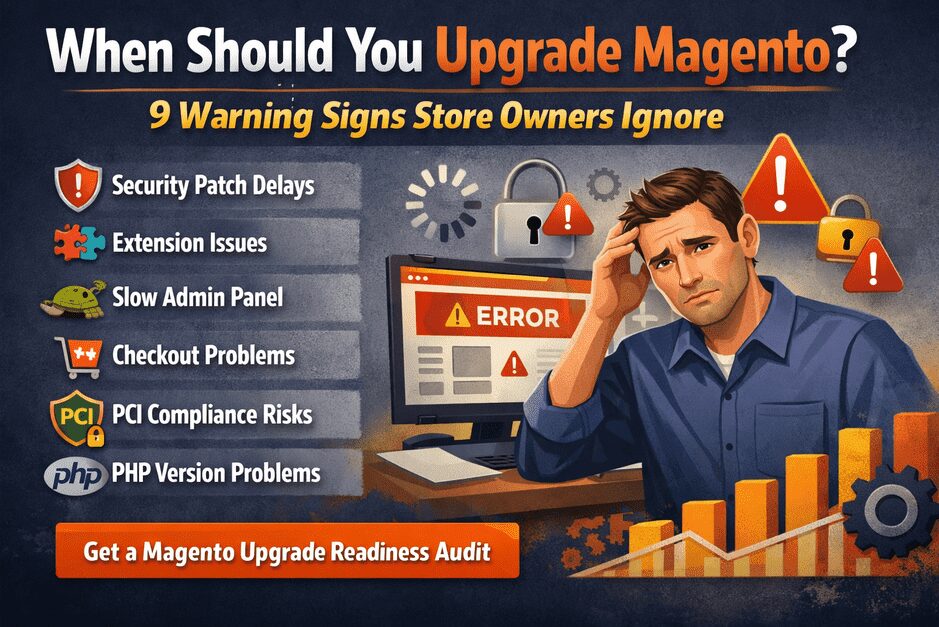
When Should You Upgrade Magento? 9 Warning Signs Store Owners Ignore (2026 Guide)

Running a Magento store successfully requires more than launching the website and adding products. As technology, security standards, and payment systems evolve, Magento upgrades become essential for maintaining store security, performance, and compatibility.

However, many store owners delay upgrades until something breaks.

Unfortunately, waiting too long can lead to:

  • security vulnerabilities
  • checkout failures
  • extension conflicts
  • performance slowdowns
  • compliance issues

So the important question becomes:

How do you know when it’s time to upgrade Magento?

In this guide, we explain 9 critical warning signs that indicate your Magento store may need an upgrade.

Why Magento Upgrades Matter in 2026

Magento upgrades today are not just technical maintenance.

They impact:

  • store security
  • customer trust
  • payment compatibility
  • SEO performance
  • site speed
  • system stability

Each Magento release includes improvements such as:

  • new security patches
  • performance enhancements
  • extension compatibility updates
  • infrastructure improvements

Running an outdated Magento version increases the risk of security vulnerabilities and operational instability.

If you want to understand how outdated versions expose stores to risks, you can also read our guide on Magento upgrade security risks.

1. Your Magento Version Is No Longer Supported

One of the most critical warning signs is when your Magento version reaches end-of-support.

When support ends:

  • security patches stop
  • vulnerabilities remain open
  • extensions stop updating
  • payment providers may drop compatibility

For example, many stores running Magento 2.3 faced serious issues once official support ended.

If your store still runs an older version, it is strongly recommended to evaluate an upgrade.

You can read about real issues stores face during upgrades here:

2. Security Patches Are Hard to Install

Magento releases security patches regularly.

But when stores run outdated versions, installing new patches can become difficult.

This may cause:

  • patch conflicts
  • installation errors
  • broken extensions
  • incomplete security protection

If security patches fail or cause problems, it often means your Magento version is too outdated and requires upgrading.

3. Your Admin Panel Is Slow

Many Magento store owners ignore slow backend performance.

However, slow admin panels are a common sign of outdated architecture.

Common symptoms include:

  • product saving taking too long
  • slow order processing
  • delayed inventory updates
  • lag in product search

New Magento versions include significant database and caching improvements that enhance backend performance.

4. Extensions Are No Longer Compatible

Magento stores rely heavily on extensions for:

  • payment gateways
  • shipping integrations
  • marketing tools
  • analytics systems
  • CRM integrations

When Magento versions become outdated:

  • extension developers stop releasing updates
  • compatibility breaks
  • extension conflicts increase

If multiple extensions stop working after minor updates, it is a strong indicator your store needs a Magento upgrade audit.

5. Checkout or Payment Errors Are Increasing

Checkout issues are one of the most serious warning signs.

Common problems include:

  • payment gateway failures
  • checkout page errors
  • order confirmation failures
  • customers abandoning carts due to errors

These issues often occur when payment providers update their APIs and older Magento versions cannot support them properly.

If you are planning an upgrade, understanding the full upgrade process is important.

6. Your Store Is Not PCI Compliant

If your store processes payments, PCI compliance is essential.

Older Magento versions may fail compliance due to:

  • outdated encryption methods
  • missing security patches
  • unsupported dependencies

In some cases, payment providers may require stores to upgrade before allowing continued payment processing.

7. Your PHP Version Is Outdated

Magento depends heavily on PHP compatibility.

Older Magento versions support:

  • PHP 7.2
  • PHP 7.3

But modern hosting environments now run:

  • PHP 8.1
  • PHP 8.2

If your hosting provider upgrades PHP, your Magento store may break unless your Magento version supports it.

This is one of the most common reasons businesses plan a Magento upgrade.

8. SEO Performance Is Declining

Search engines prioritize fast, secure websites.

Outdated Magento versions often suffer from:

  • slow loading speed
  • outdated caching mechanisms
  • poor Core Web Vitals performance
  • indexing issues

Upgrading Magento can significantly improve:

  • page speed
  • performance optimization
  • SEO stability

This helps maintain and improve search engine rankings.

9. Your Store Has Not Been Upgraded in 2+ Years

Magento evolves quickly.

If your store has not been upgraded in two or more years, it likely contains:

  • outdated dependencies
  • security gaps
  • extension compatibility risks

The longer upgrades are delayed, the more complex and expensive they become.

To understand typical upgrade costs, you can also read Magento Upgrade Cost in the UK:

Risks of Delaying Magento Upgrades

Many store owners postpone upgrades because their store still works.

But hidden risks grow over time:

  • security breaches
  • checkout failures
  • broken integrations
  • data loss
  • expensive emergency fixes

A planned upgrade strategy helps avoid these problems.

You can also explore common upgrade risks here:

How a Safe Magento Upgrade Should Be Done

A professional Magento upgrade typically follows these steps:

  1. Complete Magento store audit
  2. Extension compatibility analysis
  3. Staging environment setup
  4. Magento version upgrade
  5. Functional testing
  6. Payment gateway verification
  7. Performance optimization
  8. Deployment with minimal downtime

Without careful planning, upgrades can break functionality or cause downtime.

Need Help Evaluating Your Magento Store?

If you are unsure whether your store requires an upgrade, the safest approach is to start with a Magento Upgrade Readiness Audit.

At SMB Tech Solution, we analyze:

  • Magento version compatibility
  • extension conflicts
  • security vulnerabilities
  • performance bottlenecks
  • upgrade complexity

This helps store owners make informed upgrade decisions without risking their live store.

👉 Request your Magento Upgrade Audit today.

Frequently Asked Questions

How often should Magento be upgraded?

Magento stores should ideally be upgraded every 12–18 months or whenever major security updates are released. Regular upgrades ensure better performance, security, and compatibility with extensions.

What happens if you don’t upgrade Magento?

Not upgrading Magento can lead to:

  • security vulnerabilities
  • payment gateway failures
  • extension incompatibility
  • poor performance
  • PCI compliance issues

Over time, these problems can affect both store stability and revenue.

Is Magento upgrade risky?

Magento upgrades can involve risks if done incorrectly. Common issues include extension conflicts, theme incompatibility, and database errors. A professional upgrade process using staging environments helps reduce these risks.

How long does a Magento upgrade take?

Magento upgrade timelines depend on store complexity.

Typical timelines:

Small store → 3–5 days
Medium store → 1–2 weeks
Large store → 3–4 weeks

Final Thoughts

Magento upgrades are not just technical updates — they are critical for maintaining store security, performance, and long-term stability.

If your Magento store is showing any of the warning signs discussed in this guide — such as outdated versions, extension conflicts, checkout errors, or security patch issues — it may be time to evaluate your upgrade strategy.

Planning upgrades early helps prevent downtime, security risks, and costly emergency fixes.

A properly executed Magento upgrade ensures your store remains secure, fast, and compatible with modern technologies.

Not Sure If Your Magento Store Needs an Upgrade?

Many store owners wait until something breaks before upgrading — but the safest approach is to evaluate your store in advance.

At SMB Tech Solution, we help Magento store owners identify upgrade risks and plan safe upgrades through a Magento Upgrade Readiness Audit.

During the audit, we analyze:

✔ Magento version compatibility
✔ extension conflicts
✔ security vulnerabilities
✔ performance bottlenecks
✔ upgrade complexity

This helps businesses make informed upgrade decisions without risking their live store.

👉 Request Your Magento Upgrade Readiness Audit


Also read:

• Magento Upgrade Security Risks in 2026
https://smbtechsolution.com/magento-upgrade-security-risks-uk/

• Magento Upgrade Cost Guide (2026)
https://smbtechsolution.com/magento-upgrade-cost-uk/

• Magento Upgrade Risk Report
https://smbtechsolution.com/magento-upgrade-risk-report/

Magento Upgrade Security Risks in 2026: What UK Store Owners Must Know

Running an outdated Magento store in 2026 exposes businesses to far more than minor technical issues. Today, Magento upgrade security risks can directly affect revenue, compliance, and customer trust. 

For UK eCommerce stores running on Adobe Commerce or Magento Open Source, delaying upgrades can lead to unpatched vulnerabilities, extension conflicts, payment failures, and even data breaches. 

As soon as Adobe releases security patches, automated bots begin scanning the internet for stores that haven’t upgraded. If your Magento version is outdated, your store becomes easier to detect and exploit. 

The most common Magento upgrade security risks include: 

  • Unpatched vulnerabilities that allow malware injection or admin access 
  • Incompatible extensions creating hidden security gaps 
  • PCI compliance failures affecting payment processing 
  • Checkout failures or downtime during poorly managed upgrades 

In short, Magento upgrade security risks in 2026 are operational, financial, and reputational. Without a structured upgrade strategy, exposure increases every month. 

If you want to understand the full Magento upgrade process, read our complete guide: 

Why Magento Upgrade Security Is Now a Business Priority 

Security upgrades are no longer just an IT maintenance task. In 2026, Magento security has become a business-critical priority. 

For UK eCommerce brands running Magento stores, every outdated version increases exposure to automated cyber threats and compliance failures. 

Once vulnerabilities are publicly disclosed, attackers actively scan for stores running unsupported versions. 

This is why many businesses rely on a professional Magento Upgrade Service rather than attempting upgrades internally. 
 

A structured upgrade process protects: 

  • Customer data 
  • Payment infrastructure 
  • Website availability 
  • Search engine visibility 

Delaying upgrades does not freeze risk it compounds it. 

Unpatched Vulnerabilities: The Most Immediate Security Threat 

Every Magento release addresses critical vulnerabilities. 

These typically include: 

  • Remote Code Execution (RCE) 
  • Cross-Site Scripting (XSS) 
  • SQL Injection vulnerabilities 
  • Authentication bypass flaws 

Once patches are published, attackers begin scanning the internet for stores that have not updated. 

Running an outdated version effectively signals vulnerability. 

Extension Conflicts That Create Hidden Security Risks 

Magento stores depend heavily on third-party extensions for features such as: 

  • Payment gateways 
  • Shipping integrations 
  • ERP systems 
  • Marketing automation tools 
  • Custom checkout functionality 

During upgrades, incompatible modules may: 

  • Break silently 
  • Expose backend access points 
  • Disable security layers 
  • Introduce new vulnerabilities 

A structured upgrade process includes a full extension compatibility audit before deployment — something many DIY attempts overlook. 

You can see real upgrade examples in our Magento Upgrade Case Studies

PCI Compliance Risks for UK Magento Stores 

If your store processes card payments, PCI DSS compliance is mandatory. 

Outdated Magento versions can result in: 

  • Failed compliance audits 
  • Increased fraud monitoring 
  • Payment gateway restrictions 
  • Potential financial penalties 

Security upgrades help protect your transaction infrastructure and maintain compliance. 

Without them, operational disruption becomes increasingly likely. 

Why Zero-Downtime Magento Deployment Matters 

Downtime during upgrades is unacceptable for growing eCommerce businesses. 

Poorly managed updates can cause: 

  • Checkout failures 
  • Broken product pages 
  • Server instability 
  • Lost search rankings 
  • Immediate revenue loss 

Zero-Downtime Magento deployment strategy ensures: 

  • Upgrades are performed in staging environments 
  • Databases are synchronised correctly 
  • Deployment pipelines prevent live disruption 
  • Sales continue uninterrupted 

Security improvements should never come at the cost of live revenue. 

Data Corruption & Operational Risk During Upgrades 

Improper upgrade execution can lead to serious operational problems, including: 

  • Lost order history 
  • Customer account inconsistencies 
  • Inventory mismatches 
  • Backend workflow disruptions 

Beyond financial impact, this damages customer trust and brand credibility. 

A professional Magento upgrade process includes: 

  • Backup strategies 
  • Rollback procedures 
  • Data validation testing 
  • Post-upgrade monitoring 

These safeguards help prevent irreversible data loss. 

When Should UK Store Owners Upgrade Magento? 

You should prioritise upgrading if: 

  • Your Magento version is unsupported 
  • Your last upgrade was over 12 months ago 
  • New extensions have been installed recently 
  • Your hosting stack has changed 
  • You notice unusual backend behaviour or performance issues 

The longer upgrades are delayed, the more complex and expensive remediation becomes. 

Magento Upgrade Risks UK Stores Commonly Face 

Many Magento stores encounter similar upgrade challenges. 

The most common include: 

  • Extension dependency conflicts 
  • Security patch delays 
  • Poorly planned upgrade deployment 
  • Incomplete testing before go-live 
  • Lack of rollback strategy 

These issues can lead to downtime, lost revenue, and compliance risks. 

Understanding these risks early helps prevent costly incidents later. 

Why Many UK Magento Stores Choose a Professional Upgrade Service 

Magento upgrades today involve far more than running update commands. 

They require: 

  • Codebase analysis 
  • Extension compatibility validation 
  • Infrastructure testing 
  • Security patch verification 
  • Zero-downtime deployment planning 

A professional upgrade service typically includes: 

✔ Full Magento codebase audit 
✔ Extension compatibility testing 
✔ Staging environment deployment 
✔ Secure upgrade execution 
✔ Post-upgrade performance optimisation 

If your store requires a structured upgrade approach, explore our Magento Upgrade Services 
 

Not Sure If Your Store Is Exposed? Start with a Free Magento Mini Audit 

Many Magento store owners underestimate their risk exposure until something breaks. 

Free Magento Mini Audit can identify: 

  • Unsupported Magento versions 
  • Known security vulnerabilities 
  • Extension compatibility issues 
  • Performance bottlenecks 
  • Upgrade complexity level 

Understanding your current risk profile helps you plan upgrades strategically instead of reacting to incidents. 

Start with a Free Magento Mini Audit 
 

Final Thoughts: Upgrade Before Risk Becomes an Incident 

In 2026: 

Cyber threats are automated. 
Compliance requirements are stricter. 
Customer expectations are higher than ever. 

Magento upgrade security risks are predictable and preventable. 

Every month of delay increases: 

  • Vulnerability exposure 
  • Recovery costs 
  • Compliance risk 
  • Brand damage 

Waiting is not neutral. 

It is exposure. 

Book Your Free Magento Mini Audit 

Your Magento store generates revenue daily. 

Your upgrade strategy should protect it daily. 

✔ Structured Magento upgrade service 
✔ Zero-downtime Magento deployment 
✔ Extension compatibility assurance 
✔ PCI-aligned security validation 
✔ Post-upgrade performance checks 

👉 Book your Free Magento Mini Audit today: 
 Protect revenue. 
Protect customer trust. 
Upgrade with confidence. 


{ "@context": "https://schema.org", "@type": "FAQPage", "mainEntity": [ { "@type": "Question", "name": "What are the main security risks when upgrading Magento in 2026?", "acceptedAnswer": { "@type": "Answer", "text": "Upgrading Magento in 2026 can expose stores to risks like outdated third-party extensions, data breaches, improper migration of sensitive customer data, and vulnerabilities in custom code if not properly tested." } }, { "@type": "Question", "name": "How can UK store owners minimize Magento upgrade security risks?", "acceptedAnswer": { "@type": "Answer", "text": "UK store owners can minimize risks by using a trusted Magento upgrade service, performing backups, updating all extensions, conducting thorough security testing, and ensuring zero-downtime upgrades." } }, { "@type": "Question", "name": "Are there specific Magento versions that are safer to upgrade to?", "acceptedAnswer": { "@type": "Answer", "text": "Yes, upgrading to the latest supported Magento version is recommended as it includes the newest security patches, improved architecture, and compatibility with modern security standards." } }, { "@type": "Question", "name": "What role does a Magento upgrade expert play in security?", "acceptedAnswer": { "@type": "Answer", "text": "A Magento upgrade expert ensures a secure migration, identifies vulnerabilities in extensions and custom code, applies security best practices, and reduces downtime during the upgrade." } }, { "@type": "Question", "name": "How often should Magento stores review their security after an upgrade?", "acceptedAnswer": { "@type": "Answer", "text": "Magento stores should conduct regular security audits, at least quarterly, and after every major upgrade to ensure no new vulnerabilities have been introduced and that all patches are applied." } } ] }

Magento Upgrade Guide (2026): Complete Step-by-Step Process for Store Owners

Magento upgrades are essential for maintaining security, performance, and compatibility with modern technologies. Many store owners delay upgrades until problems occur, which can lead to checkout failures, extension conflicts, and even security vulnerabilities.

In this guide we explain the Magento upgrade process, common risks, upgrade costs, and best practices used by professional Magento Upgrade Services.


Latest Magento Update

Magento recently released a new security patch update for stores running Magento 2.4.8. Understanding this update is important for maintaining store security and stability.

Magento 2.4.8-p4 Security Patch Explained →

1. What is a Magento Upgrade?

A Magento upgrade means moving your store to a newer Magento version such as Magento 2.3 → Magento 2.4.x. These upgrades include performance improvements, security updates, and compatibility with modern PHP versions.

Before upgrading, most developers follow a structured Magento Upgrade Checklist to reduce upgrade risks.


2. Why Magento Upgrades Fail

  • Extension compatibility conflicts
  • Theme breaking after version update
  • Database schema issues
  • Improper staging environments
  • Missing rollback strategy

Many of these problems are explained in detail in our guide: Why Magento Upgrades Fail .

Stores upgrading from older versions also face challenges. See: Magento 2.3 → 2.4 Upgrade Problems .


3. Magento Upgrade Risks Store Owners Ignore

  • SEO ranking drops during deployment
  • Payment gateway integration issues
  • Checkout failures after upgrade
  • Extension conflicts
  • Unexpected downtime

A deeper analysis of upgrade risks is available in our Magento Upgrade Risk Report .

Security risks related to outdated Magento versions are explained here: Magento Upgrade Security Risks .


4. Magento Upgrade Cost Factors

Magento upgrade cost depends on several factors including extensions, custom modules, theme complexity, and integrations.

  • Extension compatibility updates
  • Theme adjustments
  • Custom module upgrades
  • Testing and debugging
  • Deployment process

See our detailed cost analysis: Magento Upgrade Cost Guide .


5. Magento Upgrade Testing Process

Testing ensures the upgraded store works correctly before going live. Typical testing includes checkout, payment gateways, search functionality, and extension compatibility.

Review the full testing process here: Magento Upgrade Testing Checklist .


6. Magento Upgrade Rollback Strategy

Every professional Magento upgrade includes a rollback strategy in case unexpected issues occur.

  • Database backups
  • Version control
  • Deployment rollback plan
  • Staging testing

Read more: Magento Upgrade Rollback Strategy .


7. Magento Upgrade Timeline

Phase Activity
Week 1 Technical audit
Week 2 Extension compatibility review
Week 3 Staging upgrade implementation
Week 4 Testing and debugging
Week 5 Production deployment

See a detailed timeline explanation here: How Long Does a Magento Upgrade Really Take? .


Need a Safe Magento Upgrade?

Our team specializes in zero-downtime Magento upgrades with full extension compatibility checks, staging deployment, and performance optimization.

Explore Magento Upgrade Services

Is Your Magento Store Upgrade-Safe? 12 Signs You Need an Upgrade Audit (2026)

Introduction

Many Magento store owners assume their store is “fine” because:

  • The website is running
  • Orders are coming in
  • Nothing looks broken

But the real question is:

Is your Magento store actually upgrade-safe?

The truth is — most stores are not.

Magento upgrades fail not because of the upgrade itself, but because businesses skip proper risk evaluation beforehand.

Before planning any upgrade, it’s important to understand the full upgrade framework. You can review our Ultimate Magento Upgrade Guide (2026 Edition) to understand how professional upgrades are executed safely.

In this guide, we’ll cover 12 real warning signs that indicate your store needs a Magento Upgrade Audit immediately.

Many store owners choose professional Magento Upgrade Services to reduce risk before starting upgrades.

What is a Magento Upgrade Audit?

A Magento upgrade audit is a structured technical and business review that checks:

  • Extension compatibility
  • Server readiness
  • Payment gateway stability
  • Custom code risks
  • Database health
  • Performance bottlenecks
  • Security vulnerabilities

The goal is simple:

✔ Identify risks BEFORE upgrade
✔ Reduce downtime
✔ Avoid revenue loss

12 Signs Your Magento Store Needs an Upgrade Audit

1. Your Magento Version Is Old

If you are running:

  • Magento 2.3 or earlier
  • Older patch versions
  • Unsupported releases

You are already at risk.

Older versions often lack security updates and modern compatibility.

2. Extensions Haven’t Been Updated Recently

Extensions are the #1 upgrade failure reason.

Warning signs:

  • Vendor stopped updates
  • Compatibility unclear
  • Deprecated modules installed

This must be checked before upgrade.

3. Checkout or Payment Feels Unstable

Even small issues like:

  • Random checkout errors
  • Payment delays
  • Missing confirmation emails

can become critical after upgrade.

Payment systems should always be audited. See real upgrade scenarios in our Magento Upgrade Case Studies.

4. Your Store Uses Heavy Custom Development

Custom features increase upgrade complexity.

Examples:

  • Custom checkout logic
  • API integrations
  • ERP sync
  • Custom pricing rules

These need compatibility validation.

5. You Are Unsure About Server Environment

Magento upgrades may require:

  • PHP version upgrades
  • Elasticsearch configuration
  • Redis / Varnish setup

Server mismatch = upgrade failures.

6. Site Performance Is Already Slow

Upgrades do not automatically fix performance.

In many cases:

❌ Slow stores become slower if optimization is missing.

Performance should be reviewed before upgrade.

7. Your Store Has Many Third-Party Integrations

Integrations like:

  • Shipping APIs
  • Payment gateways
  • CRM / ERP connections

can break after version changes.

8. No Staging Environment Exists

If you plan to upgrade directly on live:

⚠️ BIG RED FLAG.

Professional upgrades always use staging environments.

9. No Rollback Strategy

Ask yourself:

If something breaks — can you safely go back?

If the answer is no, you need an audit first.

10. Admin Panel Errors or Small Bugs Already Exist

Minor issues often become major after upgrades.

Examples:

  • Product save errors
  • Admin loading issues
  • Attribute conflicts

11. Security Patches Are Delayed

Security vulnerabilities increase upgrade complexity.

You should never upgrade without first reviewing security status.

12. You Don’t Know Your Upgrade Risk Level

This is the biggest sign of all.

If you cannot clearly answer:

  • How risky is my upgrade?
  • What might break?
  • What needs testing?

You need an upgrade audit.

Why Skipping an Upgrade Audit Is Dangerous

Common outcomes:

❌ Downtime during launch
❌ Payment failures
❌ SEO ranking drops
❌ Extension crashes
❌ Revenue loss

Most of these are preventable with early planning.

What Happens During a Professional Upgrade Audit

A structured audit typically includes:

✔ Extension compatibility analysis
✔ Custom code review
✔ Payment flow validation
✔ Server environment check
✔ Database structure analysis
✔ SEO risk evaluation

This reduces upgrade surprises significantly.

Real Business Impact (The Truth Most Agencies Don’t Say)

Cheap upgrades often skip auditing.

Result:

  • Initial low cost
  • Expensive problems later

A professional audit protects revenue before development begins.

When Should You Run an Upgrade Audit?

You should run an audit if:

✔ Planning upgrade in next 3–6 months
✔ Switching hosting environment
✔ Updating payment systems
✔ Experiencing performance issues
✔ Running older Magento versions

Recommended Upgrade Process

Phase 1 — Upgrade Audit (Risk Analysis)

Understand risks before starting.

Phase 2 — Staging Upgrade

Test safely without affecting live store.

Phase 3 — Controlled Deployment

Zero-downtime planning.

Phase 4 — Post Upgrade Monitoring

First 30 days are critical.

Final Thoughts

Magento upgrades are not dangerous — unplanned upgrades are.

If your store shows even a few signs listed above, running an upgrade audit can save:

✔ Time
✔ Money
✔ Revenue
✔ Stress

The safest Magento upgrades always start with risk assessment.

Get Your Magento Upgrade Risk Audit

Before upgrading, start here:

Free Magento Mini Audit
Magento Upgrade Services
Magento Upgrade Case Studies

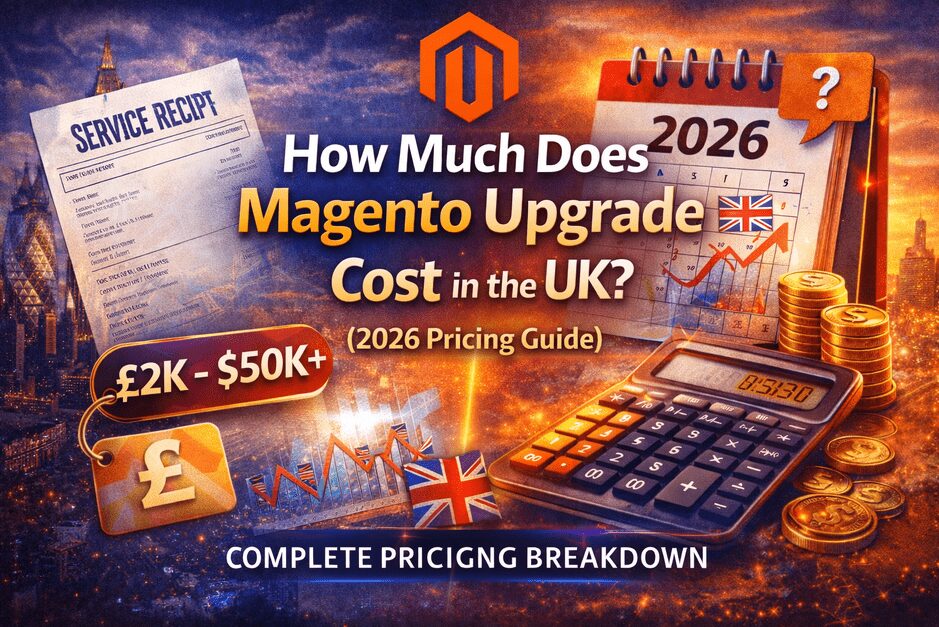
How Much Does Magento Upgrade Cost in the UK? (2026 Pricing Guide)

Introduction

If you run a Magento store in the UK and are planning an upgrade, one question comes first:

How much does a Magento upgrade actually cost in the UK?

The real answer is — it depends on your store’s complexity, extensions, integrations, and upgrade strategy.

Many businesses receive random quotes without understanding what actually drives pricing. That often leads to overspending or choosing risky low-cost upgrades.

Before estimating budgets, it’s important to understand the overall upgrade process. You can first review our Ultimate Magento Upgrade Guide (2026 Edition) to understand the complete framework used in professional Magento upgrades.

In this guide, we’ll explain:

  • Real Magento upgrade pricing in the UK (2026)
  • What increases or reduces upgrade cost
  • Hidden costs UK businesses overlook
  • How to estimate your upgrade budget safely

Average Magento Upgrade Cost in the UK (2026)

Here are realistic pricing ranges based on typical UK Magento projects:

Store TypeEstimated Upgrade Cost (UK)
Small Magento Store£2,000 – £6,000
Medium Business Store£6,000 – £15,000
Enterprise / Complex Store£15,000 – £50,000+

These costs assume proper testing, staging deployment, and post-upgrade monitoring.

Why Magento Upgrade Costs Are Different in the UK

1️⃣ VAT & Tax Complexity

UK stores often include:

  • VAT configurations
  • Region-based tax rules
  • B2B pricing adjustments

During upgrade, checkout logic must be validated carefully.

2️⃣ Payment Gateway Migration

Common UK payment systems include:

  • Stripe
  • PayPal
  • Klarna
  • Opayo (SagePay)

Payment migration is one of the highest-risk areas during upgrades. You can see how upgrade risks are handled safely in real projects inside our Magento Upgrade Case Studies.

3️⃣ GDPR & Compliance Requirements

Magento upgrades may require:

  • Cookie handling updates
  • Data privacy validation
  • Customer data workflow testing

Ignoring compliance during upgrade can create serious business risks.

4️⃣ Hosting & Performance Expectations

UK eCommerce businesses focus heavily on:

  • Fast page load speed
  • Stable checkout experience
  • Core Web Vitals performance

This often requires performance tuning during upgrades.

Main Factors That Affect Magento Upgrade Cost

✔ Extensions & Modules

Extensions are usually the biggest cost factor.

Each extension may require:

  • Compatibility testing
  • Updates or replacement
  • Configuration adjustments

Stores with many third-party modules require longer upgrade timelines.

✔ Custom Development

Costs increase if your store includes:

  • Custom checkout logic
  • ERP integrations
  • API workflows
  • Custom pricing systems

More customization = more testing required.

✔ Magento Version Gap

Example:

  • Magento 2.4.x → latest version = smaller effort
  • Magento 2.3 → latest version = major upgrade

Older versions require deep dependency updates.

✔ Payment & Checkout Testing

Payment systems must be validated for:

  • Successful transactions
  • Failed payments
  • Refund workflows
  • Webhook processing

This protects revenue during upgrade.

✔ Database Size & Catalog Volume

Large product catalogs require:

  • Reindexing strategies
  • Search configuration tuning
  • Performance optimization

Hidden Magento Upgrade Costs (UK Businesses Often Miss)

❌ Downtime Loss

Even a few hours of downtime can impact sales significantly.

❌ SEO Ranking Drops

Without proper migration planning:

  • URLs break
  • Redirects fail
  • Rankings drop

Proper planning avoids long recovery periods.

❌ Unsupported Extensions

Many older modules require replacement during upgrade.

❌ Post-Upgrade Emergency Fixes

Cheap upgrades often result in:

  • Checkout issues
  • Performance problems
  • Unplanned developer costs

Cheap Upgrade vs Professional Upgrade

Cheap UpgradeProfessional Upgrade
Lower upfront priceHigher initial investment
Limited testingFull QA & staging
High riskControlled deployment
Potential downtimeZero-downtime strategy
Hidden costs laterLong-term stability

If you want a fully planned process, you can review our Magento Upgrade Services to see how professional upgrades are structured.

Real UK Store Examples

Small Store

  • Standard theme
  • Few extensions
  • Basic checkout

Estimated Cost: £2K – £4K

Medium Business Store

  • Custom modules
  • Multiple payment methods
  • Integrations

Estimated Cost: £6K – £15K

Enterprise Store

  • ERP integration
  • Complex catalog
  • Advanced workflows

Estimated Cost: £15K – £50K+

How UK Businesses Can Reduce Upgrade Cost Safely

You can lower costs without increasing risk:

✔ Remove unused extensions
✔ Update server environment early
✔ Clean old code
✔ Run upgrade audit first
✔ Use proper staging environment

Preparation reduces upgrade complexity significantly.

Should You Upgrade Magento in 2026?

In most cases — yes.

Reasons UK stores are upgrading:

  • Security updates
  • Payment gateway changes
  • Hosting requirements
  • Performance improvements
  • Long-term scalability

Delaying upgrades often increases costs later.

Recommended Upgrade Approach

Phase 1 — Upgrade Audit

Check:

  • Extensions
  • Custom code
  • Server setup
  • Integrations

Phase 2 — Staging Upgrade

Full testing before live deployment.

Phase 3 — Controlled Go Live

Launch during low traffic period with backup strategy.

Phase 4 — Post Upgrade Monitoring

The first 30 days are critical for stability and performance.

Final Thoughts

Magento upgrade cost in the UK depends more on complexity and risk planning than hourly rates.

Done correctly:

✔ Better performance
✔ Stable checkout
✔ Improved security
✔ Long-term scalability

Done poorly:

❌ Revenue loss
❌ Downtime
❌ Continuous fixes

Treat Magento upgrades as a strategic business decision — not just maintenance.

🚀 Planning a Magento Upgrade in the UK?

Start here:

➡️ Free Magento Upgrade Risk Audit
➡️ Magento Upgrade Case Studies
➡️ Magento Upgrade Services

Magento Upgrade Risk Report — 7 Things That Break Stores

Upgrading your Magento store should improve security and performance — but in reality, many upgrades cause serious problems.

After working with multiple upgrade projects, one pattern is clear:

Most Magento issues don’t happen after the upgrade — they happen because risks were not identified before it.

This report explains the 7 most common things that break during Magento upgrades, so you can prepare safely and avoid revenue loss.

1. Extension Conflicts (The #1 Upgrade Problem)

Most stores use multiple third-party extensions for payments, shipping, SEO, or marketing.

When Magento core updates:

  • Extension code may become incompatible
  • Features silently stop working
  • Admin functions fail unexpectedly

Real impact:

  • Product filters stop working
  • Promotions fail
  • Backend errors appear

Important: Extensions must be audited before every upgrade — not after.

2. Checkout Failures (Instant Revenue Loss)

Checkout is the most sensitive part of any store.

After upgrades, common issues include:

  • Payment gateway callback failures
  • Shipping methods disappearing
  • Cart totals calculating incorrectly

Result:

  • Customers abandon checkout
  • Orders fail without clear errors
  • Revenue drops within hours

A store can look “fine” while losing money silently.

3. SEO Loss After Upgrade

Many business owners don’t realize upgrades can affect SEO.

Common SEO risks:

  • URL structure changes
  • Missing canonical tags
  • Broken redirects
  • Schema markup issues

What happens next:

Your site may look normal — but rankings begin to fall within 30–60 days.

That’s why SEO checks must be part of upgrade planning.

4. Payment Gateway Integration Issues

Payment modules often depend on strict API compatibility.

After upgrades:

  • Payment authorization fails
  • Orders stay in “processing”
  • Duplicate or missing transactions occur

Business impact:

Even small payment failures reduce customer trust and conversion rate.

5. Speed Drop After Upgrade

Many assume newer Magento versions mean faster performance.

Reality:

  • New code increases load
  • Cache configurations change
  • Server settings become outdated

Outcome:

  • Slower product pages
  • Lower Core Web Vitals scores
  • Conversion drop

Performance optimization must follow every upgrade.

6. Hidden Security Gaps

Upgrades are usually done for security — but incorrect implementation can create new risks.

Examples:

  • Security modules disabled
  • Old code still active
  • Misconfigured permissions

Security isn’t automatic — it must be verified after upgrade.

7. Custom Code & Integration Breaks

If your store uses:

  • Custom themes
  • ERP or CRM integrations
  • Custom checkout logic

Even small core changes can break data syncs.

Worst part:

❌ No visible error
❌ Orders or inventory may stop syncing silently

These issues are expensive because they are discovered late.

Final Takeaway — Upgrade Safely, Not Quickly

The biggest mistake store owners make is thinking:

“Upgrade = simple version update.”

In reality, a Magento upgrade is a technical risk management process.

Successful stores focus on:

✔ Pre-upgrade risk checks
✔ Extension compatibility review
✔ SEO & performance validation
✔ Payment testing

Want to Upgrade Without Risk?

Before any upgrade, we recommend running a Magento Upgrade Risk Review to identify what could break — so your store stays stable, fast, and profitable.

If you want a professional risk review, feel free to reach out.