Blogs

Magento 2.4.7 Upgrade Guide (2026): Safe Step-by-Step Upgrade Process + Checklist

Estimated Read Time: 8 minutes

Magento 2.4.7 upgrade is not just a technical update — it is a business-critical upgrade that impacts performance, security, checkout stability, and long-term scalability.

Many store owners assume upgrading is only about running composer commands.

In reality, most upgrade failures happen because:

  • extension compatibility is ignored
  • payment systems are not validated
  • staging testing is skipped
  • rollback strategy is missing

Before starting technical steps, review the complete upgrade framework inside our Ultimate Magento Upgrade Guide (2026 Edition) to understand the full upgrade strategy and risk planning.


Before You Start — Upgrade Risks You Must Know

Magento 2.4.7 introduces:

  • dependency updates
  • security improvements
  • PHP compatibility changes
  • search engine requirements

If upgrade planning is weak, common risks include:

  • checkout failure
  • payment capture issues
  • extension conflicts
  • SEO ranking drops
  • performance degradation

This is why professional upgrades always begin with a risk audit before execution.

Estimated Magento 2.4.7 Upgrade Time

Store SizeEstimated Timeline
Small Store2 – 5 Days
Medium Store5 – 10 Days
Enterprise Store2 – 3 Weeks

Actual time depends on custom modules and integrations.

Pre-Upgrade Checklist (Critical)

Before running any upgrade command:

✔ Full database backup
✔ Filesystem backup
✔ Extension compatibility review
✔ PHP version verification
✔ Staging environment setup
✔ Payment gateway validation

You can also follow our detailed Magento Upgrade Checklist to avoid missing critical steps.

Magento 2.4.7 Upgrade Step-by-Step Process

Step 1 — Enable Maintenance Mode

php bin/magento maintenance:enable

This prevents customer activity during upgrade.

Step 2 — Backup Code & Database

Never skip this.

Backup includes:

  • database dump
  • media files
  • app/code customizations
  • composer files

Step 3 — Update Composer Dependencies

composer require-commerce magento/product-enterprise-edition 2.4.7 --no-update
composer update

Dependency conflicts are a common failure point.

Step 4 — Upgrade Magento Database

php bin/magento setup:upgrade

This applies schema and data patches.

Step 5 — Compile & Deploy

php bin/magento setup:di:compile
php bin/magento setup:static-content:deploy -f

Step 6 — Reindex & Cache Clean

php bin/magento indexer:reindex
php bin/magento cache:flush

Step 7 — Disable Maintenance Mode

php bin/magento maintenance:disable

Most Common Magento 2.4.7 Upgrade Failures

These are real issues seen in production upgrades:

  • Composer dependency conflicts
  • PHP version mismatch
  • OpenSearch / Elasticsearch errors
  • Broken custom modules
  • Payment callback failures
  • Checkout errors after deployment

Many of these issues appear only after live launch — which is why staging validation is essential.

You can explore real examples inside our Magento Upgrade Case Studies.


Payment & Checkout Testing (Mandatory)

After upgrade, always verify:

  • successful payment flow
  • failed payment handling
  • refund process
  • order creation
  • email triggers
  • webhook callbacks

Payment failures are one of the biggest hidden risks during upgrades.


Post-Upgrade Monitoring (First 30 Days)

Upgrade success is not confirmed immediately.

Monitor:

  • checkout conversion rate
  • site speed
  • cron jobs
  • payment logs
  • error logs

Many performance issues appear gradually after launch.


Pro Tip — Why Magento 2.4.7 Upgrades Fail

Not because of Magento core.

Usually due to:

❌ No audit
❌ Extension conflicts
❌ No staging testing
❌ No rollback plan

Preparation matters more than execution speed.


Should You Upgrade to Magento 2.4.7?

Upgrade if:

  • Security patches are outdated
  • Payment providers require updates
  • Hosting requires newer PHP
  • Performance issues exist
  • Version nearing end-of-life

Delaying upgrades increases long-term risk.


Need a Safe Magento 2.4.7 Upgrade?

Magento upgrades should be predictable — not risky.

We help businesses:

  • upgrade safely with minimal downtime
  • prevent checkout & payment failures
  • maintain SEO and performance stability
  • ensure smooth post-upgrade monitoring

➡️ Start with a Free Magento Upgrade Risk Audit

Related Upgrade Resources

Magento Upgrade Services

Ultimate Magento Upgrade Guide (2026 Edition)

Magento Upgrade Checklist

Magento Upgrade Case Studies

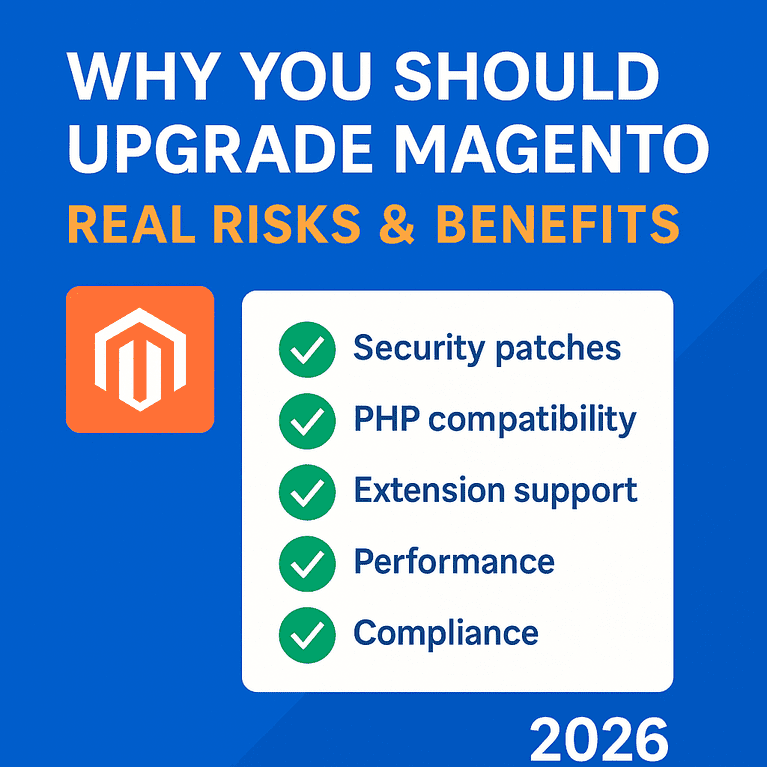
Why You Should Upgrade Magento – Real Risks & Benefits (2026 Guide)

As we enter 2026, many Magento store owners are asking the same question:

“Do I really need to upgrade Magento if my store is running fine?”

Magento upgrades are not just for new features — they are essential for:

  • security
  • stability
  • compliance
  • smooth checkout
  • future compatibility

With Magento 2.4.8-p3 now the latest secure release, staying on older versions exposes your store to unnecessary risks.


🟦 Do I Really Need a Magento Upgrade in 2026?

Yes — because Magento upgrades are security-critical, not optional enhancements.

Magento depends on:

  • PHP versions
  • server configurations
  • OpenSearch
  • database compatibility
  • updated security libraries

If any of these become outdated, your store becomes vulnerable even if “everything looks fine.”


🟥 1. The Most Important Reason: Security Patches (2026 Requirement)

Magento 2.4.8-p3 includes important fixes for:

  • remote code execution
  • cross-site scripting
  • checkout hijacking
  • API abuse
  • unauthorized admin access
  • order manipulation vulnerabilities

When Adobe releases security patches, they also publish the vulnerabilities publicly.
Hackers actively target stores that stay on versions like:

  • 2.4.3
  • 2.4.4
  • 2.4.5
  • 2.4.6
  • 2.4.7

Running outdated Magento is equivalent to running a store with known unlocked doors.


🟧 2. PHP & Server Compatibility (2026 Standard)

Magento 2.4.8-p3 requires:

  • PHP 8.4 (older versions are now EOL)
  • OpenSearch 2.x
  • Updated MariaDB/MySQL compatibility

If you’re running an older Magento version on old PHP:

  • Your server is insecure
  • Your site may crash when the host updates PHP
  • Extensions stop working
  • Admin errors appear randomly

This is the #1 reason stores break unexpectedly.


🟩 3. Extension & Theme Compatibility (Silent Failures in 2026)

Extensions and themes are being updated to support 2.4.8-p3.

If you don’t upgrade:

  • checkout modules fail
  • filters break
  • product pages display errors
  • admin grids malfunction
  • email triggers fail
  • API integrations break

Even if your store loads fine today, logs usually show:

  • deprecated functions
  • invalid plugins
  • failing interceptors

These grow into catastrophic failures.


🟨 4. Performance & Speed Improvements (2026 Enhancements)

Each Magento release optimizes:

  • GraphQL
  • indexing
  • caching
  • API response times
  • frontend JS performance

Magento 2.4.8-p3 especially includes:

  • Faster indexing
  • Better OpenSearch handling
  • Lower CPU usage
  • Checkout stability improvements

Faster sites rank better + convert higher.


🟪 5. Payment Gateway Compliance (2026 Requirements)

Payment gateways now require:

  • TLS 1.3
  • PCI-DSS 4.0 compliance
  • API version upgrades
  • stronger fraud prevention

Older Magento versions fail newer gateway checks such as:

  • PayPal API changes
  • Stripe SDK updates
  • Razorpay security patches

Result:
Payments may stop working suddenly if you do not upgrade.


🟫 6. Legal & Compliance Requirements (2026)

Data protection laws worldwide are stricter in 2026.

Running outdated ecommerce software can lead to:

  • GDPR violations
  • PCI compliance failures
  • security audit issues

Magento upgrades ensure your store stays compliant.


🟩 7. New Features in Magento 2.4.8-p3

While not the main reason to upgrade, 2.4.8-p3 includes:

  • improved security
  • updated libraries
  • code quality improvements
  • enhanced backend performance
  • more stable indexing
  • better API handling
  • numerous bug fixes

🟥 Real Risks of NOT Upgrading Magento (2026 Edition)

1️⃣ Higher hacking risk

Old stores are the easiest target.

2️⃣ Payment gateways may stop working

Stripe, PayPal, Razorpay enforce strict API versions.

3️⃣ Slow site & lower SEO ranking

Old Magento versions fail performance standards.

4️⃣ Extensions breaking suddenly

Especially checkout-related.

5️⃣ Higher upgrade cost later

More outdated = more expensive to upgrade later.


🟦 When Upgrade Becomes Mandatory in 2026 (Critical Cases)

Upgrade immediately if:

✔ your PHP version is outdated
✔ admin shows errors
✔ checkout has intermittent issues
✔ payment methods disappear
✔ hosting forces PHP upgrade
✔ you are still on any version before 2.4.8 (no longer secure)


🟧 Magento Upgrade Benefits (2026 Summary)

BenefitWhy It Matters
SecurityProtects from known vulnerabilities
Checkout stabilityPayment gateways remain functional
PerformanceBetter speed, SEO, conversions
Future compatibilityAvoid major code breaks
Lower long-term costSmaller upgrades = cheaper
Better extensions supportEverything stays compatible
ComplianceMeets 2026 security standards

🟫 Are Patches Enough Instead of Full Upgrade?

No.

Patches fix only:

  • minor security issues

But do NOT fix:

  • PHP compatibility
  • extension issues
  • theme conflicts
  • performance gaps
  • API failures

Upgrades are required for long-term stability.


🟣 Conclusion — Should You Upgrade Magento in 2026?

If you’re running Magento in 2026, upgrading is not optional.

Magento 2.4.8-p3 is the most secure, stable environment to run your store.

Upgrading protects:

  • your security
  • your revenue
  • your SEO
  • your customer experience
  • your long-term maintenance cost

This is not about features — it’s about the future health and safety of your store.

Magento Upgrade Checklist – Complete 2025 Pre & Post Upgrade Guide


A Magento upgrade can break themes, extensions, checkout, APIs, and even the admin panel if not planned properly.
This 37-step Magento Upgrade Checklist ensures a safe, stable, and error-free upgrade to Magento 2.4.7 (or any version).

Bookmark this page before upgrading.


If you prefer a done-for-you upgrade, check our
👉 Magento Upgrade Service


WHY YOU NEED A MAGENTO UPGRADE CHECKLIST

Magento upgrades fail mainly due to:

  • Incompatible extensions
  • Deprecated custom modules
  • Theme conflicts
  • PHP/OpenSearch version mismatch
  • Poor testing
  • Missing backups

This checklist prevents exactly those issues.


🟦 SECTION 1 — Pre-Upgrade Checklist (Before You Touch Anything)

This is the most important part.
Skipping pre-checks causes 90% of upgrade failures.


1. System & Server Readiness

✔ Check PHP version (Magento 2.4.7 requires PHP 8.2)
✔ Check MySQL/MariaDB version
✔ Ensure Elasticsearch → OpenSearch migration readiness
✔ Check Composer version
✔ Confirm enough disk space (minimum 10–15 GB free)
✔ Update hosting stack if needed


2. Create Full Backups (Non-Negotiable)

✔ Database backup
✔ Code backup
✔ Media backup
✔ env.php & config.php backup
✔ Store backup on external location (Drive/S3/github)


3. Audit All Extensions

✔ List every installed module
✔ Check version compatibility with Magento 2.4.7
✔ Note extensions needing subscription renewal
✔ Identify extensions that must be replaced
✔ Disable unused/outdated modules (saves cost)


4. Theme Compatibility Check

✔ Identify if theme supports 2.4.7
✔ Check for custom theme overrides
✔ Clone theme folder before upgrade
✔ Verify JS/CSS libraries for compatibility
✔ Check RequireJS patches and LESS/SASS status


5. Custom Modules Audit

✔ Review all custom modules
✔ Check deprecated classes/functions
✔ Remove unused features
✔ Document modules that need rewrite
✔ Validate observer/plugins/events


6. Third-Party Integrations

✔ Payment gateways
✔ Shipping APIs
✔ ERP/CRM connections
✔ Marketing extensions
✔ Admin dashboards

Ensure version support.


7. Create UAT/Staging Environment

✔ Copy production to staging
✔ Apply IP lock
✔ Switch to developer mode
✔ Test upgrade here first (never on live)


🟩 SECTION 2 — Upgrade Execution Checklist


8. Enable Maintenance Mode

✔ Prevent live users from accessing store
✔ Inform management/client


9. Clean the Code & Composer Setup

✔ Remove unused packages
✔ Update composer.json
✔ Ensure correct repo URLs
✔ Lock versions where needed


10. Run the Upgrade Commands

Typical commands:

composer update

php bin/magento setup:upgrade

php bin/magento setup:di:compile

php bin/magento setup:static-content:deploy -f

php bin/magento cache:flush


11. Database Upgrade & Schema Validation

✔ Fix DB warnings
✔ Check table conflicts
✔ Validate foreign keys
✔ Reindex data


12. Extension Fixing Phase

✔ Update modules
✔ Patch incompatible code
✔ Replace outdated modules
✔ Fix plugin/observer issues


13. Theme Fixing Phase

✔ Resolve JS errors
✔ Fix broken layouts
✔ Update templates
✔ Validate CSS build
✔ Test storefront pages


14. API, Payment & Shipping Testing

✔ Test checkout
✔ Test payment methods
✔ Verify API returns
✔ Check shipping methods
✔ Validate admin order create


🟧 SECTION 3 — Post-Upgrade Checklist


15. Full Functional Testing

✔ Homepage
✔ Category pages
✔ Product pages
✔ Cart / Mini cart
✔ Checkout
✔ Login / Register
✔ Contact forms


16. Admin Panel Testing

✔ Orders
✔ Invoices
✔ Credit memos
✔ Catalog updates
✔ Stock management
✔ Promotions


17. API, Webhook & Cron Validation

✔ Fix 401/403 auth issues
✔ Run cron jobs
✔ Review logs in var/log
✔ Fix failed jobs


18. Security & Performance Testing

✔ Validate reCAPTCHA
✔ Enable production mode
✔ Test speed
✔ Check server error logs
✔ Enable 2FA


19. SEO Testing

✔ Check robots.txt
✔ Check sitemap.xml
✔ Validate canonical URLs
✔ Validate structured data
✔ Run Lighthouse SEO test


20. Final Deployment Plan

✔ Prepare downtime window
✔ Backup staging
✔ Sync code
✔ Sync media
✔ Run deploy script
✔ Switch off maintenance mode


🟪 SECTION 4 — Post-Go-Live Checklist

This is after the upgrade goes live.


21. Monitor Live Logs

✔ error.log
✔ system.log
✔ debug.log


22. Verify Orders for First 24 Hours

✔ Successful transactions
✔ Failed payment logs
✔ Shipping rates
✔ Email triggers


23. Client/Admin Training

✔ New features
✔ Process changes
✔ Admin improvements


🟫 SECTION 5 — Complete 37-Point Checklist Summary

Here is the compressed 37-step list you can also turn into a PDF:

  1. PHP version check
  2. MySQL/MariaDB version check
  3. OpenSearch readiness
  4. Composer updated
  5. Disk space check
  6. Server stack updated
  7. DB backup
  8. Code backup
  9. Media backup
  10. env/config backup
  11. Extension list
  12. Extension compatibility
  13. Remove unused modules
  14. Theme compatibility review
  15. Theme override audit
  16. Custom module audit
  17. Deprecated code check
  18. Plugin/observer review
  19. API/integration review
  20. Create staging
  21. Maintenance mode ON
  22. Clean composer
  23. Update composer.json
  24. Run upgrade commands
  25. Database fix
  26. Extension fix
  27. Theme fix
  28. Checkout testing
  29. Payment testing
  30. API testing
  31. Full store testing
  32. Admin testing
  33. Cron jobs testing
  34. Security settings
  35. Speed testing
  36. Final deployment
  37. Post-live monitoring


Need a professional, error-free upgrade?
👉 Hire our Magento Upgrade Experts
Zero downtime. Guaranteed.


📝 FAQ (With Schema if you want)

1. Why do Magento upgrades fail?

Mostly due to incompatible extensions and outdated themes.

2. What version should I upgrade to in 2025?

Magento 2.4.7 is the latest stable version.

3. Should I upgrade directly or step-by-step?

Direct upgrade works if all modules support the target version.

4. How long does a Magento upgrade take?

1–2 days for small stores, 5–12 days for complex stores.


Magento Upgrade Cost – Complete 2025 Pricing Breakdown

(Real pricing, hidden costs, timelines & Magento 2.4.7 upgrade charges)

Magento upgrade cost in 2025 depends on your current Magento version, number of extensions, theme complexity, custom modules, hosting, and the latest version you’re upgrading to (Magento 2.4.7).
On average, a Magento 2 upgrade costs ₹25,000 to ₹1,50,000+ for Indian agencies and $500 to $5,000+ globally.

This guide gives transparent, real-world pricing, with no agency fluff.

Looking for a professional upgrade? Check our Magento Upgrade Service for a zero-downtime, secure upgrade process.


🧮 Magento Upgrade Cost in 2025 (Quick Summary)

Store TypeMagento VersionEstimated Cost (INR)Estimated Cost (USD)Timeline
Small store2.4.x → 2.4.7₹25,000 – ₹40,000$350 – $6002–4 days
Medium store2.3.x/2.4.x → 2.4.7₹40,000 – ₹80,000$600 – $1,2005–7 days
Large storeHighly customized₹80,000 – ₹1,50,000+$1,200 – $2,200+8–14 days
Enterprise storeMulti-store + heavy custom₹1,50,000 – ₹3,50,000+$2,500 – $5,000+2–4 weeks

Keyword Focus:
magento upgrade cost, magento upgrade pricing, magento 2.4.7 upgrade cost

➡ Need an exact quote? Our Magento upgrade experts can audit your store for free.


🏷️ What Decides Magento Upgrade Cost? (7 Real Factors)

Magento upgrade pricing depends on:

1. Current Magento Version

Upgrading from:

  • 2.4.x → 2.4.7 = simplest, lowest cost
  • 2.3.x or older → 2.4.7 = requires more fixes + deprecated modules removal

2. Number of Installed Extensions

Extensions are the biggest cost driver.

Extensions CountImpact on Cost
10 or fewerLow cost, easy upgrade
10–25Moderate effort
25–50High customization, costly
50+Very high complexity

3. Theme Compatibility

  • Default Luma → easy
  • Custom theme → medium
  • Heavily modified/custom-coded theme → expensive

4. Custom Modules

Custom modules must be refactored for compatibility with 2.4.7.

5. Server / Hosting Environment

Magento 2.4.7 requires:

  • PHP 8.2
  • Elasticsearch replaced with OpenSearch
  • MariaDB/MySQL compatibility

6. Database Size

Large databases = longer testing + QA time.

7. QA & UAT Requirements

More test cases = higher effort.


💰 Magento Upgrade Cost Breakdown (Detailed Pricing)

🟦 1. Codebase Upgrade Cost (₹15k–₹75k)

Includes:

  • Composer update
  • PHP compatibility fixes
  • Deprecated code removal
  • Vendor package upgrades

🟩 2. Extension Upgrade Cost (₹5k–₹50k+)

Some extensions require:

  • Minor version bump
  • Major version upgrade
  • Replacement (if developer discontinued it)

🟧 3. Theme Upgrade Cost (₹5k–₹40k)

If your theme is:

  • Outdated Luma clone → ₹5k
  • Custom-coded → ₹15k–₹40k

🟥 4. Custom Module Fixes (₹5k–₹60k)

Refactoring + compatibility updates.

🟪 5. Elasticsearch → OpenSearch Migration (₹5k–₹25k)

Mandatory for Magento 2.4.7.

🟫 6. QA & Testing (₹10k–₹40k)

Includes:

  • Checkout
  • Cart
  • Payment
  • Shipping
  • Email flows
  • API integrations

🔵 7. Deployment + Zero-Downtime Live Launch (₹5k–₹20k)


🟢 Magento 2.4.7 Upgrade Cost (Specific Breakdown)

Magento 2.4.7 comes with:

  • Security improvements
  • PHP 8.2
  • OpenSearch
  • GraphQL updates
  • 140+ security fixes

Magento 2.4.7 Upgrade Cost (India):

✔ Small site: ₹25k–₹40k
✔ Medium store: ₹50k–₹90k
✔ Customized site: ₹90k–₹1.5L+

Magento 2.4.7 Upgrade Cost (International):

✔ $350–$600 for small
✔ $600–$1,500 for medium
✔ $1,500–$4,500 for custom stores


🏗️ Magento Upgrade Cost Based on Project Type

1. Basic Magento Store (Simple Extensions)

  • 10–15 extensions
  • No custom modules
  • Default theme
    Cost: ₹25k–₹40k

2. Growing Magento Store

  • 15–30 extensions
  • Few custom modules
  • Custom theme
    Cost: ₹40k–₹80k

3. Enterprise Magento Store

  • 30–70 extensions
  • 10+ custom modules
  • Multiple integrations
    Cost: ₹1L–₹3L+

⚠️ Hidden Magento Upgrade Costs (Agencies Don’t Tell You)

1. Extensions Subscription Renewal

Some extensions need new licenses.

2. Deprecated Modules Removal

Old custom modules often break.

3. Custom Payment/Shipping Rework

4. Hosting Upgrade

2.4.7 requires updated stacks.

5. Elasticsearch → OpenSearch Migration

Essential for latest versions.

These hidden costs can add ₹10k–₹50k extra depending on your setup.


🕒 Magento Upgrade Timeline (Cost Depends on This)

Store TypeTimeline
Small2–4 days
Medium5–7 days
Large8–14 days
Enterprise2–4 weeks

🧰 Free Magento Upgrade Cost Estimator

Fields:

  • Current Magento version
  • Number of extensions
  • Hosting
  • Theme type
  • Expected timeline

➡️ Your price arrives instantly via WhatsApp + email


🟣 Why Magento Upgrade Cost is Increasing in 2025

  • PHP upgrades
  • Extension developers charging more
  • Magento dropping support for old versions
  • Security patches becoming urgent
  • More stores shifting to OpenSearch

🟡 How to Reduce Magento Upgrade Cost (Pro Tips)

✔ Remove unused extensions
✔ Clean unused tables in DB
✔ Switch to a stable theme
✔ Avoid unnecessary custom modules
✔ Choose an agency experienced in 2.4+ upgrades


Magento Upgrade Pricing – Final Summary

CategoryCost Range
Basic upgrade₹25k–₹40k
Medium upgrade₹40k–₹80k
Advanced upgrade₹80k–₹1.5L
Enterprise upgrade₹1.5L–₹3.5L

🔥 CTA (Use for Your Page)

Want the exact cost for your Magento store?
👉 Get Your Free Magento Upgrade Cost Report
(Delivered in 30 minutes)

For a complete upgrade handled end-to-end, see our Magento 2 Upgrade Service.


FAQ – Magento Upgrade Cost (SEO Optimized)

1. How much does it cost to upgrade Magento?

Between ₹25,000 and ₹1,50,000+ depending on complexity.

2. What is the cost of upgrading to Magento 2.4.7?

Between ₹25,000–₹90,000+ for most stores.

3. Why do some agencies charge ₹2–3 lakhs?

Because of:

  • Heavy custom modules
  • Multi-store setups
  • Complex extensions
  • API integrations

4. What increases Magento upgrade cost?

Extensions, theme, database, hosting, custom modules.

5. How can I reduce upgrade cost?

Remove unused extensions and use a stable theme.

Magento Upgrade Service

What Is the Purpose of Magento?

Magento upgrade services help businesses update their eCommerce stores to the latest Magento version to improve performance, security, and access to new features. These services include auditing the current store, updating the core Magento files, ensuring theme and extension compatibility, applying the latest security patches, optimizing performance, and thoroughly testing the site before deployment. A professional upgrade ensures a smooth, secure, and error-free transition without disrupting your online store’s operations.

Read More
Magento Upgrade Service

Magento Pricing Explained: How Much Does It Really Cost to Build and Maintain Your Store?

Thinking about building an online store with Magento? Understanding the costs upfront can save you time and money. In this guide, we break down the true expenses of setting up and maintaining a Magento store from software options and hosting to design, extensions, and ongoing maintenance. Get a clear picture of what it really takes to launch and run a successful Magento-powered eCommerce store.

Read More
Magento Upgrade Service

If You Can’t Handle Magento, Maybe E-Commerce Isn’t for You 

If you can’t handle Magento, chances are you’re not ready for the demands of modern e-commerce. Magento’s complexity exists for a reason it offers unmatched flexibility, scalability, and control that simpler platforms can’t match. Mastering it means unlocking true customization, powerful performance, and long-term growth potential, which are essential for any serious online business.

Read More
Magento upgrade service

If You Haven’t Upgraded Your Magento Store Yet, You’re Risking Your Customers’ Data Period.

If you haven’t upgraded your Magento store yet, you’re risking your customers’ data and your brand’s reputation. Discover how SMB Tech Solution’s Magento upgrade service ensures top security, faster performance, and zero downtime for your eCommerce success.

Read More
Magento Upgrade Service for Fashion Stores: Unlocking Seamless Growth

Magento Upgrade Service for Fashion Stores: Unlocking Seamless Growth

Running a fashion store on an outdated Magento platform can slow your site, create security risks, hurt mobile performance, and limit new features. A professional Magento Upgrade Service for Fashion Stores boosts speed, strengthens security, improves mobile experience, and supports modern extensions. With SMB Tech Solutions, you get expert upgrades that preserve customizations and SEO while making your store faster, safer, and more profitable. contact us today to get started.

Read More
Magento vs Shopify: When Switching Makes Sense

Shopify vs Magento: When Switching Makes Sense

Shopify vs Magento both are top eCommerce platforms, each suited to different business needs. Shopify is best for small to medium businesses seeking ease, quick setup, and built-in tools. Magento fits large enterprises needing full customization and advanced features. Switching to Magento makes sense when Shopify’s limits are reached, while moving to Shopify helps cut maintenance and simplify operations. The choice boils down to prioritizing control and flexibility (Magento) or convenience and efficiency (Shopify).

Read More