

If you’re planning a Magento upgrade, you’ve probably been told timelines like:
“2 weeks should be enough.”
“It depends on scope.”
“We’ll do it fast.”
Here’s the reality:
Magento upgrade timelines are not decided by speed — they are decided by preparation.
In this blog, we’ll explain:
- Why Magento upgrade timelines are often misunderstood
- The real, phase-wise timeline of a safe upgrade
- What increases (or shortens) upgrade time
- How to set realistic expectations without risking revenue
No hype. Just practical clarity.
1. Why Magento Upgrade Timelines Are Misunderstood
Most timeline estimates ignore risk discovery.
Agencies often assume:
- Extensions will “mostly work”
- Checkout won’t need deep testing
- Issues can be fixed post-upgrade
But Magento doesn’t work that way.
What actually delays upgrades:
- Undocumented custom code
- Unsupported extensions
- Checkout & integration failures discovered after upgrade
- Missing rollback planning
That’s why “2-week upgrades” often turn into 6–8 weeks of firefighting.
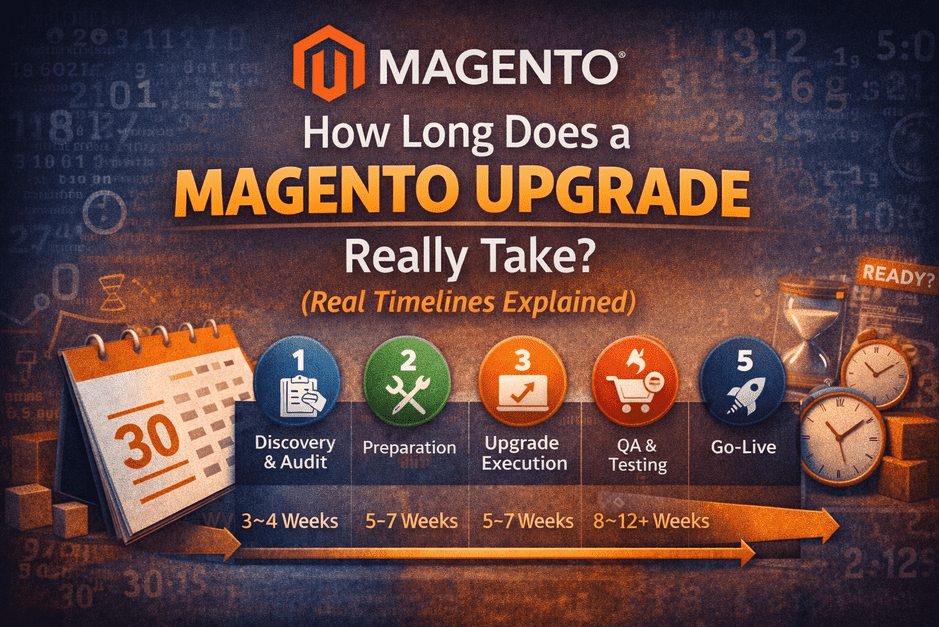
2. The Real Magento Upgrade Timeline (Phase by Phase)
A safe Magento upgrade follows five predictable phases.
Skipping any phase doesn’t save time — it moves problems later.
🔹 Phase 1: Discovery & Audit (3–10 Days)
Purpose: Understand risk before touching code.
- Free Mini Audit: 2–3 days
- Paid Deep Audit (if required): 5–10 days
What happens here:
- Version & PHP compatibility checks
- Extension risk identification
- Customization & checkout complexity assessment
- Upgrade readiness score
👉 This phase prevents surprise delays later.
🔹 Phase 2: Preparation & Risk Fixing (5–15 Days)
Purpose: Remove known blockers.
Includes:
- Replacing or fixing incompatible extensions
- Refactoring risky custom code
- Theme & frontend readiness
- Infrastructure alignment (PHP, search, cache)
⚠️ Stores that skip this phase almost always face delays in QA.
🔹 Phase 3: Upgrade Execution (5–10 Days)
Purpose: Perform the actual upgrade.
Includes:
- Magento core upgrade
- Dependency & library updates
- Initial error resolution
- Basic admin & frontend stabilization
This phase is often fast — because preparation was done properly.
🔹 Phase 4: QA, Testing & Revenue Validation (7–14 Days)
Purpose: Protect revenue.
Must-test scenarios:
- Add to cart (all product types)
- Checkout with real payment gateways
- Shipping & tax logic
- Order creation in admin
- Emails, webhooks, ERP/CRM sync
🚨 This phase is where rushed upgrades fail.
🔹 Phase 5: Go-Live, Monitoring & Rollback Window (2–5 Days)
Purpose: Safe launch with confidence.
Includes:
- Non-peak deployment
- Verified backups & rollback plan
- Post-launch order monitoring
- Payment success tracking
This phase ensures stability, not just launch.
3. Realistic Magento Upgrade Timeline Ranges
Based on store complexity:
✅ Low-Risk Store
- Minimal custom code
- Few extensions
- Simple checkout
⏱ 3–4 weeks
⚠️ Medium-Complexity Store
- Custom theme
- Multiple extensions
- Integrations present
⏱ 5–7 weeks
🚨 High-Risk / Enterprise Store
- Heavy custom code
- Custom checkout
- High daily revenue
⏱ 8–12+ weeks
Faster than this usually means risk is being ignored.
4. What Increases Magento Upgrade Time (The Real Reasons)
- Skipping audits
- Unsupported or abandoned extensions
- Custom checkout logic
- Poor staging ≠ production parity
- No feature freeze during upgrade
- Peak-season deployment pressure
These don’t just increase time — they increase cost and risk.
5. How to Shorten Your Magento Upgrade Timeline (Safely)
You can reduce timeline — without cutting corners.
✔ Do This:
- Start with a Free Mini Audit
- Fix risks before upgrade execution
- Freeze new features during upgrade
- Ensure staging mirrors production
- Plan go-live away from peak sales
❌ Avoid This:
- “We’ll fix it later”
- Rushing QA
- Skipping rollback planning
Preparation doesn’t slow you down — it speeds you up.
6. The Most Expensive Timeline Mistake
The most common mistake store owners make:
“We don’t have time for an audit.”
But here’s the truth:
- Audits add days
- Firefighting adds weeks
Time spent on clarity is always less than time spent on recovery.
Final Thought
A Magento upgrade timeline is not a promise —
it’s the result of readiness.
When risks are visible early, timelines become predictable.
When risks are ignored, timelines explode.
👉 Want a Realistic Timeline for Your Store?
Start with a Free Magento Mini Audit.
You’ll get:
- Upgrade readiness
- Risk level
- A realistic timeline — before committing
No pressure. Just clarity.
