Blogs

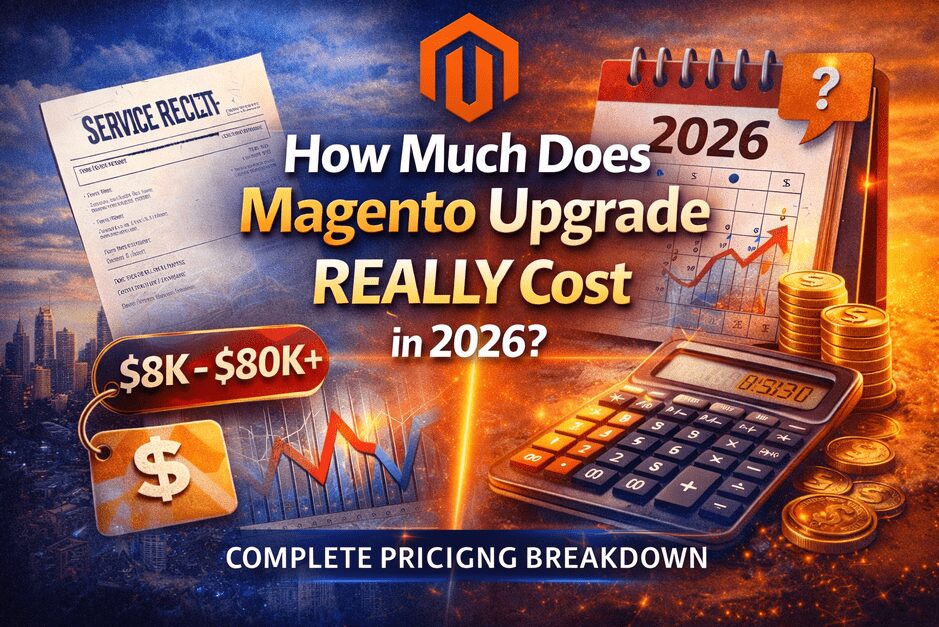
How Much Does Magento Upgrade REALLY Cost in 2026? (Complete Pricing Breakdown)

Introduction

One of the first questions every Magento store owner asks before upgrading is:

“How much will the Magento upgrade actually cost?”

And the honest answer is:

It depends — but not for the reasons most people think.

Many agencies give random price ranges without explaining what actually drives costs. This leads to confusion, unrealistic expectations, or choosing the wrong upgrade partner.

In this guide, we’ll break down:

  • Real Magento upgrade cost ranges in 2026
  • What increases or reduces upgrade costs
  • Hidden expenses most businesses miss
  • Why cheap upgrades often become expensive later
  • How to estimate your real upgrade budget

Average Magento Upgrade Cost in 2026 (Realistic Range)

Here’s a practical estimate based on project complexity:

Store TypeEstimated Upgrade Cost
Small Store$2,000 – $8,000
Mid-Size Store$8,000 – $20,000
Enterprise Store$20,000 – $80,000+

⚠️ These numbers are not fixed prices — they reflect typical upgrade scenarios.


Why Magento Upgrade Costs Vary So Much

Magento upgrades are not simple version updates.

They involve:

  • Core system updates
  • Extension compatibility checks
  • Server upgrades
  • Payment gateway testing
  • Database migration scripts
  • Performance optimization
  • SEO protection

Two stores running the same Magento version can have completely different upgrade costs.


The 7 Biggest Factors That Affect Upgrade Cost

1️⃣ Number of Extensions

Extensions are the biggest cost driver.

Each extension may require:

  • Compatibility checks
  • Updates
  • Replacement
  • Custom fixes

Stores with many third-party modules take longer to upgrade safely.


2️⃣ Custom Development

If your store has:

  • Custom checkout logic
  • ERP integrations
  • Custom themes
  • API workflows

Upgrade effort increases significantly.


3️⃣ Magento Version Gap

Example:

  • Magento 2.4.6 → 2.4.8 = lower risk
  • Magento 2.3 → latest version = major upgrade

Older versions require deeper code adjustments.


4️⃣ Payment Gateway Complexity

Payment systems must be carefully migrated.

Common risks include:

  • Payment captured but order missing
  • Failed callbacks
  • Subscription errors

Payment testing alone can take days.


5️⃣ Store Size & Catalog Volume

Large catalogs need:

  • Reindexing strategy
  • Search optimization
  • Performance tuning

Without planning, performance can drop after upgrade.


6️⃣ Server Infrastructure

Upgrades often require:

  • PHP version updates
  • Elasticsearch configuration
  • Redis / Varnish tuning

Infrastructure changes increase project complexity.


7️⃣ Testing & QA Level

Professional upgrades include:

  • Full staging testing
  • Checkout testing
  • Performance checks
  • Regression testing

Skipping QA reduces cost — but increases risk.


Hidden Magento Upgrade Costs Most Agencies Don’t Mention

This is where many businesses get surprised.

❌ Downtime Cost

Even a few hours of downtime can impact revenue.


❌ SEO Ranking Loss

Bad upgrades may cause:

  • Broken URLs
  • Missing redirects
  • Indexing issues

Recovering rankings can cost more than the upgrade itself.


❌ Extension Replacement Cost

Abandoned extensions often require rebuilds.


❌ Post-Launch Fixes

Cheap upgrades frequently lead to:

  • Bug fixing after launch
  • Emergency developer work
  • Revenue-impacting issues

Cheap Upgrade vs Expert Upgrade (Real Comparison)

Cheap UpgradeProfessional Upgrade
Lower upfront costHigher initial investment
Minimal testingFull QA & staging
Higher riskControlled deployment
Possible downtimeZero-downtime strategies
Hidden long-term costsStable long-term result

The cheapest upgrade is rarely the most affordable option.


Real Example Scenarios

Example 1 — Small Store

  • Few extensions
  • Standard theme
  • Simple checkout

Estimated cost: $2K – $5K


Example 2 — Growing Business

  • Custom modules
  • Multiple payment methods
  • Large catalog

Estimated cost: $8K – $20K


Example 3 — Enterprise Store

  • ERP integrations
  • Complex workflows
  • Heavy customization

Estimated cost: $20K – $80K+


How to Estimate Your Magento Upgrade Cost

Before requesting quotes, evaluate:

✔ Number of extensions
✔ Custom development level
✔ Current Magento version
✔ Server setup
✔ Payment integrations
✔ SEO requirements

The safest approach is starting with a Magento Upgrade Risk Audit to understand real complexity.


Biggest Mistake Businesses Make

Choosing an upgrade provider only based on price.

Magento upgrades affect:

  • Revenue
  • Customer experience
  • Search rankings
  • Security

A failed upgrade can cost more than doing it properly from the start.


How to Reduce Magento Upgrade Cost (Smart Strategy)

You can reduce costs safely by:

✔ Removing unused extensions
✔ Cleaning legacy code
✔ Updating server early
✔ Planning staging environment
✔ Running upgrade audits first

Preparation reduces risk and effort.


Final Thoughts

Magento upgrade cost in 2026 depends more on complexity and risk management than hourly rates.

Done right:

✔ Better performance
✔ Improved security
✔ Stable checkout
✔ Future scalability

Done wrong:

❌ Revenue loss
❌ Downtime
❌ Endless fixes

Always treat Magento upgrades as a strategic investment — not just technical maintenance.


🚀 Planning a Magento Upgrade?

Start smart:

➡️ Free Magento Upgrade Risk Audit
➡️ Ultimate Magento Upgrade Guide (2026 Edition)
➡️ Magento Upgrade Case Studies
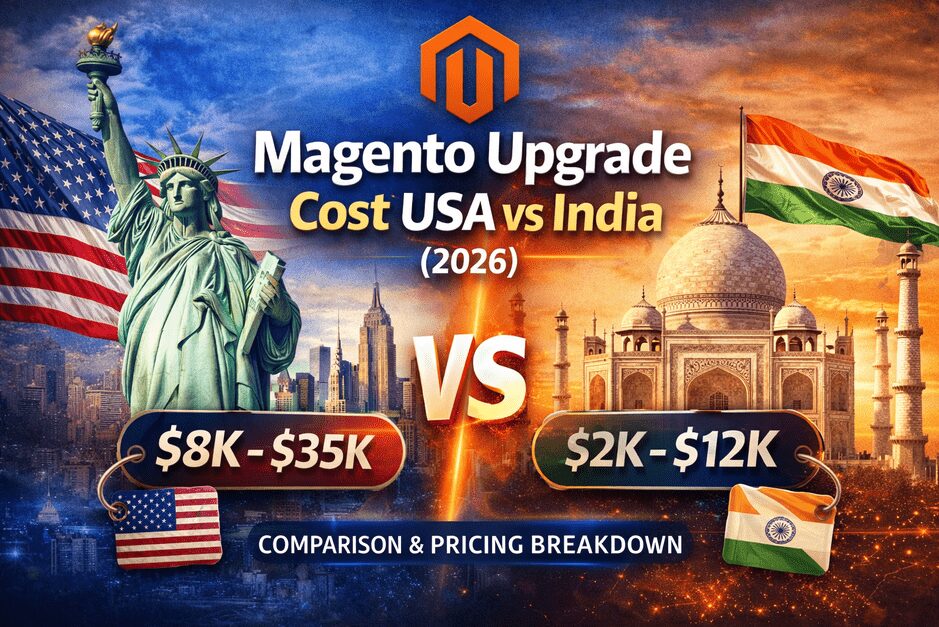
Magento Upgrade Cost USA vs India (2026): Real Comparison, Pricing Breakdown & What Businesses Should Know

Introduction

One of the most common questions Magento store owners ask before upgrading is:

“Should we hire a US Magento agency or an India-based Magento upgrade expert?”

At first glance, the decision seems simple — pricing differences can be significant.

But the real comparison is not just about hourly rates.

Magento upgrades are business-critical operations that impact:

  • Revenue continuity
  • SEO rankings
  • Checkout stability
  • Security compliance
  • Long-term scalability

This guide provides a realistic comparison of Magento upgrade costs in USA vs India — including pricing, risks, advantages, and how to choose the right partner for your business.


Why Magento Upgrade Pricing Varies So Much

Magento upgrades are not fixed-price tasks.

Costs depend on:

  • Store complexity
  • Number of extensions
  • Custom development
  • Server architecture
  • Payment integrations
  • Data volume
  • Testing requirements

Two stores running the same Magento version can have completely different upgrade costs.


Magento Upgrade Cost in USA (2026)

Typical Pricing Range

Project TypeEstimated Cost (USA)
Small Store Upgrade$8,000 – $15,000
Mid-Size Store$15,000 – $35,000
Enterprise Upgrade$35,000 – $80,000+

Why US-Based Pricing is Higher

US Magento agencies typically include:

  • Dedicated project management
  • Enterprise-level QA processes
  • Business strategy consultation
  • Strong timezone alignment
  • Compliance-focused workflows

For enterprise or heavily customized stores, this structure can reduce business risk significantly.


Magento Upgrade Cost in India (2026)

Typical Pricing Range

Project TypeEstimated Cost (India)
Small Store Upgrade$2,000 – $5,000
Mid-Size Store$5,000 – $12,000
Enterprise Upgrade$12,000 – $30,000

Why India-Based Pricing is Lower

Indian Magento specialists often provide:

  • Strong technical expertise
  • Lower operating costs
  • Highly experienced developers
  • Flexible engagement models

Many global brands choose Indian Magento upgrade teams for cost efficiency without sacrificing quality — when working with upgrade-focused experts.


USA vs India — Real Comparison Beyond Price

FactorUSA AgenciesIndia Upgrade Specialists
CostHigherLower
Technical SkillHighHigh
Upgrade ExperienceDepends on agencySpecialist-focused teams available
Timezone AlignmentBetter for US businessesRequires coordination
Cost EfficiencyLowerVery High
Enterprise ProcessStrongDepends on provider

The Hidden Cost Most Businesses Ignore

Many store owners compare only upfront pricing.

But real costs include:

  • Downtime during upgrade
  • Checkout failures
  • SEO ranking drops
  • Extension conflicts
  • Post-launch issues

A cheaper upgrade that causes revenue loss becomes expensive fast.


When US Agencies Make More Sense

Choose US-based teams when:

✔ Internal stakeholders need constant collaboration
✔ Enterprise compliance requirements exist
✔ Large internal development teams involved
✔ Complex multi-department workflows


When India-Based Magento Experts Are Better

Choose experienced India-based upgrade specialists when:

✔ You want high technical expertise with better cost efficiency
✔ Upgrade execution is the priority
✔ You need flexible scaling
✔ Your project requires deep Magento technical focus

Many businesses start with a Magento Upgrade Risk Audit before deciding.


Real World Scenario

Example:

Store A chooses lowest-cost provider:

  • Upgrade completed quickly
  • Checkout issues appear later
  • SEO drops due to missing redirects

Final cost = higher than planned.

Store B chooses upgrade specialists:

  • Proper audit
  • Staging testing
  • Zero downtime deployment

Result = stable revenue.


What Actually Determines Upgrade Success

Not country.

Not price.

Success depends on:

  • Upgrade strategy
  • Extension compatibility analysis
  • Payment migration testing
  • Rollback planning
  • Post-upgrade monitoring

You can review real Magento Upgrade Case Studies to see how structured upgrades reduce risk.


How to Evaluate Magento Upgrade Pricing Properly

Ask providers:

  • Do you perform upgrade risk audits?
  • How do you handle extension conflicts?
  • What is your rollback strategy?
  • How do you protect SEO during upgrades?
  • What happens after go-live?

If these answers are unclear — pricing doesn’t matter.


Final Verdict — USA vs India

The right choice depends on business priorities.

US Agencies

Best for enterprise-level coordination and internal collaboration.

India Magento Upgrade Specialists

Best for technical depth + cost efficiency when working with experienced upgrade-focused teams.

The smartest businesses choose based on:

Upgrade strategy, not geography.


Planning a Magento Upgrade?

Before comparing prices, understand your risk level.

Start with:

➡️ Free Magento Upgrade Risk Audit
➡️ Ultimate Magento Upgrade Guide (2026 Edition)
➡️ Magento Upgrade Case Studies
Magento Upgrade for US Stores (2026): Complete Guide for Safe, SEO-Safe & Zero-Downtime Upgrades

Introduction

Magento upgrades are no longer just technical maintenance tasks — they are business continuity decisions, especially for US-based eCommerce stores operating in highly competitive markets.

In 2026, US merchants face:

  • Increasing security requirements
  • PCI compliance expectations
  • Performance demands from Google Core Web Vitals
  • Payment gateway changes
  • Infrastructure modernization (cloud, CDN, caching)

Yet many US store owners delay upgrades because of one fear:

“What if the upgrade breaks revenue?”

This guide explains exactly how Magento upgrades work for US stores — and how to upgrade safely without downtime, SEO loss, or checkout disruption.

Why US Magento Stores Must Upgrade Regularly

US eCommerce is extremely competitive.

Even small technical issues can impact:

  • Revenue
  • SEO rankings
  • Checkout conversions
  • Payment approvals

Key reasons US stores upgrade:

✔ Security patch compliance
✔ PCI & payment provider requirements
✔ PHP and server compatibility
✔ Performance optimization
✔ Extension compatibility
✔ Reduced operational risk

Many businesses start with a Free Magento Upgrade Risk Audit before planning any upgrade to understand real risks.

Common Upgrade Challenges for US Stores

US Magento businesses often have more complex ecosystems compared to smaller stores.

1️⃣ Advanced Payment Integrations

Common setups include:

  • Stripe
  • PayPal
  • Authorize.Net
  • Adyen
  • Braintree

During upgrades:

  • APIs change
  • Webhooks fail
  • Token authentication updates

Without testing, checkout failures can occur silently.

2️⃣ Large Product Catalogs

US stores often manage:

  • 10K – 100K+ SKUs
  • Layered navigation
  • Complex filtering

Upgrades without proper indexing strategy can cause:

  • Slow category pages
  • Broken search
  • Conversion drops

3️⃣ Third-Party Extensions

Most upgrade failures happen because:

  • Extension vendors delay compatibility updates
  • Old modules conflict with new dependencies
  • Composer conflicts stop deployment

This is why extension audit is a mandatory step.

4️⃣ SEO Risks (Often Ignored)

Bad upgrades can cause:

  • URL structure changes
  • Missing redirects
  • Indexing issues
  • Canonical tag problems

Result:

❌ Ranking loss.

A structured upgrade process ensures SEO safety.


Magento Upgrade Process for US Stores (Recommended Approach)

Step 1 — Upgrade Risk Audit

Before touching code:

  • Extension compatibility review
  • Server & PHP analysis
  • Database health check
  • Payment system review
  • Performance baseline

This reduces surprises later.


Step 2 — Staging Environment Setup

Never upgrade directly on live site.

Create staging environment:

  • Production clone
  • Real data testing
  • Full checkout validation

Step 3 — Extension & Custom Code Validation

Check:

  • Deprecated PHP functions
  • API integrations
  • Custom checkout workflows

Replace outdated modules early.


Step 4 — Controlled Upgrade Execution

Upgrade process includes:

  • Composer updates
  • Dependency validation
  • Database upgrade scripts
  • Cache reconfiguration

Step 5 — Full Testing Phase

Test:

  • Checkout flow
  • Payment capture
  • Email triggers
  • Shipping logic
  • Admin panel workflows
  • API connections

Step 6 — Zero Downtime Deployment

For US enterprise stores:

  • Deployment during low traffic window
  • Database sync strategy
  • Rollback plan ready

Step 7 — Post Upgrade Monitoring (Critical)

First 30 days:

  • Error logs
  • Conversion rates
  • Payment success rate
  • Page speed monitoring

Most hidden issues appear after launch.


How Long Does Magento Upgrade Take for US Stores?

Store SizeTypical Timeline
Small Store1 – 2 weeks
Mid Size3 – 5 weeks
Enterprise6 – 10 weeks

Timeline depends more on extensions than Magento itself.


Real Risks When US Stores Delay Upgrades

Ignoring upgrades can cause:

  • Payment gateway deprecation
  • Security vulnerabilities
  • Hosting incompatibility
  • PCI compliance issues
  • Performance decline
  • SEO ranking loss

In competitive US markets, this directly impacts revenue.


How to Choose a Magento Upgrade Partner (US Perspective)

Look for:

✔ Real upgrade specialists (not general developers)
✔ Zero downtime experience
✔ SEO-safe upgrade experience
✔ Extension conflict handling
✔ Post-upgrade monitoring

Before selecting a partner, review real Magento Upgrade Case Studies to understand proven results.


Why Many US Stores Start With a Free Audit

A free upgrade audit helps answer:

  • Is your store upgrade-ready?
  • Which extensions are risky?
  • What will break first?
  • Can upgrade be done without downtime?

This prevents unexpected failures later.


Final Thoughts

Magento upgrade is not a code update — it is a business risk management strategy.

For US stores, where checkout performance and SEO impact revenue immediately, upgrade planning must be structured and tested.

Done right:

✔ Better performance
✔ Higher security
✔ Stable checkout
✔ Improved scalability

Done wrong:

❌ Revenue loss
❌ Downtime
❌ SEO damage

Always treat upgrades as a strategic investment — not routine maintenance.


Need Help With Magento Upgrade for Your US Store?

Start with:

➡️ Free Magento Upgrade Risk Audit
➡️ Talk to Magento Upgrade Specialist
➡️ Review Our Ultimate Magento Upgrade Guide (2026 Edition)

Payment Migration During Magento Upgrade: Complete Safe Transition Guide (2026)

Introduction

Upgrading Magento improves store performance, security, and scalability — but it also introduces one major business risk: Payment System Failure.

⚠️ Planning a Magento Upgrade?

Before upgrading, most stores miss hidden payment risks.

Get a Free Magento Mini Audit and discover:

✔ Payment compatibility issues
✔ Upgrade risks
✔ Extension conflicts
✔ Security gaps

Many store owners focus only on theme compatibility, extension updates, and server requirements. But the most critical component is often ignored — Payment Gateway Migration.

If payment migration is not handled properly during upgrade, it can lead to payment failures, revenue loss, duplicate transactions, and customer trust issues.

If you are planning a full platform upgrade, it is important to first understand the complete process involved in a safe transition. You can also review our detailed Magento Upgrade Service process to understand how structured upgrade planning reduces risks during migration.

What is Payment Migration in Magento Upgrade?

Payment migration is the process of securely transitioning:

  • Payment gateway integrations
  • API authentication systems
  • Webhook configurations
  • Payment extension compatibility
  • Transaction workflows

It is not just copying payment settings from the old Magento version.

Modern payment gateways require updated SDK versions, token-based authentication, advanced encryption standards, and secure webhook validation.

If your store performance is already struggling, payment systems can break faster during upgrade. In such cases, reviewing your store performance before migration is recommended through a Magento Performance Optimization Audit.

Before planning payment migration, review our Ultimate Magento Upgrade Guide (2026 Edition) to understand the complete upgrade framework, risk areas, and safe execution strategy followed by professional Magento upgrade specialists.

Why Payment Migration is Critical During Magento Upgrade

Security & PCI Compliance

Older Magento versions may not support the latest payment security protocols. This can create compliance risks and transaction failures.

Security is one of the biggest reasons businesses upgrade Magento. You can explore how security patching and version upgrades work together through our Magento Security Services.

Payment Gateway API Changes

Payment providers frequently update APIs.

Example:
Old System → Static API Keys
New System → OAuth / Token Authentication

If not updated → Payments may fail silently without clear error messages.

Revenue Protection & Conversion Stability

Payment errors directly impact revenue. Even small checkout failures can reduce conversion rates significantly.

For businesses that require ongoing monitoring and issue prevention, continuous monitoring through Magento Support & Maintenance Services ensures payment systems remain stable after upgrade.

When Payment Migration is Mandatory

You must plan payment migration if you are doing:

✔ Magento 1 to Magento 2 Migration
✔ Magento 2 Old Version to Latest Version Upgrade
✔ Payment Extension Upgrade
✔ Server Migration or Infrastructure Change
✔ Security Patch Implementation

If you are unsure whether your current Magento version is upgrade-safe, you should first conduct an upgrade feasibility check through a structured Magento upgrade audit.

Step-by-Step Magento Payment Migration Process

Step 1 — Payment System Audit

Audit includes:

  • Active payment methods
  • Custom payment modules
  • Subscription payment flows
  • Webhook integrations
  • API versions

A structured audit is usually performed as part of a professional Magento upgrade assessment.

Step 2 — Complete Backup Strategy

Backup must include:

  • Payment configurations
  • Database transaction records
  • Gateway credentials
  • Custom payment logic

Backup planning is often handled along with infrastructure and deployment planning during upgrade execution.

Step 3 — Payment Extension Compatibility Check

Before upgrading Magento:

  • Download latest payment extensions
  • Verify Magento version compatibility
  • Verify PHP version compatibility

Extension compatibility is also a key factor in store performance optimization.

Step 4 — Staging Payment Testing (Sandbox)

Must test:

  • Successful payment flow
  • Failed payment scenario
  • Refund workflow
  • Webhook order creation
  • Email notification triggers

Testing is always performed in staging environments before live deployment in professional Magento upgrade workflows.

Step 5 — Live Gateway Reconfiguration

After upgrade:

  • Re-enter API credentials
  • Update webhook URLs
  • Validate callback security

Security validation is especially important for payment callbacks and webhook endpoints.

Step 6 — Real Transaction Testing

Perform real small transactions to verify:

  • Order creation
  • Invoice generation
  • Payment capture
  • Refund processing

Post-upgrade monitoring is critical during the first 48 hours.

Common Magento Payment Migration Mistakes

❌ Copying old payment configuration directly
❌ Ignoring payment extension updates
❌ Not testing webhook functionality
❌ Skipping refund workflow testing
❌ Not monitoring live transactions post-upgrade

Most of these issues are preventable with proper upgrade planning and technical validation.

Payment Gateways That Need Extra Attention

These gateways usually require deeper validation:

  • Razorpay
  • Stripe
  • PayPal
  • Authorize.Net
  • Adyen
  • Braintree

Magento Payment Migration Best Practices (2026)

✅ Upgrade payment extension before Magento core upgrade
✅ Use separate staging payment credentials
✅ Enable detailed payment logs during launch
✅ Monitor first 48 hours transactions carefully
✅ Validate cron jobs affecting payment updates

Real Business Risk Scenarios

If payment migration is not handled correctly:

Scenario 1 → Payment Captured But Order Not Created
Scenario 2 → Order Created But Payment Failed
Scenario 3 → Duplicate Payment Capture
Scenario 4 → Subscription Renewal Failures

These scenarios are not theoretical — they are real issues seen during live upgrades. You can explore real-world upgrade outcomes inside our Magento Upgrade Case Studies to see how structured planning prevents payment failures and revenue loss.

How Long Does Magento Payment Migration Take?

Store SizeEstimated Time
Small Store1 – 2 Days
Medium Store3 – 5 Days
Enterprise Store1 – 2 Weeks

Final Thoughts

Magento upgrade is a technical task.
Payment migration is a business continuity task.

If done correctly → Seamless upgrade + Zero revenue impact
If ignored → Payment failures + Customer trust loss

Always treat payment migration as a critical upgrade phase, not just configuration work.

If you are planning Magento upgrade and want zero payment disruption, you should always work with experienced Magento upgrade specialists who understand payment architecture deeply.

If you are unsure whether your payment setup is upgrade-ready, start with a Free Magento Mini Audit to identify hidden risks before upgrading.

Magento 2.3 → 2.4 Upgrade — Real Problems Stores Face (And How to Avoid Them)

Estimated Read Time: 7 minutes

Upgrading from Magento 2.3 to Magento 2.4 is not just a version update — it is a major architecture, security, and dependency shift.

Many store owners assume:

“It’s just an upgrade — it should be simple.”

But in real-world projects, most issues happen because:

  • Old modules break
  • Server requirements change
  • Payment flows fail silently
  • Elasticsearch becomes mandatory
  • PHP version upgrade impacts custom code

This guide explains the real problems stores face during Magento 2.3 → 2.4 upgrades — and how to prevent them.

Before planning any version upgrade, review our Ultimate Magento Upgrade Guide (2026 Edition) to understand the complete upgrade framework, common risks, and safe execution strategy used by professional Magento upgrade specialists.

Real Problem #1 — Elasticsearch Becomes Mandatory

What Changes

Magento 2.4 removes MySQL search completely.
Elasticsearch is required.

What Breaks

  • Search stops working
  • Category product listing fails
  • Layered navigation crashes
  • Admin product grid search issues

Why Stores Get Stuck

Many Magento 2.3 stores never configured Elasticsearch.

How To Avoid

✔ Setup Elasticsearch before upgrade
✔ Test search indexing
✔ Validate category filters
✔ Reindex large catalogs properly

Real Problem #2 — PHP Version Compatibility Issues

Magento 2.4 requires newer PHP versions.

Common Issues

  • Custom modules stop working
  • Deprecated functions crash pages
  • Checkout customizations break
  • Old payment extensions fail

Real Scenario

Custom extensions written for PHP 7.2 → break in PHP 8.x.

Prevention

✔ Run PHP compatibility scan
✔ Audit custom modules
✔ Replace outdated extensions

Real Problem #3 — Third-Party Extensions Break

This is the #1 real-world upgrade failure cause.

Why This Happens

Many extension vendors:

  • Stop supporting old versions
  • Delay new version compatibility
  • Change database structures

What Usually Breaks

  • Payment gateway modules
  • Shipping integrations
  • ERP sync modules
  • Marketing automation tools

Prevention

✔ Extension compatibility audit
✔ Replace abandoned modules
✔ Test in staging environment

Real Problem #4 — Database Upgrade Failures

During upgrade:

  • Schema updates run
  • Data patches apply
  • Table structures change

Risks

  • Partial upgrade failure
  • Data mismatch
  • Order table issues
  • Admin panel crashes

Prevention

✔ Full database backup
✔ Test upgrade on staging copy
✔ Validate upgrade scripts

Real Problem #5 — Checkout & Payment Failures (Silent Killers)

Sometimes checkout looks fine but:

  • Payment callbacks fail
  • Orders not saved
  • Email triggers fail
  • Payment success but order missing

This is extremely dangerous — revenue loss risk.

Prevention

✔ Full checkout scenario testing
✔ Sandbox payment testing
✔ Order workflow validation

These checkout and payment issues are common during real upgrades. You can explore real implementation examples inside our Magento Upgrade Case Studies to see how structured upgrade planning prevents revenue-impacting failures.

Real Problem #6 — Composer Dependency Conflicts

Magento 2.4 updates many core libraries.

What Happens

Composer conflicts:

  • Prevent upgrade
  • Break deployment
  • Create version mismatches

Prevention

✔ Clean composer dependencies
✔ Remove unused modules
✔ Validate dependency tree

Real Problem #7 — Performance Drops After Upgrade

Many expect performance boost — but sometimes opposite happens initially.

Reasons

  • Cache misconfiguration
  • Elasticsearch not tuned
  • Old indexing setup
  • Server not optimized

Prevention

✔ Redis + Varnish tuning
✔ Elasticsearch optimization
✔ Indexer configuration review

Real Problem #8 — Admin Panel Errors

Common After Upgrade:

  • Product save errors
  • Category loading issues
  • Attribute conflicts
  • UI component failures

Usually caused by:

  • Old admin customizations
  • Outdated JS dependencies

Quick Decision Guide

Upgrade Immediately If

  • Security patches missing
  • Payment gateway unsupported
  • Hosting PHP forcing upgrade
  • Version reaching end-of-life

Plan Upgrade If

  • Store stable
  • Latest 2.3 patch installed
  • No security alerts
  • Extensions actively supported

Biggest Hidden Risk — Skipping Upgrade Too Long

Risks include:

  • Security vulnerabilities
  • PCI compliance issues
  • Payment gateway deprecation
  • SEO performance decline
  • Hosting incompatibility

⚠️ Not Sure If Your Magento 2.3 Store Is Upgrade-Ready?

Most upgrade failures happen because hidden risks are discovered too late.

Our Free Magento Upgrade Risk Audit helps identify:

  • Extension compatibility issues
  • PHP & server conflicts
  • Payment and checkout risks
  • Performance bottlenecks

➡️ Get Free Magento Upgrade Risk Audit

Pro Tip — Why Most 2.3 → 2.4 Upgrades Fail

Not because of Magento.

Because of:
❌ No pre-upgrade audit
❌ No extension compatibility testing
❌ No staging testing
❌ No rollback planning

Recommended Upgrade Approach

Phase 1 — Audit

Check:

  • Extensions
  • Custom modules
  • Server
  • Database size
  • Integrations

Phase 2 — Staging Upgrade

Test everything before live.

Phase 3 — Controlled Go Live

Low traffic window deployment.

Phase 4 — Post Upgrade Monitoring

First 30 days critical.

Should You Upgrade From Magento 2.3 Now?

In most cases → Yes
Magento 2.3 is outdated and risky long-term.

But upgrade must be:
✔ Planned
✔ Tested
✔ Monitored

Need Help Evaluating Magento 2.3 → 2.4 Upgrade Risk?

Before upgrading, it’s best to run a full upgrade risk audit.

👉 Start With Free Magento Upgrade Risk Audit
👉 Talk To Magento Upgrade Specialist

FAQ

Is Magento 2.3 to 2.4 upgrade risky?

It can be — mainly due to extensions and server requirements. Proper audit reduces risk significantly.

Can Magento 2.3 to 2.4 upgrade be done without downtime?

Yes — using staging + controlled deployment strategies.

How long does Magento 2.3 to 2.4 upgrade take?

Typically 3–8 weeks depending on complexity.

Need a Safe Magento 2.3 → 2.4 Upgrade?

Magento upgrades are business-critical projects — not just technical updates.

We help businesses:

  • Upgrade safely without downtime
  • Avoid extension & payment failures
  • Protect SEO and performance
  • Ensure stable post-upgrade operations

➡️ Start with a Free Magento Upgrade Risk Audit

Magento Upgrade Testing Checklist: What Must Be Tested Before Going Live

Magento upgrades are not risky because of the upgrade process itself.
They are risky because of what is not tested before going live.

Many stores complete the upgrade successfully on staging —
But fail after production deployment because testing was incomplete.

The result?

• Checkout failures
• Payment issues
• Order email failures
• Integration breakdowns
• Performance drops
• Admin workflow errors

This guide explains what professional Magento teams test before approving go-live deployment.

Why Magento Upgrade Testing Is More Important Than Upgrade Execution

Upgrade execution is technical.

Testing is business protection.

A successful Magento upgrade means:

  • Customers can browse
  • Customers can checkout
  • Payments work
  • Orders process correctly
  • Emails send
  • Integrations sync
  • Admin workflows work
  • Performance stays stable

If testing is weak → Upgrade success is temporary.

The Complete Magento Upgrade Testing Checklist

Below is the real-world checklist used in safe production Magento upgrade deployments.

✅ Frontend Testing

Test across Desktop + Mobile + Tablet.

Pages to Test

✔ Homepage load speed
✔ Category pages
✔ Product pages
✔ Product configurable options
✔ Search functionality
✔ Layered navigation / filters
✔ Cart functionality
✔ Wishlist (if enabled)
✔ Login / Registration
✔ Password reset

Mobile Critical Checks

✔ Menu navigation
✔ Checkout usability
✔ Payment UI loading
✔ Add to cart speed

✅ Checkout Testing (Highest Priority Area)

This is where most revenue risk exists.

Checkout Flow Tests

✔ Guest checkout
✔ Logged-in checkout
✔ Coupon / discount codes
✔ Shipping method selection
✔ Tax calculation
✔ Order placement confirmation

Payment Gateway Testing

✔ Credit / Debit Card
✔ Wallets
✔ BNPL (if used)
✔ Payment webhook confirmation
✔ Failed payment handling

✅ Order Processing & Email Testing

Many stores miss this.

Order Flow Tests

✔ Order creation
✔ Invoice generation
✔ Shipment creation
✔ Refund processing

Email Tests

✔ Order confirmation email
✔ Shipment email
✔ Refund email
✔ Customer account emails

✅ Admin Panel Testing

Admin Workflow

✔ Product create / edit
✔ Category edit
✔ Price updates
✔ Inventory updates
✔ Customer creation
✔ Manual order creation

Permission Testing

✔ Admin role access
✔ Restricted admin users

✅ Integration Testing

Critical for business operations.

Must Test Integrations

✔ ERP sync
✔ CRM sync
✔ Shipping API
✔ Payment webhooks
✔ SMS / Email automation tools
✔ Marketplace integrations

✅ Performance Testing

Upgrade can impact performance silently.

Performance Checks

✔ Homepage load time
✔ Category load time
✔ Checkout load time
✔ API response time
✔ Admin load speed

✅ Security Testing

Security Checks

✔ Admin access restrictions
✔ Security patch verification
✔ Token / API authentication
✔ Customer session stability

✅ Cron & Background Job Testing

Often ignored but critical.

✔ Cron running correctly
✔ Email queues processing
✔ Indexers working
✔ Report generation

Final Go-Live Validation (Last 30–60 Minutes Before Production)

✔ Backup verified
✔ Rollback plan ready
✔ Monitoring tools ready
✔ Error logging active
✔ Dev + QA + Business sign-off

What Happens If Magento Upgrade Testing Is Skipped

Common real-world failures:

🚫 Checkout works but payment fails
🚫 Orders created but emails don’t send
🚫 ERP stops syncing
🚫 Performance drops under load
🚫 Mobile checkout breaks
🚫 Cron jobs silently stop

Most of these appear after customers start using the site.

How Professional Magento Teams Execute Upgrade Testing

Real process includes:

Pre-Go-Live Testing
✔ Functional Testing
✔ Integration Testing
✔ Performance Testing
✔ Security Testing

Go-Live Monitoring
✔ Error logs
✔ Payment success rate
✔ Checkout success rate

Post-Go-Live Monitoring
✔ 7–30 days monitoring window

Final Thought: Testing Is What Makes Magento Upgrades Safe

A Magento upgrade is not successful because the upgrade command worked.

It is successful when:
✔ Customers can order
✔ Payments process
✔ Systems sync
✔ Performance remains stable

That only happens with structured testing.

Need Magento Upgrade Testing Done Professionally?

At SMB Tech Solution, our Magento upgrade process includes:

✔ Pre-upgrade audit
✔ Extension compatibility check
✔ Staging upgrade testing
✔ Rollback readiness
✔ Go-live validation checklist
✔ Post-upgrade monitoring

If you are planning a Magento upgrade and want safe deployment:

👉 Talk to Our Magento Upgrade Experts
👉 Request a Pre-Upgrade Risk Assessment

Magento Upgrade Safety Resources

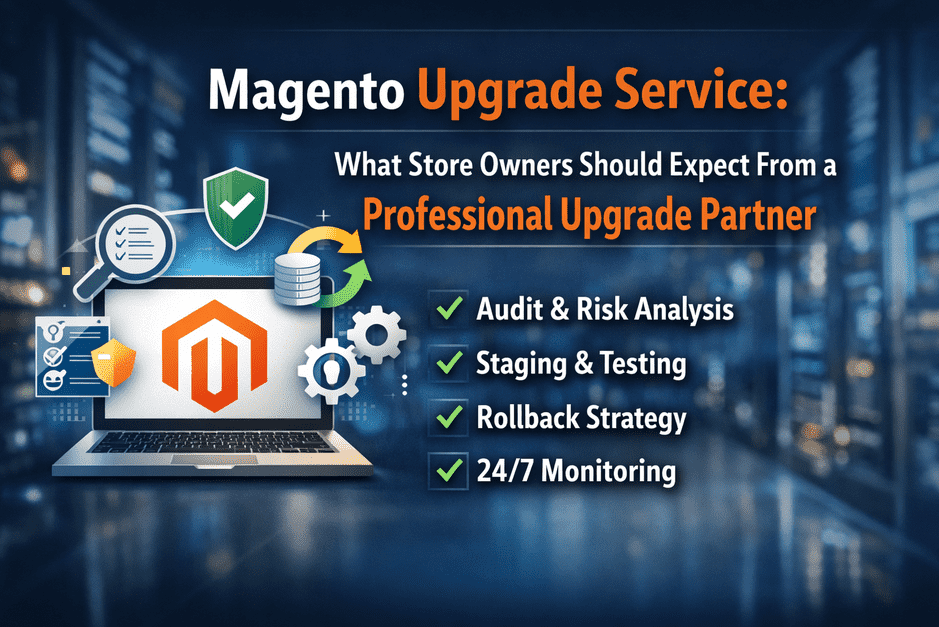
Magento Upgrade Service: What Store Owners Should Expect From a Professional Upgrade Partner

Magento upgrades are not just technical version updates.
They are business-critical operations that directly impact revenue, customer experience, and system stability.

Yet many store owners choose upgrade partners based on only one factor:
“Can they upgrade Magento?”

The real question should be:
👉 Can they deliver a safe, structured, and reliable Magento upgrade service without business disruption?

Choosing the right Magento upgrade service partner ensures your store upgrade is predictable, tested, and protected against production risks.

Why Magento Upgrades Require a Professional Service Approach

Magento is not a plug-and-play platform.

A typical production Magento store includes:

  • Custom modules
  • Third-party extensions
  • Payment integrations
  • ERP / CRM integrations
  • Custom checkout flows
  • Performance optimizations

Upgrading without structured process can cause:

  • Checkout failures
  • Payment processing errors
  • Integration breakdowns
  • Performance degradation
  • Security exposure

Many of these risks are identified early using a proper Magento upgrade audit checklist.

A professional Magento upgrade service focuses on risk prevention, not just upgrade execution.

What Professional Magento Upgrade Services Always Include

Pre-Upgrade Technical Audit

Before touching production or staging environments, a professional upgrade partner performs a full audit.

This includes:
✔ Extension compatibility review
✔ Custom code dependency review
✔ Infrastructure compatibility validation
✔ PHP / Database / Elasticsearch compatibility
✔ Integration mapping
✔ Security patch status review

Without audit, upgrades become guesswork.

Extension Compatibility & Risk Mapping

Extensions are the #1 upgrade failure cause.

Professional services will:
✔ Check vendor support status
✔ Validate marketplace compatibility
✔ Review extension code quality
✔ Identify replacement or upgrade paths
✔ Flag high-risk modules (payment, checkout, ERP)

Many real-world upgrade failures happen due to hidden extension conflicts — one of the main reasons Magento upgrades fail even with good developers

Staging Environment Upgrade & Testing

Professional upgrade teams never upgrade production first.

They:
✔ Replicate production environment
✔ Perform upgrade in staging
✔ Execute functional testing
✔ Validate checkout & payment
✔ Test integrations
✔ Validate admin workflows

Magento Upgrade Testing Before Go Live

Every professional Magento upgrade service follows a structured testing checklist.

This includes:

Frontend
✔ Product pages
✔ Category pages
✔ Search & filters
✔ Mobile experience

Checkout
✔ Guest checkout
✔ Logged checkout
✔ Coupon validation
✔ Payment gateway flows

Backend
✔ Order processing
✔ Invoice / Shipment / Refund
✔ Customer workflows

Integration
✔ ERP sync
✔ Email triggers
✔ Webhook confirmation

A complete Magento upgrade testing checklist ensures production deployment is safe.

Rollback & Recovery Planning

Professional Magento upgrade services always include rollback readiness.

This means:
✔ Verified backups
✔ Restore testing
✔ Code version snapshot
✔ Infrastructure snapshot
✔ Rollback execution plan
✔ Recovery time planning

A structured Magento upgrade rollback strategy protects revenue if unexpected production issues appear.

Go-Live Deployment Strategy

Production upgrade is executed using:

✔ Controlled deployment window
✔ Maintenance planning
✔ Cache warm strategy
✔ Index rebuild strategy
✔ Live validation testing
✔ Traffic switch monitoring

Post-Upgrade Monitoring & Stability Validation

Professional partners don’t disappear after upgrade.

They monitor:
✔ Error logs
✔ Checkout success rate
✔ Payment success rate
✔ Integration sync health
✔ Performance metrics
✔ Server resource usage

Most real upgrade issues appear after traffic returns — which is why post upgrade Magento monitoring is critical.

What Store Owners Should Ask Before Hiring Magento Upgrade Services

Ask your upgrade partner:

• Do you perform pre-upgrade audit?
• How do you check extension compatibility?
• Do you test upgrade on staging first?
• What testing checklist do you follow?
• What is your rollback strategy?
• Do you provide post-upgrade monitoring?

If answers are vague → Risk is high.

Warning Signs of Low-Quality Magento Upgrade Services

🚫 Only quoting upgrade time
🚫 No audit process
🚫 No rollback planning
🚫 No testing checklist
🚫 No post-upgrade monitoring
🚫 No extension compatibility validation

Cheap upgrades often become expensive recovery projects.

How Professional Magento Upgrade Services Protect Revenue

A mature Magento upgrade service focuses on:

Risk Prevention → Controlled Deployment → Fast Recovery → Stability Monitoring

Not just:
Upgrade → Done → Exit

For long-term stability, many growing stores also use structured Magento care and maintenance plans.

Final Thought: Magento Upgrade Service Is About Business Protection

The best Magento upgrade partners don’t just upgrade code.

They protect:
✔ Revenue
✔ Customer experience
✔ Integrations
✔ Performance
✔ Security
✔ Business continuity

That is what defines a professional Magento upgrade service.

Need a Professional Magento Upgrade Service?

At SMB Tech Solution, our Magento upgrade services include:

✔ Pre-upgrade technical audit
✔ Extension compatibility validation
✔ Staging upgrade testing
✔ Rollback-ready deployment
✔ Production go-live validation
✔ Post-upgrade monitoring

If you’re planning a Magento upgrade and want predictable, safe deployment:

👉 Talk to Our Magento Upgrade Experts
👉 Request a Pre-Upgrade Risk Assessment

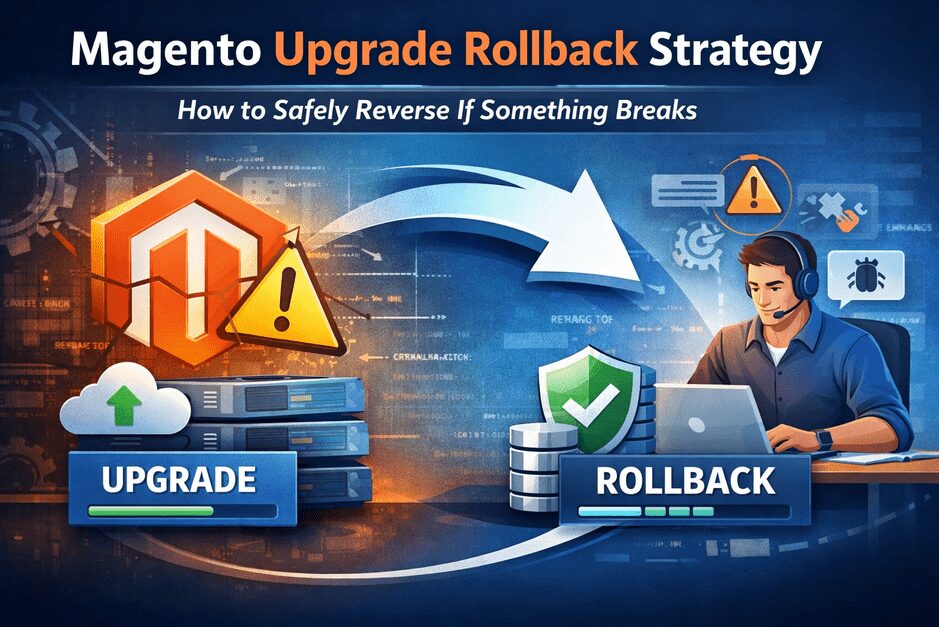
Magento Upgrade Rollback Strategy: How to Safely Reverse If Something Breaks

Magento upgrades are critical for security, performance, and long-term store stability.
But every store owner has one hidden fear:

“What if something breaks after upgrade — can we go back quickly?”

The honest answer:
Yes — but only if rollback is planned BEFORE upgrade begins.

Most failed upgrade recovery attempts fail because rollback was treated as an afterthought.

In this guide, we’ll explain how professional Magento teams design rollback-ready upgrades — and how you can protect your revenue.

Why Rollback Strategy Is Business-Critical (Not Just Technical)

When upgrades go wrong, impact is immediate:

  • Checkout failures
  • Payment gateway disconnects
  • Order email failures
  • Admin errors
  • Inventory sync issues
  • Extension conflicts

If rollback is not ready:

  • Downtime increases
  • Revenue loss multiplies
  • Customer trust drops

Real truth:
Good Magento upgrade teams don’t just upgrade.
They design safe exit paths.

When Do Magento Upgrades Need Rollback Planning?

Rollback planning is mandatory if your store has:

  • Custom modules
  • Third-party integrations (ERP, CRM, Shipping, Payment)
  • High daily order volume
  • Marketplace or multi-store setup
  • Custom checkout or API flows

If your store is revenue-generating daily → Rollback is NOT optional.

The 6 Core Components of a Safe Magento Rollback Strategy

1️⃣ Full Database Backup (Verified — Not Just Taken)

Many teams say “backup taken”.

Professional approach:

  • Backup taken
  • Backup tested on staging restore
  • Backup integrity verified
  • Backup stored in separate location

If restore isn’t tested → Backup is just a file, not a safety net.

2️⃣ Codebase Version Snapshot

Must include:

  • Core version
  • Custom modules
  • Themes
  • Vendor dependencies (composer.lock)
  • Environment configs

Best practice:
Git tag created before upgrade deployment.

3️⃣ Infrastructure Snapshot (Often Ignored)

Rollback sometimes fails because infra changed.

Must capture:

  • PHP version
  • MySQL version
  • Elasticsearch version
  • Redis configs
  • Cron configs
  • Server permissions

4️⃣ Extension Compatibility Mapping

Before upgrade:

  • List all extensions
  • Check upgrade compatibility
  • Identify risk extensions
  • Plan disable / replace strategy

Rollback becomes complex if extension DB structure changed.

5️⃣ Staging Rollback Testing

Professional teams test BOTH:

✔ Upgrade success
✔ Upgrade failure rollback simulation

This is where real confidence comes from.

6️⃣ Rollback Execution SOP (Step-by-Step Document)

Should include:

  • Who triggers rollback
  • Max downtime threshold before rollback
  • Exact rollback commands
  • DB restore steps
  • Cache & index rebuild steps
  • Validation checklist

Rollback should be executable in minutes — not hours.

What Most Agencies Get Wrong About Magento Rollback

🚫 Only taking database backup
🚫 Not testing restore
🚫 Ignoring infra dependencies
🚫 No extension rollback mapping
🚫 No rollback decision threshold
🚫 No rollback rehearsal

Rollback is not “we’ll manage if needed”.
Rollback is engineered before deployment.

Real Example: When Rollback Saves Revenue

Scenario:
Magento upgrade deployed → Payment webhook conflict → Orders failing silently.

If rollback exists:
✔ Restore DB
✔ Restore code
✔ Clear cache
✔ Re-enable old version
✔ Store back live fast

If rollback doesn’t exist:
❌ Debug live
❌ Customer complaints
❌ Revenue loss
❌ Emergency patching

How Fast Should Magento Rollback Be?

Professional Target:

Store TypeIdeal Rollback Time
Small Store30–60 minutes
Mid Size Store1–2 hours
EnterprisePlanned rollback window

If rollback takes half a day → Strategy is weak.

Staging vs Rollback — Not the Same Thing

Many people think staging eliminates rollback need.

Reality:

  • Staging reduces risk
  • Rollback protects production

Both are required for safe upgrades.

Signs Your Current Upgrade Vendor Has No Real Rollback Strategy

⚠ No rollback mentioned in proposal
⚠ Backup only mentioned casually
⚠ No restore testing plan
⚠ No rollback timeline commitment
⚠ No staging rollback simulation
⚠ No post-upgrade monitoring window

Best Practice Upgrade Flow (With Rollback Safety)

Pre-Upgrade
✔ Audit
✔ Backup + Restore Testing
✔ Compatibility Mapping
✔ Rollback Plan Approval

Upgrade Phase
✔ Staging Upgrade
✔ Testing
✔ Rollback Simulation

Production Deployment
✔ Maintenance Window
✔ Upgrade Execution
✔ Validation Checklist

Post Upgrade
✔ Monitoring
✔ Error Log Tracking
✔ Performance Monitoring

Final Thought: Safe Magento Upgrades Are Not Just About Success — They’re About Recovery Readiness

The strongest Magento upgrade strategy is not:

“We are confident nothing will break.”

It is:

“If something breaks — we can reverse safely and fast.”

That’s what protects revenue.

Need a Magento Upgrade With Built-In Rollback Safety?

At SMB Tech Solution, we design upgrades that include:

✔ Pre-upgrade audit
✔ Rollback-ready deployment architecture
✔ Backup restore verification
✔ Staging rollback testing
✔ Post-upgrade monitoring
✔ Extension compatibility mapping

If you’re planning a Magento upgrade and want zero-panic deployment:

👉 Talk to our Magento Upgrade Team
👉 Get a Pre-Upgrade Risk Assessment

Magento Upgrade Safety Resources

A successful Magento upgrade is not just about completing the upgrade — it’s about preparing, protecting, and monitoring your store before and after deployment.

If you are planning an upgrade, these guides will help you reduce risk and avoid common failures:

Magento Upgrade Audit Checklist – What to Review Before Any Upgrade
Understand what should be checked before starting any Magento upgrade to avoid hidden technical risks and compatibility issues.

Why Magento Upgrades Fail (Even With Good Developers)
Learn the real reasons Magento upgrades fail and how process gaps — not developer skills — often cause upgrade issues.

Post-Upgrade Magento Monitoring – What to Check in the First 30 Days
Discover what needs to be monitored after deployment to catch silent failures before they impact revenue or customer experience.

Magento Care Plans Explained – Why One-Time Upgrades Are Risky
See why ongoing maintenance and monitoring are essential for store stability, security, and performance after upgrades.

Magento Upgrade Audit Checklist: What to Review Before Any Upgrade

Magento upgrades are often delayed because store owners fear one thing:

“What if something breaks?”

That fear is valid — most failed Magento upgrades don’t fail because of the upgrade itself, but because hidden risks were never reviewed beforehand.

This checklist explains what should be reviewed before any Magento upgrade, why it matters, and how store owners can avoid costly surprises.

No technical jargon. Just clarity.

Why a Magento Upgrade Audit Matters

Magento upgrades introduce:

  • Code changes
  • Dependency updates
  • Security fixes
  • Platform behavior changes

If your store already has:

  • Custom code
  • Third-party extensions
  • Performance bottlenecks
  • Outdated patches

An upgrade can expose problems instantly.

An upgrade audit helps identify:

  • What’s safe to upgrade
  • What needs fixing first
  • What can wait
  • What may break during upgrade

An audit also helps align expectations with a realistic Magento upgrade timeline, so store owners understand what should be done before, during, and after the upgrade.

At this stage, many store owners also want to understand whether a free vs paid Magento audit makes sense for their store size, customizations, and upgrade complexity.

Magento Upgrade Audit Checklist (Store-Owner Friendly)

1️⃣ Magento Version & Patch Level

Before upgrading, confirm:

  • Current Magento version
  • Applied security patches
  • End-of-support timelines

Outdated versions increase:

  • Security exposure
  • Upgrade complexity
  • Compatibility issues

2️⃣ Extension Compatibility Review

Every extension should be checked for:

  • Compatibility with target Magento version
  • Active maintenance by the vendor
  • Known conflicts

Many upgrade failures happen because:

“One small extension broke the checkout.”

3️⃣ Custom Code & Overrides Audit

Review:

  • Core overrides
  • Custom modules
  • Theme customizations
  • Checkout modifications

Questions to answer:

  • Is the code upgrade-safe?
  • Is it documented?
  • Can it be refactored?

4️⃣ Database & Indexing Health

Check for:

  • Long-running queries
  • Broken indexers
  • Cron failures
  • Data inconsistencies

Database issues often surface after upgrades — not immediately.

5️⃣ Performance & Core Web Vitals Snapshot

Before upgrading, establish:

  • Baseline performance
  • Checkout speed
  • Mobile experience
  • Page load bottlenecks

Upgrades can change performance behavior — knowing the baseline prevents confusion later.

6️⃣ Security Risk Exposure

Review:

  • Known vulnerabilities
  • Admin exposure
  • Checkout security risks
  • API access points

Upgrading without addressing security gaps can leave the store exposed even after upgrade.

This is why understanding Magento security patches is critical before upgrading, not after issues surface.

7️⃣ Third-Party Integrations

Audit integrations like:

  • Payment gateways
  • Shipping services
  • ERP / CRM
  • Marketing tools

Integrations often fail silently after upgrades.

8️⃣ Environment Readiness

Ensure:

  • Proper staging environment
  • Backup and rollback plan
  • Version control in place

Upgrading directly on production is one of the costliest mistakes.

Common Mistakes Store Owners Make Before Upgrades

  • Skipping audits to save time
  • Assuming extensions will “just work”
  • Ignoring performance warnings
  • Relying only on version compatibility lists
  • Treating upgrades as a one-click task

Ironically, these shortcuts increase risk and cost.

Free vs Paid Magento Upgrade Audit (Quick Context)

A free audit typically highlights:

  • High-risk areas
  • Upgrade blockers
  • Immediate concerns

A paid deep audit may be needed for:

  • Large catalogs
  • Heavy customizations
  • Complex integrations

Starting small gives clarity without commitment.

Final Thought

Magento upgrades don’t fail randomly.

They fail because:

  • Risks were hidden
  • Assumptions were made
  • Preparation was skipped

A simple upgrade audit checklist prevents:

  • Emergency rollbacks
  • Checkout failures
  • Lost revenue
  • Upgrade regret

Clarity before action always costs less than fixing surprises later.

👉 Planning a Magento Upgrade?

Before upgrading, many store owners start with a free Magento upgrade audit to identify risks, understand readiness, and plan next steps — without pressure or obligation.

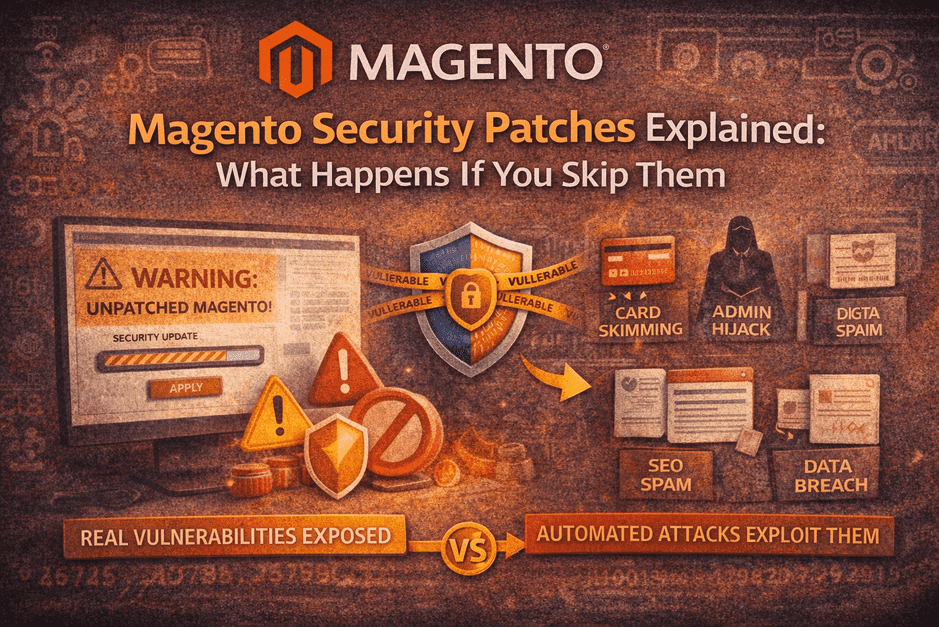
Magento Security Patches Explained: What Happens If You Skip Them

Security patches are often treated as a technical chore.
In reality, skipping them is a business risk.

Many security risks can be identified early through a free Magento upgrade audit, helping store owners understand their exposure before attackers do.

If your store runs on Magento, security patches are not optional updates — they are responses to real, known vulnerabilities that attackers actively scan for.

This blog explains, in plain business terms:

  • What Magento security patches actually do
  • Why Magento stores are frequent targets
  • What really happens when patches are skipped
  • Why patching is not a one-click job
  • How growing stores handle security without panic

No fear-mongering. Just clarity.

1️⃣ What Is a Magento Security Patch? (Plain English)

A Magento security patch is a targeted fix released to close:

  • Known vulnerabilities
  • Exploitable code paths
  • Privilege escalation risks
  • Checkout, admin, or API weaknesses

Important to understand:

  • Patches are released because a vulnerability is already known
  • Attackers often know about it the same day
  • Many attacks are automated, not manual

A patch is not an “improvement”.
It’s a lock on a door that’s already been identified as weak.

2️⃣ Why Magento Stores Are Common Targets

Magento is powerful — and that’s exactly why it’s targeted.

Reasons attackers focus on Magento:

  • Open-source codebase (patterns are visible)
  • Public vulnerability disclosures
  • High-value targets (payments, customer data)
  • Automated bots scanning thousands of stores daily

A dangerous myth:

“Our store is small. No one will target us.”

Reality:

Bots don’t care how big you are. They care if you’re vulnerable.

Security patching is also part of a broader Magento upgrade timeline, where risks are reviewed, changes are tested, and updates are applied in a controlled sequence.

3️⃣ What Actually Happens If You Skip Security Patches

This is what we see in the real world — not worst-case theory.

🔴 Card Skimming (Magecart Attacks)

Malicious scripts inject themselves into checkout.

  • No visible errors
  • Customers’ card data stolen
  • Store owner finds out weeks later

🔴 Admin Takeover

  • New admin users created silently
  • Legit admins locked out
  • Orders, prices, or content manipulated

🔴 SEO Spam Injection

  • Casino / pharma pages injected
  • Google penalties
  • Organic traffic disappears overnight

🔴 Data Leakage

  • Customer data exposed
  • Legal, compliance, and trust damage
  • Payment gateways may suspend accounts

These issues often go unnoticed until damage is already done.

4️⃣ Why Security Patches Are Often Skipped

Most store owners don’t skip patches because they don’t care.

They skip them because:

  • “What if it breaks the site?”
  • No proper staging environment
  • Extensions may not be compatible
  • No clear owner for patch responsibility
  • Business priorities always feel more urgent

Ironically:

Patches are skipped to avoid risk — but skipping them creates bigger risk.

These risks are commonly uncovered during a Magento upgrade audit checklist review, before patches or upgrades are applied.

5️⃣ Magento Security Patches Are NOT One-Click Updates

This is a critical misunderstanding.

Applying a patch safely involves:

  • Checking extension compatibility
  • Applying patch in staging first
  • Regression testing checkout & admin
  • Verifying payment & integrations
  • Keeping rollback ready

Without this process:

  • Patches can break checkout
  • Extensions can fail silently
  • Performance issues can appear later

This is why patches are delayed — and why stores stay exposed.

6️⃣ When Security Patches Must Be Applied Immediately

Some situations require urgent action:

  • Critical or “High” severity vulnerabilities
  • Publicly exploited issues
  • Admin or checkout-related vulnerabilities
  • PCI or payment-related advisories
  • Google Safe Browsing or gateway warnings

In these cases, delay increases exponential risk.

7️⃣ How Smart Store Owners Handle Magento Security

They don’t panic — they systemize.

Smart stores:

  • Track Magento security releases
  • Apply patches on staging first
  • Test checkout & admin every time
  • Monitor logs and anomalies
  • Treat security as ongoing ownership, not a one-off task

This is exactly why many growing stores move to Magento care plans, instead of relying on one-time fixes.

Security patching works best when combined with post-upgrade Magento monitoring, ensuring issues are caught early after updates are applied.

8️⃣ Security Patches vs “We’ll Fix It If It Breaks”

Let’s be clear:

ApproachResult
Skip patchesHidden exposure
Patch without testingNew issues
Emergency fixesHigh cost & stress
Planned patchingStability & confidence

Security isn’t about reacting faster.
It’s about not being surprised at all.

Final Thought

A Magento security patch is a message:

“This vulnerability is real, known, and exploitable.”

Ignoring it doesn’t delay the risk —
it simply leaves the door open longer.

One-time upgrades make your store compatible.
Ongoing patching keeps it trustworthy.

👉 Unsure About Applying Security Patches Safely?

If security patches feel risky to apply alone, that’s normal.

This is exactly what Magento care & maintenance plans are designed for:

  • Safe patch application
  • Testing before go-live
  • Monitoring after updates
  • No emergency firefighting

No pressure. Just protected growth.