Blogs

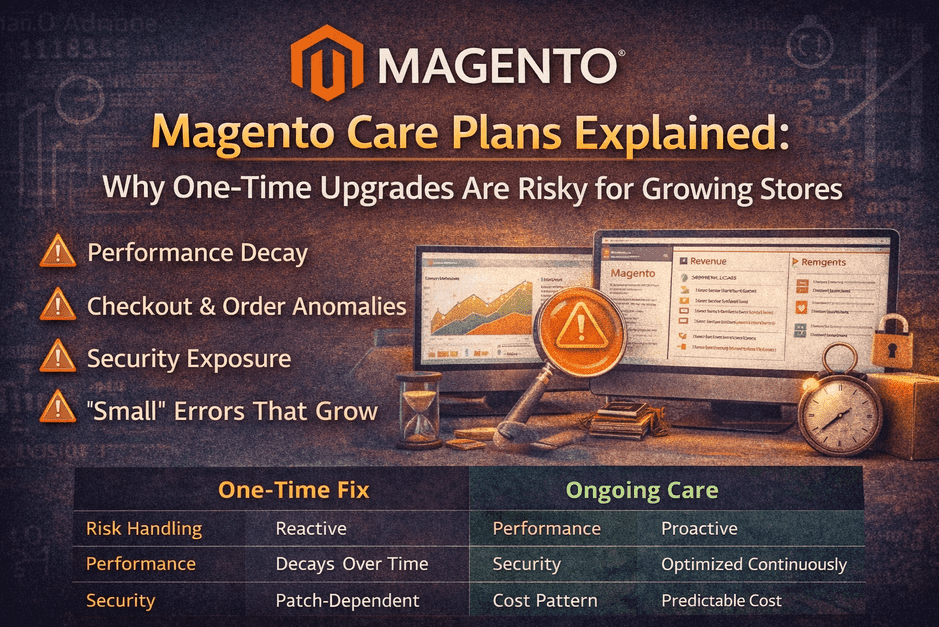
Magento Care Plans Explained: Why One-Time Upgrades Are Risky for Growing Stores

Many store owners believe the biggest risk is upgrading Magento.

In reality, the bigger risk is this assumption:

“The upgrade is done. We’re safe now.”

For growing stores on Magento, a one-time upgrade without ongoing care is one of the most common reasons for revenue drops, performance decay, and security exposure months later.

This blog explains:

  • What Magento Care Plans actually are
  • Why one-time upgrades become risky over time
  • What issues silently appear after upgrades
  • When a care plan is necessary (and when it’s not)

No scare tactics. Just clarity.

Why a “Successful Upgrade” Is Not the Finish Line

A Magento upgrade fixes today’s compatibility issues.

It does not protect you from:

  • New security patches
  • PHP & server updates
  • Extension updates
  • Traffic growth
  • Seasonal load
  • New integrations
  • Gradual performance degradation

Magento stores are living systems, not static websites.

Without care, even a perfect upgrade slowly drifts back into risk.

Even after a successful upgrade, stores that don’t follow a structured post-upgrade Magento monitoring process often miss silent issues in the first few weeks.

The Hidden Problems That Appear After Upgrades

Most post-upgrade issues don’t show up immediately.

They appear weeks or months later as:

🔸 Performance Decay

  • Slower category & product pages
  • Admin panel lag
  • Search results becoming inconsistent
  • Cache inefficiency over time

🔸 Checkout & Order Anomalies

  • Payment gateway timeouts
  • Edge-case coupon failures
  • Order sync mismatches
  • Refund or invoice inconsistencies

🔸 Security Exposure

  • Missed Magento security patches
  • Vulnerable third-party extensions
  • Server-level changes breaking compatibility

🔸 “Small” Errors That Grow

  • PHP warnings ignored
  • Cron jobs silently failing
  • Indexers running repeatedly
  • Logs filling up without alerts

None of these announce themselves loudly —
but all of them quietly impact revenue and stability.

Most of these risks could have been identified earlier during a free vs paid Magento audit, before they surfaced in production.

What Is a Magento Care Plan (Really)?

A Magento Care Plan is proactive ownership, not emergency support.

It typically includes:

✅ Ongoing Monitoring

  • Order & payment health
  • Error & exception logs
  • Performance baselines
  • Admin stability

✅ Preventive Maintenance

  • Magento security patches
  • Extension updates (safe & tested)
  • Compatibility checks after server changes
  • Cron & indexer health

✅ Performance & Stability Tuning

  • Cache optimization
  • Query & load improvements
  • Search & indexing checks
  • Gradual cleanup of technical debt

✅ Priority Support

  • Faster response when something breaks
  • Issues handled before they escalate
  • No panic-mode firefighting

A care plan shifts your store from reactive fixes to predictable stability.

Why One-Time Upgrades Are Risky for Growing Stores

One-time upgrades assume:

  • Nothing will change after go-live
  • No new updates are needed
  • Traffic patterns stay the same
  • Integrations remain stable

For growing stores, none of this is true.

Growth itself introduces:

  • Higher traffic
  • New promotions
  • More orders
  • More edge cases

Without care, growth amplifies small issues into big ones.

Many store owners assume the upgrade is finished at go-live, but a realistic Magento upgrade timeline extends well beyond launch.

When a Magento Care Plan Is Strongly Recommended

A care plan is not for everyone — but it becomes essential when:

  • Your store generates daily revenue
  • You use multiple extensions
  • Checkout is customized
  • You rely on integrations (ERP, CRM, OMS, payment gateways)
  • Downtime or slow checkout directly impacts sales
  • You don’t want to depend on emergency fixes

If Magento is business-critical, ongoing care is not optional — it’s protection.

When a Care Plan May Not Be Necessary

A care plan might be optional if:

  • Store is low traffic
  • Minimal customizations
  • No active marketing or promotions
  • Revenue impact of downtime is low

Even then, periodic health checks are still recommended.

Many of these risks can be identified early through a free Magento upgrade audit, helping store owners understand whether their store is truly stable before committing to ongoing care.

One-Time Fix vs Ongoing Care (Simple Comparison)

AspectOne-Time UpgradeMagento Care Plan
Risk handlingReactiveProactive
PerformanceDegrades over timeOptimized continuously
SecurityPatch-dependentPatch-managed
Cost patternSpikes during issuesPredictable
Peace of mindShort-termLong-term

How Smart Store Owners Use Care Plans

They don’t wait for problems.

They use care plans to:

  • Catch issues before customers do
  • Keep checkout & performance stable
  • Focus on growth instead of firefighting
  • Treat Magento as a long-term asset

Care plans are not an expense —
they’re insurance for revenue and reputation.

Final Thought

A Magento upgrade makes your store compatible.

A Magento Care Plan keeps it healthy.

One-time upgrades fix the past.
Ongoing care protects the future.

👉 Thinking About Post-Upgrade Stability?

If you want your store monitored, maintained, and protected after upgrade:

Explore a Magento Care Plan

  • Performance monitoring
  • Security & updates
  • Stability & peace of mind

No pressure. Just long-term confidence.
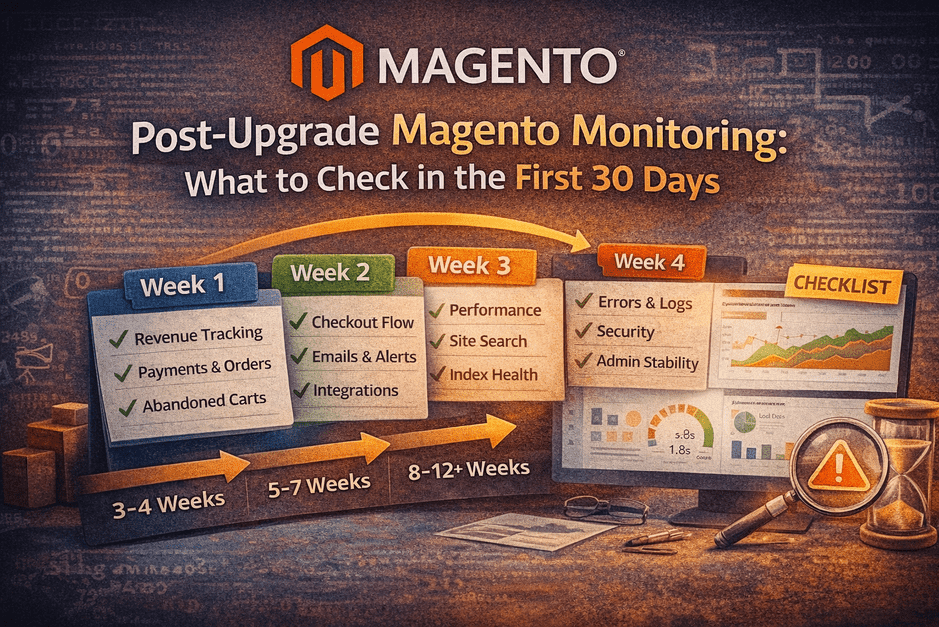
Post-Upgrade Magento Monitoring: What to Check in the First 30 Days

You’ve upgraded Magento successfully.
The site is live. Pages load. Orders are coming in.

So everything is fine… right?

Here’s the uncomfortable truth:

Most Magento issues don’t appear on launch day. They appear quietly in the weeks after.

This guide shows exactly what store owners should monitor in the first 30 days after a Magento upgrade—to protect revenue, performance, and customer trust.

No fear. No fluff. Just a clear, week-by-week plan.

This is why a realistic Magento upgrade timeline doesn’t end at go-live but extends into post-upgrade monitoring and validation.

Why the First 30 Days Matter More Than Go-Live Day

Post-upgrade issues usually:

  • Trigger only under real traffic
  • Appear in edge cases (specific products, coupons, payment methods)
  • Show up as silent failures (no errors, just lost revenue)

That’s why “we’ll fix it if something breaks” is risky—
because many things break without announcing themselves.

Week 1: Revenue & Order Monitoring (Daily Checks)

Goal: Confirm money is flowing correctly.

What to Track Daily

  • Order volume vs pre-upgrade baseline
  • Payment success rate (authorize → capture → confirm)
  • Abandoned cart rate
  • Refunds & cancellations
  • AOV changes

Red Flags

  • Orders drop but traffic is stable
  • Specific payment methods underperform
  • Sudden increase in abandoned carts

🚨 Silent checkout failures often start here.

Week 2: Checkout, Emails & Integrations

Goal: Ensure the entire order lifecycle works end-to-end.

Checkout & UX

  • Add to cart (all product types)
  • Coupon application
  • Shipping & tax calculation
  • Mobile checkout flow

Emails & Notifications

  • Order confirmation emails
  • Invoice / shipment emails
  • Admin alerts

Integrations

  • Payment gateway callbacks
  • ERP / CRM / OMS sync
  • Inventory updates
  • Webhooks & APIs

If emails or integrations fail, customers lose confidence—even if orders succeed.

Week 3: Performance, Search & Index Health

Goal: Ensure the site stays fast and discoverable.

Performance

  • Page load time (home, category, PDP, checkout)
  • Core Web Vitals
  • Cache hit ratio
  • Server resource usage

Search & Catalog

  • Category pages loading correctly
  • Search relevance & filters
  • Indexers status
  • Cron jobs health

Red Flags

  • Slow admin panels
  • Search returning odd results
  • Indexers stuck or re-running frequently

Week 4: Errors, Logs & Security

Goal: Catch hidden issues before they escalate.

Logs to Review

  • exception.log
  • system.log
  • debug.log
  • PHP warnings & notices

Admin & Backend

  • Admin page load time
  • Order processing speed
  • Background jobs (cron) reliability

Security

  • Patch verification
  • Extension vulnerabilities
  • Suspicious login attempts
  • File permission checks

Logs don’t complain loudly—but they reveal the truth.

Many of these post-upgrade issues can be identified early through a free Magento upgrade audit before they silently impact revenue or checkout stability.

Common Red Flags Store Owners Miss

  • “Orders are coming, so it’s fine”
  • “No customer complaints yet”
  • “We’ll check logs later”
  • “Performance looks okay on my laptop”

These assumptions are how minor issues become major incidents.

Several of these issues are often missed when relying only on surface-level checks, which is why understanding the difference between a free vs paid Magento audit matters.

How Smart Store Owners Handle Post-Upgrade Care

They don’t rely on hope.

They use a structured post-upgrade monitoring plan, usually including:

  • Daily revenue checks (Week 1)
  • Weekly integration & performance reviews
  • Log monitoring & alerts
  • Minor tuning before peak traffic hits

This is why many businesses opt for a 30-day Post-Upgrade Care Plan
not because the upgrade failed, but because success needs protection.

Final Thought

A Magento upgrade isn’t finished at go-live.

It’s finished when revenue, performance, and stability are proven under real usage.

The first 30 days decide whether an upgrade is remembered as:

  • “Smooth and stable”
    or
  • “That upgrade that caused weird issues later”

👉 Want Help Monitoring Your Store After Upgrade?

If you’d rather focus on business while experts monitor your store:

Post-Upgrade Care (30 Days)

  • Revenue & checkout monitoring
  • Performance & log reviews
  • Issue prevention before escalation

No pressure. Just peace of mind.

Many growing stores choose a post-upgrade Magento care plan to monitor performance, security, and order flow during the critical first 30 days after upgrade.

How Long Does a Magento Upgrade Really Take? (Real Timelines Explained)

If you’re planning a Magento upgrade, you’ve probably been told timelines like:

“2 weeks should be enough.”
“It depends on scope.”
“We’ll do it fast.”

Here’s the reality:

Magento upgrade timelines are not decided by speed — they are decided by preparation.

In this blog, we’ll explain:

  • Why Magento upgrade timelines are often misunderstood
  • The real, phase-wise timeline of a safe upgrade
  • What increases (or shortens) upgrade time
  • How to set realistic expectations without risking revenue

No hype. Just practical clarity.

1. Why Magento Upgrade Timelines Are Misunderstood

Most timeline estimates ignore risk discovery.

Agencies often assume:

  • Extensions will “mostly work”
  • Checkout won’t need deep testing
  • Issues can be fixed post-upgrade

But Magento doesn’t work that way.

What actually delays upgrades:

  • Undocumented custom code
  • Unsupported extensions
  • Checkout & integration failures discovered after upgrade
  • Missing rollback planning

That’s why “2-week upgrades” often turn into 6–8 weeks of firefighting.

2. The Real Magento Upgrade Timeline (Phase by Phase)

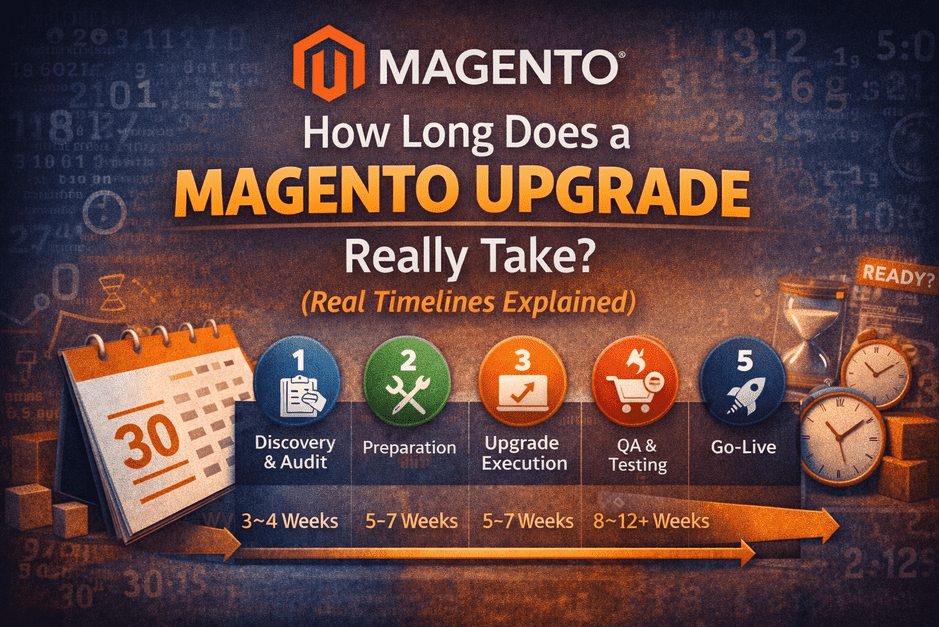
A safe Magento upgrade follows five predictable phases.
Skipping any phase doesn’t save time — it moves problems later.

🔹 Phase 1: Discovery & Audit (3–10 Days)

Purpose: Understand risk before touching code.

  • Free Mini Audit: 2–3 days
  • Paid Deep Audit (if required): 5–10 days

What happens here:

  • Version & PHP compatibility checks
  • Extension risk identification
  • Customization & checkout complexity assessment
  • Upgrade readiness score

👉 This phase prevents surprise delays later.

🔹 Phase 2: Preparation & Risk Fixing (5–15 Days)

Purpose: Remove known blockers.

Includes:

  • Replacing or fixing incompatible extensions
  • Refactoring risky custom code
  • Theme & frontend readiness
  • Infrastructure alignment (PHP, search, cache)

⚠️ Stores that skip this phase almost always face delays in QA.

🔹 Phase 3: Upgrade Execution (5–10 Days)

Purpose: Perform the actual upgrade.

Includes:

  • Magento core upgrade
  • Dependency & library updates
  • Initial error resolution
  • Basic admin & frontend stabilization

This phase is often fast — because preparation was done properly.

🔹 Phase 4: QA, Testing & Revenue Validation (7–14 Days)

Purpose: Protect revenue.

Must-test scenarios:

  • Add to cart (all product types)
  • Checkout with real payment gateways
  • Shipping & tax logic
  • Order creation in admin
  • Emails, webhooks, ERP/CRM sync

🚨 This phase is where rushed upgrades fail.

🔹 Phase 5: Go-Live, Monitoring & Rollback Window (2–5 Days)

Purpose: Safe launch with confidence.

Includes:

  • Non-peak deployment
  • Verified backups & rollback plan
  • Post-launch order monitoring
  • Payment success tracking

This phase ensures stability, not just launch.

3. Realistic Magento Upgrade Timeline Ranges

Based on store complexity:

✅ Low-Risk Store

  • Minimal custom code
  • Few extensions
  • Simple checkout
    3–4 weeks

⚠️ Medium-Complexity Store

  • Custom theme
  • Multiple extensions
  • Integrations present
    5–7 weeks

🚨 High-Risk / Enterprise Store

  • Heavy custom code
  • Custom checkout
  • High daily revenue
    8–12+ weeks

Faster than this usually means risk is being ignored.

4. What Increases Magento Upgrade Time (The Real Reasons)

  • Skipping audits
  • Unsupported or abandoned extensions
  • Custom checkout logic
  • Poor staging ≠ production parity
  • No feature freeze during upgrade
  • Peak-season deployment pressure

These don’t just increase time — they increase cost and risk.

5. How to Shorten Your Magento Upgrade Timeline (Safely)

You can reduce timeline — without cutting corners.

✔ Do This:

  • Start with a Free Mini Audit
  • Fix risks before upgrade execution
  • Freeze new features during upgrade
  • Ensure staging mirrors production
  • Plan go-live away from peak sales

❌ Avoid This:

  • “We’ll fix it later”
  • Rushing QA
  • Skipping rollback planning

Preparation doesn’t slow you down — it speeds you up.

6. The Most Expensive Timeline Mistake

The most common mistake store owners make:

“We don’t have time for an audit.”

But here’s the truth:

  • Audits add days
  • Firefighting adds weeks

Time spent on clarity is always less than time spent on recovery.

Final Thought

A Magento upgrade timeline is not a promise —
it’s the result of readiness.

When risks are visible early, timelines become predictable.
When risks are ignored, timelines explode.

👉 Want a Realistic Timeline for Your Store?

Start with a Free Magento Mini Audit.

You’ll get:

  • Upgrade readiness
  • Risk level
  • A realistic timeline — before committing

No pressure. Just clarity.

Free Magento Audit vs Paid Audit: Which One Do You Actually Need?

If you’re planning a Magento upgrade, you’ve probably heard this question already:

“We did a free audit — do we still need a paid one?”

Or the opposite:

“Why should we pay for an audit at all?”

The confusion exists because “audit” is one of the most misused words in Magento services.

In this blog, we’ll clearly explain:

  • What a Free Magento Audit is actually meant for
  • What a Paid Magento Audit really covers
  • When a free audit is enough
  • When skipping a paid audit becomes expensive
  • How smart store owners use both without wasting money

No sales pressure. Just clarity.

1️⃣ Why “Magento Audit” Creates Confusion

Many agencies use the word audit loosely.

Sometimes it means:

  • A quick automated scan
    Sometimes it means:
  • A deep technical review
    And sometimes:
  • Just a sales call in disguise

This leads store owners to assume:

“All audits are the same — so free vs paid is just pricing.”

That assumption is where upgrade risk begins.

2️⃣ What a Free Magento Audit Is (And Is Not)

A Free Magento Mini Audit is designed for early clarity, not execution.

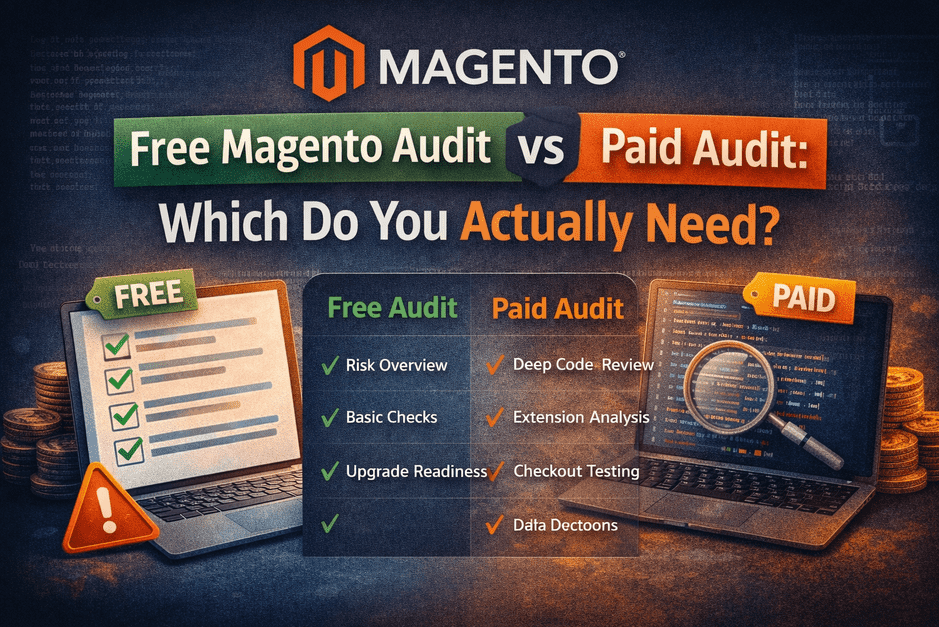
✅ What a Free Audit Covers

  • Current Magento version & patch level
  • PHP compatibility check
  • High-level extension risk overview
  • Known security & upgrade blockers
  • Overall upgrade readiness snapshot

It answers:

“Is my store generally ready for an upgrade, or am I sitting on hidden risks?”

❌ What a Free Audit Does NOT Do

  • No deep custom code review
  • No extension-by-extension analysis
  • No database inspection
  • No fixes or changes
  • No guaranteed timelines or cost

Think of it as:

A health check, not a surgery plan.

3️⃣ What a Paid Magento Audit Actually Goes Deep Into

A Paid Magento Audit is required when execution confidence matters.

✅ What a Paid Audit Includes

  • Server compatibility check
  • Extension-by-extension compatibility analysis
  • Checkout & order flow testing
  • Payment, shipping & tax validation
  • ERP / CRM / third-party integration review
  • Performance bottlenecks
  • Security & data risk assessment
  • Accurate upgrade effort estimation

It answers:

“What exactly will break, how much effort is needed, and how do we avoid downtime?”

This audit is not about theory — it’s about preventing expensive surprises.

4️⃣ Free vs Paid Magento Audit (Clear Comparison)

AreaFree AuditPaid Audit
PurposeRisk awarenessExecution certainty
Code review❌ No✅ Yes
Extension analysisHigh-levelDetailed
Checkout testing❌ No✅ Yes
Cost estimationRoughAccurate
Best stageEarly planningPre-upgrade commitment

5️⃣ When a Free Magento Audit Is Enough

A Free Audit alone may be sufficient if:

  • Your store has minimal custom code
  • Few third-party extensions
  • Simple checkout flow
  • Low to medium daily revenue
  • You’re still in the planning phase

In these cases, a free audit helps you:

  • Decide whether to upgrade
  • Understand general readiness
  • Avoid rushing into development

6️⃣ When a Paid Magento Audit Is Non-Negotiable

Skipping a paid audit becomes risky when:

  • Custom code is heavy or undocumented
  • Checkout is customized
  • Multiple integrations exist (ERP, CRM, OMS, etc.)
  • Daily revenue is high
  • Downtime is not acceptable

In such cases, a paid audit:

  • Reduces upgrade cost, not increases it
  • Prevents post-launch firefighting
  • Protects revenue and brand trust

7️⃣ How Smart Store Owners Use Both (Best Approach)

Experienced store owners don’t argue free vs paid.

They use them in sequence:

1️⃣ Free Magento Audit
→ Identify risks & readiness

2️⃣ Paid Magento Audit (only if needed)
→ Plan upgrade safely & confidently

This approach:

  • Avoids unnecessary spending
  • Avoids blind upgrades
  • Keeps decisions data-driven, not emotional

8️⃣ The Costly Mistake to Avoid

The most expensive sentence in Magento upgrades is:

“Let’s skip the audit and start development.”

Because:

  • Issues don’t disappear
  • They appear later — during checkout, after launch, under pressure

Audits don’t add delay.
They remove surprises.

✅ Final Thought

A free audit gives clarity.
A paid audit gives certainty.

The mistake is choosing one without understanding why.

👉 Not Sure Which Audit You Need?

Start with the Free Magento Mini Audit.

It will tell you:

  • Your upgrade readiness
  • Your risk level
  • Whether a paid audit is actually required

No pressure. Just informed decisions.

Magento Upgrade Checklist for Store Owners (Avoid Downtime & Revenue Loss)

Upgrading Magento is not just a version change.
It’s a revenue-sensitive operation where one missed check can quietly break checkout, orders, or integrations.

Many store owners assume:

“If the developer is good, the upgrade will be fine.”

In reality:

Most Magento upgrade failures happen due to missing preparation — not poor development.

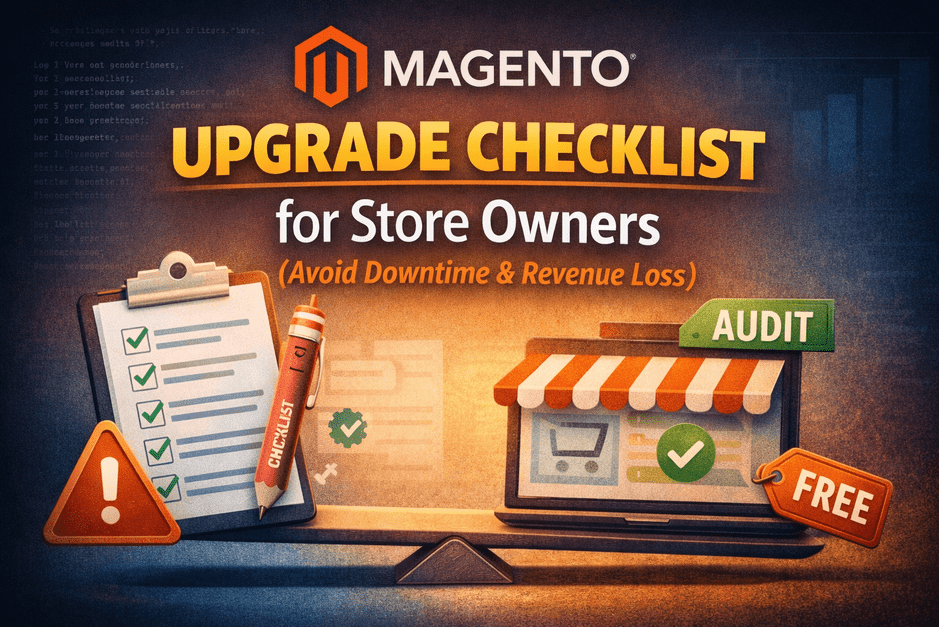
This checklist is written for store owners, CTOs, and Heads of eCommerce — not developers — so you know exactly what must be verified before approving an upgrade.

1️⃣ Business-Critical Checks (Non-Technical but Mandatory)

Before discussing code or timelines, answer these clearly:

✅ Revenue & Risk Awareness

  • Do you know your daily & hourly revenue?
  • Can your business tolerate checkout downtime?
  • Do you know peak traffic hours to avoid deployment?

✅ Ownership & Decision Clarity

  • Who approves rollback if something breaks?
  • Who monitors orders post-upgrade?
  • Who is responsible if revenue drops?

👉 If these answers are unclear, pause the upgrade.

2️⃣ Magento Technical Readiness Checklist

These checks determine upgrade complexity and cost.

✅ Core Platform Readiness

  • Current Magento version & patch level
  • Target version compatibility
  • PHP version compatibility

✅ Extension & Module Risk

  • List of all third-party extensions
  • Compatibility status for each
  • Identify abandoned or unsupported modules
  • Extensions touching checkout, cart, payments, shipping

⚠️ Most hidden failures come from extensions, not Magento core.

3️⃣ Custom Code & Theme Checklist

Customizations amplify risk if not reviewed early.

✅ Custom Code

  • Overrides of core classes
  • Plugins & observers tied to checkout/order flow
  • Deprecated methods usage
  • Performance-heavy logic

✅ Theme & Frontend

  • Outdated JS libraries
  • Custom checkout UI components
  • Mobile responsiveness after upgrade
  • Conversion-critical pages tested

4️⃣ Checkout & Revenue Protection Checklist (Most Important)

If this is not tested end-to-end, do not go live.

✅ Must-Test Scenarios

  • Add to cart (all product types)
  • Apply coupons & discounts
  • Shipping calculation
  • Payment authorization
  • Order confirmation page
  • Order creation in admin

✅ Post-Order Flow

  • Order confirmation emails
  • Payment gateway callbacks
  • ERP / CRM sync
  • Inventory updates

🚨 Silent checkout failures do not show errors — they just stop revenue.

5️⃣ Hosting & Infrastructure Readiness

Upgrading Magento often requires infra changes.

✅ Server Stack

  • PHP version support
  • MySQL / MariaDB compatibility
  • Elasticsearch / OpenSearch version
  • Redis & Varnish readiness

✅ Performance Headroom

  • CPU & RAM buffer
  • Cache warm-up plan
  • Indexing & cron validation

6️⃣ Staging, Testing & Deployment Checklist

✅ Staging Environment

  • Must mirror production (data, config, modules)
  • Realistic traffic simulation if possible

✅ Deployment Planning

  • Avoid peak revenue windows
  • Rollback plan tested, not theoretical
  • Backup verified & restorable

✅ Monitoring After Go-Live

  • Order volume tracking
  • Payment success rate
  • Error logs & alerts
  • Customer support readiness

7️⃣ Red Flags — Do NOT Upgrade If You Hear This

❌ “We’ll fix issues post-upgrade”
❌ “Extensions should mostly work”
❌ “Checkout testing is basic”
❌ “Rollback isn’t needed”
❌ “Audit is unnecessary”

These statements predict failure, not confidence.

8️⃣ How Smart Store Owners Use This Checklist

They don’t execute it themselves.

They ask:

“Can you run this checklist on my store and show me the risks?”

This is exactly what a Free Magento Mini Audit does:

  • No code changes
  • No access abuse
  • No pressure
  • Just clarity

✅ Final Thought

A Magento upgrade is safe only when risks are visible before development starts.

The checklist protects revenue.
The audit removes guesswork.

👉 Want This Checklist Run for Your Store?

Request a Free Magento Mini Audit and know:

  • Your upgrade readiness
  • Risk level
  • What will increase cost before you commit

Magento Upgrade Cost: What Store Owners Actually Pay (And What Increases the Risk)

Upgrading Magento is not just a technical task — it’s a business-critical decision that directly impacts revenue, stability, and customer trust.

Most store owners ask one question first:

“How much will a Magento upgrade cost?”

But the real question should be:

“What risks will increase my upgrade cost?”

Because in Magento upgrades, risk is what silently inflates cost.

In this blog, we’ll break down:

  • What store owners actually pay for Magento upgrades
  • Why pricing varies so much
  • Hidden costs most businesses don’t anticipate
  • And how to reduce both cost and risk before upgrading

1️⃣ Why Magento Upgrade Costs Vary So Much

You’ll often hear numbers like:

  • “₹1.5–2 lakhs”
  • “₹5–7 lakhs”
  • “₹10+ lakhs”

All for the same Magento version upgrade.

This happens because Magento upgrades are not priced by version
they are priced by complexity and risk.

Two stores on the same Magento version can have completely different upgrade costs due to:

  • Custom code
  • Extension quality
  • Checkout complexity
  • Integrations
  • Traffic & revenue dependency

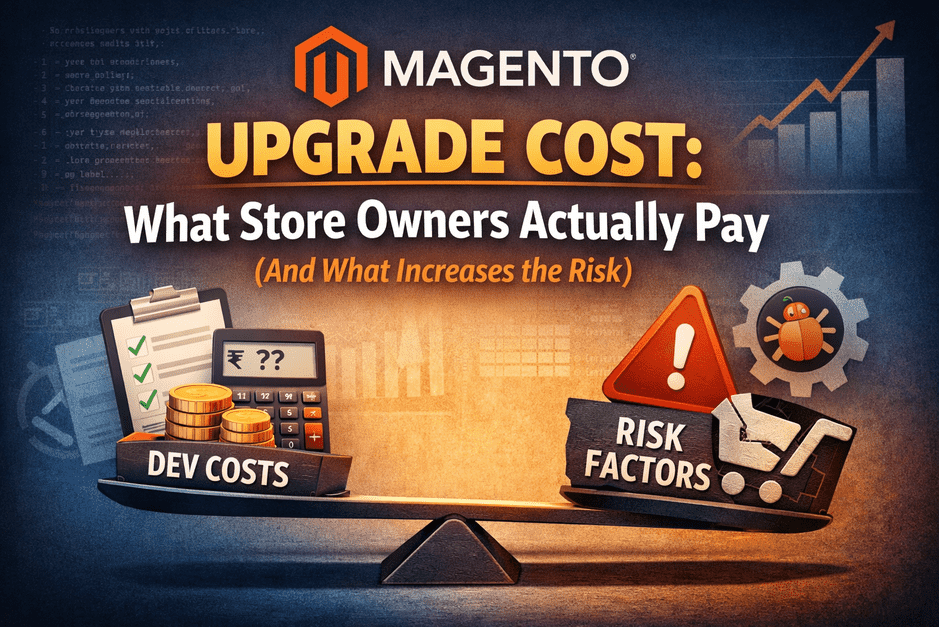
2️⃣ Real Magento Upgrade Cost Buckets (What You’re Actually Paying For)

Let’s break down where the money really goes.

🔹 A. Core Development & Upgrade Execution

This includes:

  • Magento core upgrade
  • PHP compatibility fixes
  • Dependency updates
  • Removing deprecated code

💰 Cost impact: Moderate
⚠️ Risk: Low (if done correctly)

🔹 B. Extensions & Third-Party Modules

This is where costs start rising.

Common problems:

  • Extensions not compatible with target version
  • Abandoned or unsupported modules
  • Heavy overrides affecting core behavior

💰 Cost impact: High
⚠️ Risk: High (checkout & admin failures)

🔹 C. Theme & Custom UI

Custom themes often:

  • Use outdated JS libraries
  • Rely on deprecated Magento UI components
  • Break silently after upgrade

💰 Cost impact: Medium–High
⚠️ Risk: Medium (UX & conversion loss)

🔹 D. Integrations (ERP, CRM, Payment, Shipping)

Any integration touching:

  • Orders
  • Inventory
  • Payments
  • Shipping rules

…must be tested end-to-end, not just “connected”.

💰 Cost impact: High
⚠️ Risk: Very High (revenue leakage)

🔹 E. QA, Testing & Stabilization

This is often underestimated or skipped.

Proper testing includes:

  • Add-to-cart
  • Checkout with real payment gateways
  • Tax & shipping logic
  • Admin order flows
  • Email & webhook triggers

💰 Cost impact: Medium
⚠️ Risk if skipped: Critical

3️⃣ Hidden Costs Most Store Owners Don’t Budget For

These costs don’t appear in proposals — but they appear after launch.

🚨 Silent Checkout Failures

Orders stop coming in.
No errors.
No alerts.
Just revenue loss.

🚨 Post-Upgrade Firefighting

Emergency fixes.
Weekend deployments.
Rollback stress.

🚨 Team Time & Opportunity Cost

Your internal team spends weeks:

  • Reporting issues
  • Coordinating fixes
  • Handling customer complaints

These costs often exceed the original upgrade budget.

4️⃣ Why Most Magento Upgrades Fail Before Development Starts

Here’s the hard truth:

Most Magento upgrade failures are caused by poor assessment — not poor developers.

Common mistakes:

  • No extension risk mapping
  • No checkout flow validation plan
  • No rollback strategy
  • No upgrade readiness score

Upgrading without assessment is like:

Renovating a building without checking its foundation.

5️⃣ The Smart Way to Control Magento Upgrade Cost

Instead of asking:

“How cheap can this upgrade be?”

Ask:

“How risky is my upgrade right now?”

This is where a Free Magento Mini Audit makes a real difference.

What a Mini Audit Does:

  • Identifies upgrade blockers early
  • Flags high-risk extensions
  • Evaluates checkout & revenue paths
  • Gives clarity before committing money

What It Does NOT Do:

  • No deep code review
  • No changes to your store
  • No sales pressure

Just clarity.

6️⃣ Free Audit vs Paid Audit — Why Both Exist

  • Free Mini Audit
    👉 Helps you understand risk & readiness
  • Paid Deep Audit
    👉 Required only when:
    • Custom code is heavy
    • Revenue dependency is high
    • Upgrade must be near-zero downtime

Smart store owners use the free audit to avoid costly surprises, then decide next steps logically.

7️⃣ Final Thought: Cost Is a Result, Not a Starting Point

Magento upgrade cost is not a fixed number.

It’s the result of:

  • Technical debt
  • Risk exposure
  • Preparation level

The less you know about your risks, the more expensive your upgrade becomes.

✅ Want to Know Your Upgrade Cost — Without Guesswork?

Before planning timelines or budgets, start with clarity.

👉 Request a Free Magento Mini Audit
Understand your upgrade risk, hidden costs, and next steps — with zero obligation.

Why Magento Upgrades Fail (Even With Good Developers)

Magento upgrades don’t usually fail because of bad developers.

They fail because the process is broken before development even begins.

I’ve seen highly skilled Magento developers struggle with upgrades — not due to lack of expertise, but because critical steps were skipped long before any code was touched.

This article explains where Magento upgrades actually go wrong, and why even “good developers” can’t save a poorly planned upgrade.

The Biggest Myth: “A Skilled Developer Is Enough”

Magento is not a simple CMS upgrade.

It’s a deep system upgrade involving:

  • Core platform changes
  • PHP & server compatibility
  • Third-party extensions
  • Theme overrides
  • Database schema updates
  • Indexers, cron jobs, and caching layers
  • Checkout, payments, and integrations

A developer can write excellent code — but if the upgrade plan is flawed, failure is almost guaranteed.

Where Magento Upgrades Really Fail (Before Coding)

1️⃣ No Proper Pre-Upgrade Assessment

This is the #1 reason Magento upgrades fail.

Most failed upgrades start with assumptions like:

  • “We’ll fix issues as they come”
  • “It worked on another store”
  • “Magento provides backward compatibility”

What’s often skipped:

  • Exact Magento version analysis
  • PHP version conflicts
  • Deprecated core methods
  • Extension compatibility checks
  • Custom override mapping

By the time errors appear, the store is already unstable.

2️⃣ Extensions Are Treated as Afterthoughts

Magento stores rarely run on core alone.

Extensions affect:

  • Checkout flow
  • Payments
  • Shipping logic
  • Admin performance
  • APIs & integrations

Common mistake:

“Let’s upgrade core first, then see what breaks.”

Reality:

  • Many extensions are tightly coupled to Magento internals
  • Some require version-specific patches
  • Others are abandoned and must be replaced

Ignoring this upfront turns upgrades into firefighting projects.

3️⃣ No Staging Strategy (or a Weak One)

Another silent killer.

Typical issues:

  • Staging ≠ production environment
  • Missing server-level configs
  • Different PHP, MySQL, or OpenSearch versions
  • Incomplete data sync

So the upgrade “works on staging”…
…but fails on live during deployment.

That’s not a dev issue — that’s a process gap.

4️⃣ Checkout & Payments Are Tested Too Late

Many upgrades look “successful” until:

  • Checkout fails
  • Payments don’t capture
  • Orders stop syncing
  • Emails don’t trigger

Why?
Because testing focused on:

  • Homepage
  • Category pages
  • Admin login

Instead of revenue-critical flows.

Magento upgrades should protect money paths first, not visuals.

5️⃣ No Rollback Plan

This is where panic starts.

Without:

  • Full backup strategy
  • Database rollback readiness
  • Version-controlled deployment
  • Clear revert checkpoints

A failed upgrade turns into:

  • Emergency downtime
  • Revenue loss
  • Stress for everyone involved

Good developers can’t fix what wasn’t planned.

So Why Do “Good Developers” Still Fail?

Because Magento upgrades are not just development tasks.

They are:

  • Risk management projects
  • Revenue protection exercises
  • System compatibility audits
  • Deployment operations

Coding is only one part of the upgrade.

Process is everything else.

What Actually Makes Magento Upgrades Successful

Successful upgrades always follow this order:

  1. Assessment before action
  2. Compatibility before coding
  3. Revenue paths before UI
  4. Staging parity before deployment
  5. Rollback readiness before go-live

When this process is followed, even complex Magento upgrades become predictable and stable.

Final Insight

🧠 Magento upgrades don’t fail during development.
They fail during planning.

The failure usually happens before the upgrade starts — during assessment.

That’s why experienced Magento teams always begin with clarity, not assumptions.

Not sure where your store stands before upgrading?

A quick, structured assessment reveals:

  • Hidden risks
  • Compatibility issues
  • Upgrade complexity
  • Realistic timelines

👉 Free Magento Health & Upgrade Risk Check

7 Silent Signs Your Magento Store Is Technically Declining

Most Magento stores don’t fail suddenly.

They decline silently — while orders still come in, dashboards still load, and everything appears fine.

Until one day:

  • Checkout starts failing
  • Speed drops
  • A simple change breaks production
  • Or a security issue forces emergency action

If you’re running a Magento store, these are the early warning signs you should never ignore.

1️⃣ Admin Panel Feels Slow or Freezes Occasionally

If basic admin actions like:

  • loading orders
  • editing products
  • saving configurations

feel slow or freeze intermittently, it’s rarely “just hosting.”

This usually points to:

  • database bloat
  • outdated Magento core
  • deprecated code
  • incompatible extensions

Admin slowness is often the first visible symptom of deeper technical debt.

2️⃣ Checkout Issues That “Come and Go”

Intermittent checkout problems are the most dangerous kind.

Examples:

  • payment succeeds but order doesn’t appear
  • cart randomly empties
  • checkout works on some devices but not others

These issues don’t always show clear errors — but they directly impact revenue.

They usually stem from:

  • outdated extensions
  • partial Magento upgrades
  • PHP or library incompatibilities

If checkout failures are “occasional,” the risk is already real.

3️⃣ Extensions Are No Longer Updating

When extension vendors stop supporting your Magento version, it’s a silent red flag.

This means:

  • security fixes stop coming
  • compatibility breaks are inevitable
  • future upgrades become harder and more expensive

Many stores stay “stable” for months — then collapse during the next upgrade attempt.

Unsupported extensions are time bombs, not minor inconveniences.

4️⃣ You’re Stuck on an Older PHP Version

If your store relies on:

  • PHP versions that are end-of-life
  • custom fixes just to keep PHP running

you’re already outside safe territory.

Older PHP versions mean:

  • higher security risk
  • limited performance improvements
  • incompatibility with modern Magento releases

Magento performance and security are deeply tied to PHP compatibility.

5️⃣ Site Speed Fluctuates Without Clear Reason

If your store is:

  • fast one day
  • slow the next
  • inconsistent across devices

this usually points to architectural or version-level issues, not caching alone.

Common causes include:

  • outdated indexing logic
  • inefficient database queries
  • incompatible JS libraries
  • unoptimized third-party modules

Speed inconsistency is a structural warning, not a surface issue.

6️⃣ Developers Hesitate to Touch the Code

When your team says:

  • “Let’s not change this, it might break something”
  • “This area is risky”
  • “We’ll handle it later”

technical debt has already accumulated.

A healthy Magento store should be:

  • predictable
  • testable
  • upgrade-ready

Fear-driven development is a sign the platform is holding the business back.

7️⃣ Improvements Are Delayed Due to Fear of Breakage

If new features, performance improvements, or UX upgrades are postponed because:

  • upgrades feel risky
  • past attempts caused issues
  • the system feels fragile

your Magento setup is no longer supporting growth.

Magento should enable scaling — not create hesitation.

🧠 The Truth Most Store Owners Discover Too Late

Magento stores rarely fail overnight.

They decline quietly — until recovery becomes expensive, urgent, and stressful.

That’s why the first step is never an upgrade.

It’s understanding your store’s actual condition.

🔍 Clarity Before Action

These issues don’t need guessing — a quick audit shows them clearly.

A focused Magento health & upgrade risk check can reveal:

  • whether your store is stable
  • where risks are building
  • what actually needs attention (and what doesn’t)

👉 Free Magento Health & Upgrade Risk Check
https://smbtechsolution.com/free-magento-mini-audit/

No access required. No obligation. Just clarity.

Who This Is For

  • Magento store owners
  • CTOs & eCommerce managers
  • Teams planning upgrades, improvements, or security updates

Understanding risks early is always cheaper than fixing failures later.

Magento feels slow

Magento Store Looks Fine but Feels Slow? Here’s Why

Many Magento store owners tell me something like this:

“Our store looks fine. Pages load. Orders come in.
But something feels… off.”

That feeling is usually correct.

Magento stores rarely break suddenly.
They decline quietly — until the cost becomes visible in revenue, performance, or failed upgrades.

Let’s talk about why this happens.

1️⃣ “Looks Fine” Is Not the Same as “Healthy”

A Magento store can appear normal on the surface while carrying hidden issues underneath.

Some common examples:

  • Admin actions take longer than before
  • Checkout works… but occasionally fails
  • Page speed fluctuates day to day
  • Developers hesitate to make changes
  • Extensions stop updating cleanly

None of these cause an immediate crash.
But together, they indicate technical debt.

2️⃣ Silent Problems Magento Stores Accumulate Over Time

Here’s what usually causes that “off” feeling:

🔹 Outdated Magento version

Older versions accumulate unpatched vulnerabilities, deprecated methods, and compatibility gaps.

🔹 Database bloat

Old logs, unused tables, and bloated indexes slow down both frontend and admin.

🔹 Extension conflicts

Extensions may still “work” — but with hidden warnings, deprecated code, or partial failures.

🔹 Server mismatch

PHP, MySQL, Redis, or Elasticsearch versions may no longer be optimal for your Magento build.

🔹 Code avoidance

When teams avoid touching code because “it might break,” that’s a red flag — not stability.

3️⃣ Why These Issues Don’t Show Up Immediately

Magento is very forgiving — until it isn’t.

Problems stay hidden because:

  • Errors don’t always surface visually
  • Logs aren’t monitored regularly
  • Performance issues build gradually
  • Checkout failures may be intermittent
  • Security risks don’t announce themselves

By the time something breaks, the fix is usually urgent — and expensive.

4️⃣ Why Upgrading Without Clarity Is Risky

Many store owners jump straight to:

“Let’s upgrade Magento.”

But upgrading without understanding your current state often leads to:

  • Theme breaking
  • Extension failures
  • Checkout issues post-upgrade
  • Emergency fixes
  • Downtime during business hours

The issue isn’t the upgrade itself —
it’s upgrading without knowing the risks.

5️⃣ The Right First Step: A Magento Health & Upgrade Risk Audit

Before changing anything, we always recommend understanding:

  • Your current Magento version risks
  • Extension and custom code readiness
  • Server and stack compatibility
  • Performance and checkout red flags
  • Whether an upgrade is safe right now

This clarity removes fear and prevents unnecessary work.

6️⃣ Why a Mini Audit Makes Sense (Even If Nothing Is Broken)

A proper audit helps you:

  • See real risks (not assumptions)
  • Decide calmly instead of reacting
  • Avoid over-engineering fixes
  • Plan upgrades without stress
  • Protect revenue and uptime

Most importantly:

It tells you what not to touch.

Get a Free Magento Health & Upgrade Risk Check

If your store looks fine but doesn’t feel right,
a quick audit can explain why.

👉 Get a Free Magento Mini Audit
https://smbtechsolution.com/free-magento-mini-audit/

✔ No admin access required
✔ No server access
✔ Clear, actionable summary
✔ Delivered on WhatsApp within working hours

Final Thought

Magento stores don’t fail suddenly.
They decline silently.

The goal isn’t to rush an upgrade —
it’s to understand before you act.

Magento Security Patch vs Full Upgrade – What’s the Difference? (2026 Guide)

Magento store owners often ask:

“Is a security patch enough, or do I need a full upgrade?”
“What exactly does a Magento security update fix?”

This guide gives the exact, technical difference between a security patch and a full Magento upgrade, so you can make the right decision without confusion.

🟦 1. What Is a Magento Security Patch?

A security patch is a small update released by Adobe to fix specific vulnerabilities found in the Magento core.

✔ What it usually includes:

  • Fixes for known security vulnerabilities
  • Protection against exploits
  • Improvements in sanitization & request validation
  • Updates to prevent XSS, RCE, SQL injections
  • Minor adjustments to system libraries

✔ What a security patch does NOT include:

  • New features
  • Performance improvements
  • PHP compatibility updates
  • Extension compatibility updates
  • Indexer or caching improvements
  • Big bug fixes

⚠ Security patches only protect you from known vulnerabilities — not stability or performance issues.

🟥 2. What Is a Full Magento Upgrade?

A full upgrade is updating the entire Magento version, for example:

  • 2.4.4 → 2.4.6
  • 2.4.5 → 2.4.8-p3
  • 2.4.x → future versions

✔ What a full upgrade includes:

  • Security patches
  • New features
  • Better performance
  • PHP version compatibility
  • OpenSearch compatibility
  • Updated libraries (jQuery, Knockout, Laminas, Symfony)
  • Deprecated code removal
  • API improvements
  • Better indexing, caching, GraphQL
  • Admin & storefront fixes
  • Third-party extension compatibility

A full upgrade is far more comprehensive than a patch.

🟩 3. Magento Security Patch vs Full Upgrade – Side-by-Side Comparison

Feature / BehaviorSecurity PatchFull Upgrade
Fixes vulnerabilities✔ Yes✔ Yes
New features❌ No✔ Yes
Performance improvements❌ No✔ Yes
PHP compatibility❌ No✔ Yes
Database changes❌ Limited✔ Yes
Extension updates needed❌ Usually no✔ Often required
Theme adjustments needed❌ No✔ Sometimes
Reduces technical debt❌ No✔ Yes
Long-term stability❌ Low✔ High
Future compatibility❌ No✔ Yes

🟧 4. When Is a Security Patch Enough?

You can rely on a security patch only when:

✔ Your store is already on a stable, recent version

Example:
You’re on Magento 2.4.6-p3, and Adobe releases a 2.4.6-p4 security patch.

✔ You want short-term protection

A patch keeps your store secure for now, but not future-proof.

✔ You have a broken extension/theme and cannot upgrade immediately

A patch buys you time.

✔ You are using LTS (Long-Term Support) versions

Some older versions get patches but no full upgrades.

✔ You want zero downtime

Patches usually require much less testing compared to upgrades.

🟥 5. When You MUST Do a Full Magento Upgrade

A patch is not enough when:

❌ You are on PHP version older than Adobe’s support

Example: PHP 7.4, 8.0, or deprecated versions.
Security patches do NOT fix PHP EOL issues.


❌ Your extension versions are outdated

Extensions rely on newer Magento libraries.
Patches do not update these.


❌ You see recurring errors

  • Checkout failures
  • Admin slowdown
  • Indexer stuck
  • Payment failures
  • API timeouts

These require full upgrades, not patches.


❌ You want improved performance

Only upgrades give performance boosts to:

  • GraphQL
  • indexing
  • caching
  • category/product page speed

❌ You want long-term stability

Staying 2 versions behind becomes extremely expensive later.


🟦 Reality Check: Patch or Upgrade — What Does Your Store Actually Need?

Every Magento store is different.

Two stores on the same Magento version can have completely different risks based on:

  • Installed extensions
  • Custom code
  • PHP version
  • Server configuration
  • Traffic & order volume

That’s why there is no one-size-fits-all answer.

Before choosing patch vs upgrade, the safest step is to review your store’s actual condition — not assumptions.

👉 A quick health & upgrade risk check can show:

  • Whether a patch is enough right now
  • Or if an upgrade is already overdue
  • And what risks exist if nothing is done

(No access required. No obligation.)

👉 Link:
https://smbtechsolution.com/free-magento-mini-audit/

🟪 6. How Often Should You Apply Security Patches?

Best practice for Magento is:

✔ Apply security patches immediately when released

✔ Apply full upgrades every 9–12 months

This keeps your store secure, compliant, and stable.


🟨 7. Cost Difference: Patch vs Upgrade

TaskCost Range
Security Patch₹5,000 – ₹25,000
Full Upgrade₹25,000 – ₹2,00,000+ (depending on complexity)

Patches are cheaper because they affect far fewer files and do not require deep testing.


🟫 8. Time Difference: Patch vs Upgrade

TaskTime Required
Security Patch1–2 hours to 1 day
Full Upgrade2 days to 3 weeks

Upgrades require:

  • theme fixes
  • extension updates
  • testing
  • staging environment

Patches usually require much less.


🟣 9. Security Patch vs Upgrade – Which Should You Choose?

If your priority is:

✔ Short-term security → Apply patch

✔ Long-term stability + performance → Do full upgrade

✔ Outdated PHP or extensions → Full upgrade

✔ Preventing hacks → Both

✔ Staying ahead for 2026 → Upgrade to 2.4.8-p3 + stay patched

🔍 Final Recommendation

A Magento security patch is like installing a lock on your door.
A full upgrade is like renovating the entire house so the door, windows, wiring, and foundation are all secure and updated.

You need both, but for different reasons.

  • Patches = short-term protection.
  • Upgrades = long-term stability, performance, and future compatibility.

Neither replaces the other.

🔎 Not Sure Which Path Is Right for Your Store?

If you’re unsure whether your store needs:

  • only a security patch, or
  • a full Magento upgrade

start with clarity.

👉 Free Magento Health & Upgrade Risk Check
https://smbtechsolution.com/free-magento-mini-audit/

You’ll get a short, clear summary — no access required.

📝 FAQ

1. Are Magento security patches enough to stay protected?

Short-term yes, long-term no. They don’t fix outdated PHP, extensions, or performance issues.

2. Will a security patch stop checkout errors?

No. Checkout issues often require theme, extension, or full version upgrades.

3. Should I upgrade Magento or only patch it?

If you want long-term stability and future compatibility → upgrade.

4. How often does Adobe release Magento security patches?

Typically every quarter, but urgent patches can be released anytime.

5. Do security patches require code testing?

Minimal testing is required, but far less than a full upgrade.