
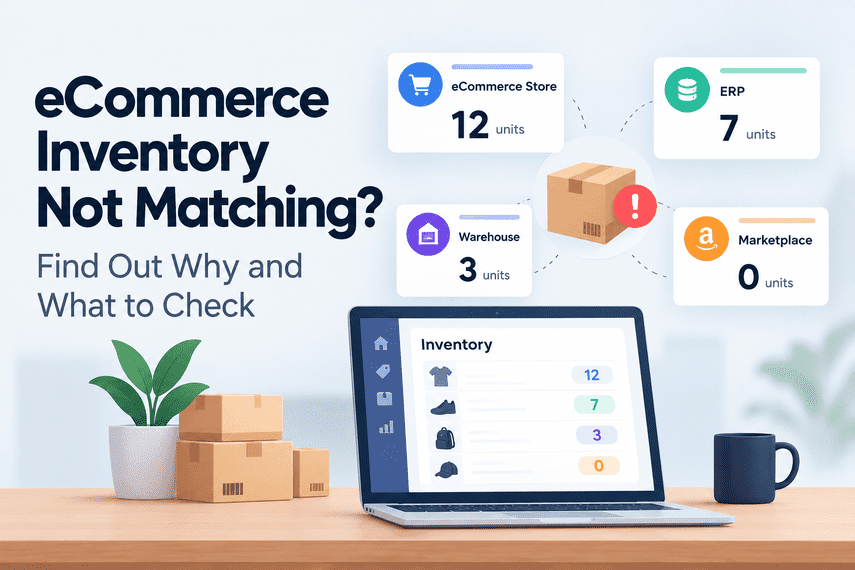

Your eCommerce store says there are 12 units available. Your ERP says 7. Your warehouse says 3. And another marketplace is showing 0.
Which number is correct?
For a growing eCommerce business, this can become one of the most frustrating operational problems.
The website may look perfectly healthy.
Customers can browse products.
Orders can be placed.
Payments can be processed.
But somewhere behind the scenes, the inventory numbers no longer agree.
And once your team stops trusting the numbers, they start checking everything manually.
When should you trust your inventory?
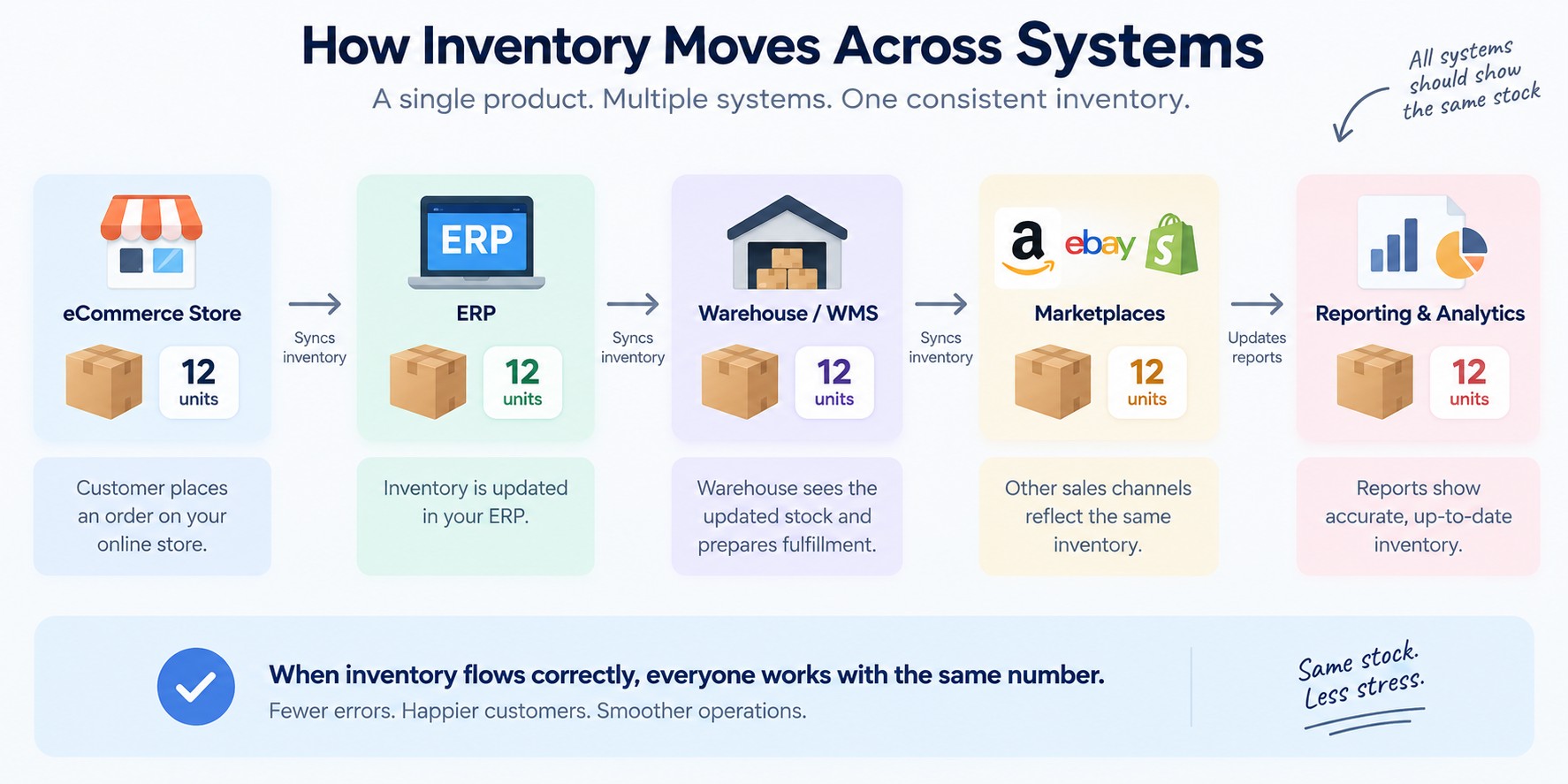
Ideally, your systems should give the business one reliable view of available stock.
A customer places an order.
Inventory changes.
That change reaches the systems that need to know about it.
The warehouse knows what needs to be picked.
The ERP knows what has been sold.
Other sales channels know what remains available.
The customer sees the correct availability.
The process should be straightforward.
But in real eCommerce operations, inventory often passes through several systems.
Sometimes the flow goes in the opposite direction.
Sometimes there are several warehouses.
Sometimes different sales channels use different SKU structures.
Sometimes inventory isn't updated immediately.
And sometimes nobody is completely sure which system is actually the source of truth.
That is when things start getting messy.
The real problem isn't that two numbers are different
An inventory difference by itself is not always a disaster.
The bigger problem is:
Can you confidently tell a customer:
“Yes, this product is available.”
Can your warehouse confidently fulfill the order?
Can your purchasing team decide when to reorder?
Can another marketplace safely sell the remaining stock?
Can management trust the inventory report?
If the answer is “we need to check first,” you may have a deeper inventory reliability problem.
How inventory becomes unreliable
There is rarely one single cause.
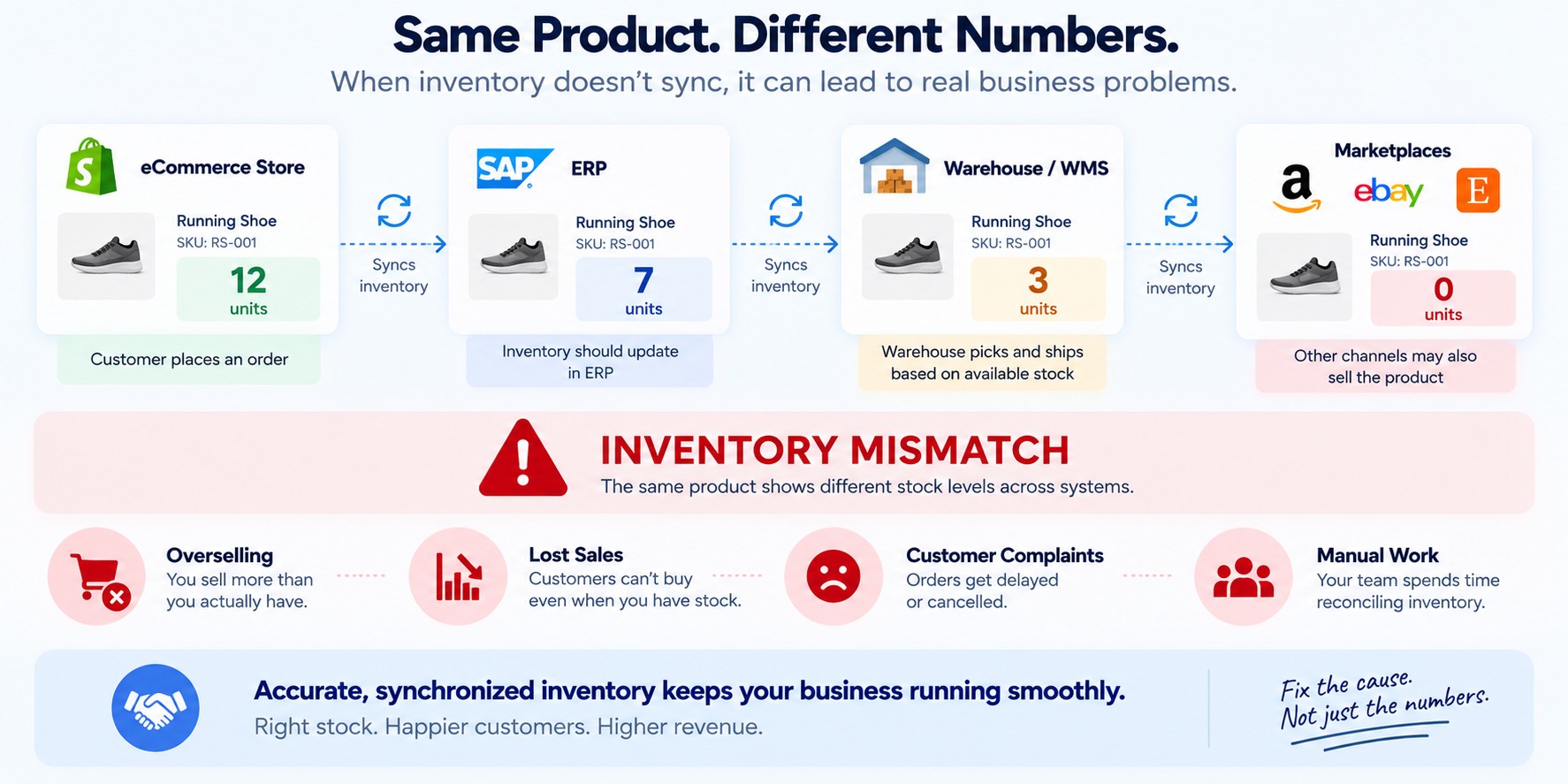
Inventory can become inconsistent when information doesn't move correctly between systems.
↓
Store reduces inventory
↓
ERP doesn't receive the update
↓
Warehouse still sees the old quantity
↓
Another marketplace sells the same product
↓
Inventory mismatch
The customer doesn't care which system failed.
They only experience the consequence:
That is where an inventory issue becomes a customer experience issue.
The number you see may not be the number you can actually sell
One of the easiest mistakes in inventory management is assuming:
It doesn't always work that way.
You may have units that are:
- physically in the warehouse
- already allocated to orders
- reserved for another channel
- damaged
- awaiting inspection
- in transit
- held for another location
- temporarily unavailable
So even when the physical quantity is correct, the number shown to the customer may still be wrong.
The business needs to understand not only:
“How much stock can we safely sell right now?”
What happens when inventory is wrong?
Overselling
The website says a product is available.
The customer places the order.
The warehouse discovers there isn't enough stock.
Now someone has to contact the customer, delay the order, find another source, or issue a refund.
Lost sales
The opposite can happen too.
You actually have stock.
But the online store says it is unavailable.
Customers cannot buy it.
The inventory problem has now become a revenue problem.
Manual reconciliation
Your team starts comparing numbers across systems.
Store. ERP. Warehouse. Marketplace. Spreadsheet.
Someone exports one report.
Someone exports another.
Then they try to determine which number is correct.
Customer service problems
When availability information is wrong, customer service usually gets involved.
“Why hasn't my order shipped?”
“You said this was in stock.”
“When will it be available?”
The more frequently this happens, the more operational work moves onto people.
The spreadsheet is often a symptom, not the solution
Many businesses eventually create a spreadsheet to “keep inventory under control.”
The spreadsheet may contain adjustments, exceptions, reconciliations, or manually verified quantities.
It can be useful.
But it can also hide a deeper problem.
The question should not simply be:
“How can we make the spreadsheet better?”
It should also be:
Do you know which system is the source of truth?
This sounds like a simple question.
It often isn't.
Where is inventory officially managed?
The ERP?
The warehouse management system?
The eCommerce platform?
A master inventory system?
Something else?
Now ask:
And:
Without clear answers, inventory synchronization becomes difficult to reason about.
A business can have technically functioning integrations and still have unreliable inventory because the underlying rules are unclear.
SKU mapping can create problems that look like inventory problems
Consider a product that exists in multiple systems.
The store might use one SKU.
The ERP might use another identifier.
The warehouse could use a third reference.
If the mapping isn't correct, an inventory update may be applied to the wrong product—or fail to apply at all.
This can create strange situations:
One product appears to have too much stock.
Another appears to have none.
The physical warehouse looks fine.
The online store does not.
From the outside, it looks like “inventory is broken.”
Inside the system, the real problem may be that the systems don't agree on what the product actually is.
Bundles and kits make things even harder
Inventory becomes more complicated when products are made from other products.
For example:
1 laptop
1 keyboard
1 mouse
You may have 10 complete bundles available.
But perhaps you only have 6 keyboards.
How should the storefront calculate availability?
Now imagine this across multiple warehouses and sales channels.
A simple quantity field is no longer enough.
The business needs reliable inventory rules.
Returns can create another source of mismatch
A customer returns a product.
What happens next?
Does inventory increase immediately?
Only after inspection?
Only after the warehouse receives it?
Does the ERP update?
Does the storefront update?
What if the return is damaged?
What if a replacement order is created?
Returns are often treated as a separate process.
But they can have a direct impact on inventory accuracy.
Multi-channel selling changes the problem
Selling through one storefront is relatively straightforward.
Then the business adds:
Amazon.
Another marketplace.
A second storefront.
Wholesale.
Retail locations.
A new warehouse.
A new 3PL.
Every additional channel creates another place where inventory has to be understood correctly.
And every additional system creates another opportunity for a mismatch.
The technology isn't necessarily the problem.
The most important question: what happens when the numbers don't match?
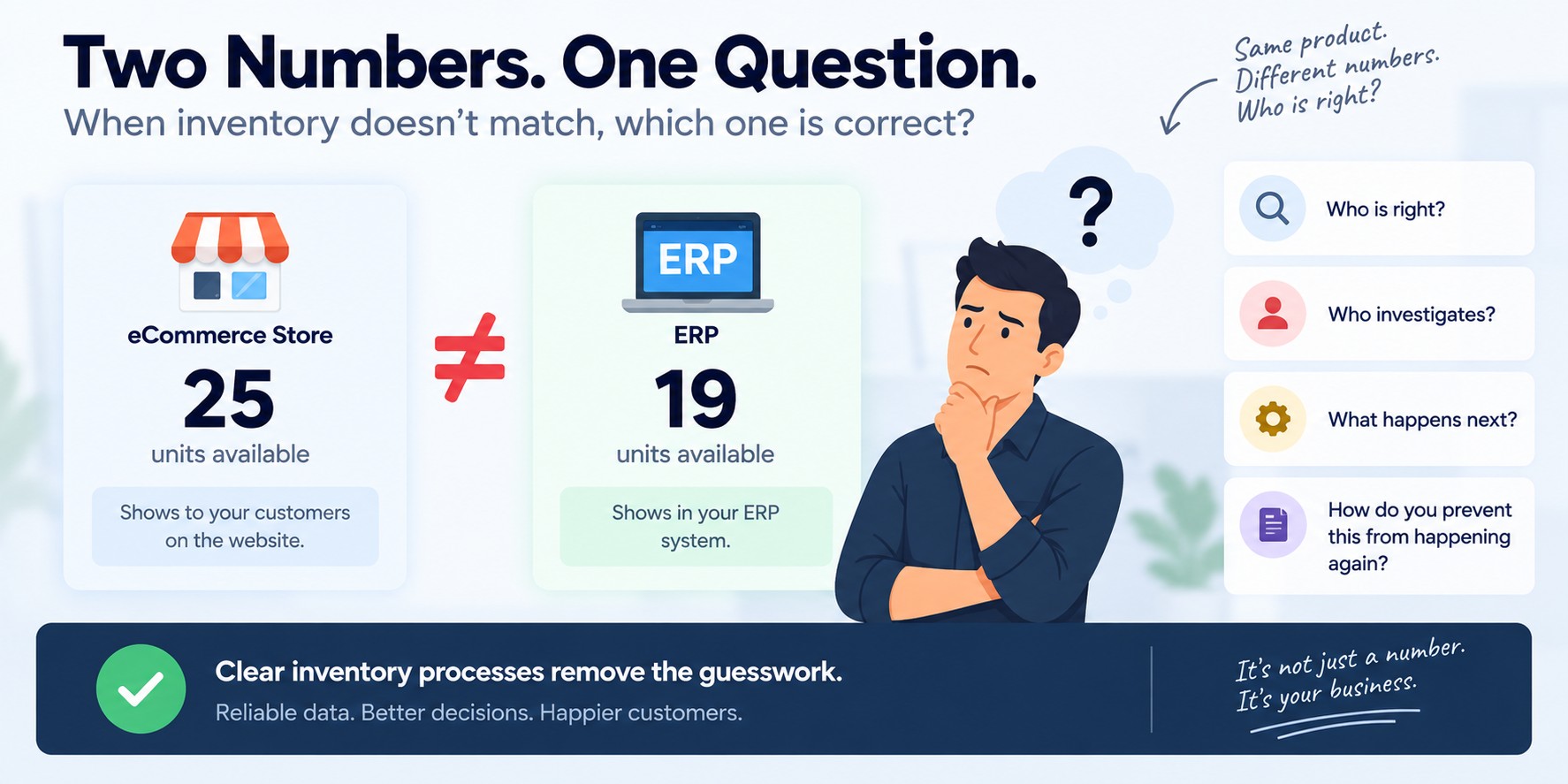
Suppose the store says:
and the ERP says:
What happens next?
Does the system automatically reconcile the difference?
Does somebody investigate?
Does somebody check the warehouse?
Does a manager decide which number is correct?
Does somebody adjust the database manually?
Does it simply remain unresolved until someone notices?
Not having a reliable process for handling the difference is the bigger problem.
Five questions worth asking your team
Before changing your technology, understand the current process.
1. Which system is the source of truth for inventory?
If the answer changes depending on who you ask, that's worth investigating.
2. How quickly does inventory update?
Is it immediate? Every few minutes? Every hour? Once a day?
3. How do you detect inventory mismatches?
Is there automated monitoring, a reconciliation process, a daily report, or does someone discover the problem manually?
4. Who investigates the difference?
There should be a clear owner.
5. What happens when inventory is wrong?
Does the system recover automatically? Does someone manually correct it? Does the customer find out first?
Those answers tell you much more than simply asking whether your “inventory integration is working.”
The goal isn't perfect inventory data
No complex eCommerce operation will remain perfectly synchronized forever.
There will be exceptions.
There will be returns.
There will be warehouse adjustments.
There will be cancelled orders.
There will be damaged products.
There will be unexpected failures.
The goal is not to pretend those things will never happen.
The goal is to make the process reliable enough to handle them.
Know what the real inventory should be.
Know where that information comes from.
Detect important differences quickly.
Understand why the difference occurred.
Correct it safely.
Prevent the same problem from becoming repetitive manual work.
Inventory problems are often business problems in disguise
A business may describe the issue as:
But the actual business problem might be:
“We're overselling products.”
“Our warehouse keeps getting orders for products we don't have.”
“Our team spends two hours every day reconciling stock.”
“We can't confidently tell customers what's available.”
Those are much more important problems than an API error.
Because the real question isn't:
The real question is:
Don't start by replacing everything
When inventory problems become painful, there can be a temptation to replace the platform, ERP, WMS, or integration layer.
Sometimes that is the right answer.
Often, it isn't the first answer.
Start by understanding the flow.
Where does inventory originate?
Which system owns it?
Which events change it?
How does the change move?
How quickly?
What happens when it fails?
How are exceptions detected?
How are returns handled?
How are bundles handled?
How are multiple locations handled?
How does the business reconcile the systems when they disagree?
Once those questions are clear, it becomes much easier to determine what actually needs to change.
Your team shouldn't have to guess whether inventory is correct
As an eCommerce business grows, inventory becomes more than a number on a product page.
It affects:
Sales.
Customer experience.
Fulfillment.
Purchasing.
Cash flow.
Operations.
Trust.
Your team should not have to spend every day wondering which system is telling the truth.
The objective is not simply to make systems “talk.”
The objective is to make the business able to trust what those systems are telling it.
Is your inventory not matching across systems?
You don't need to know whether the cause is your eCommerce platform, ERP, WMS, marketplace, integration, SKU mapping, or something else.
Start with the problem. We'll start there too.
Tell Us What's Happening →