
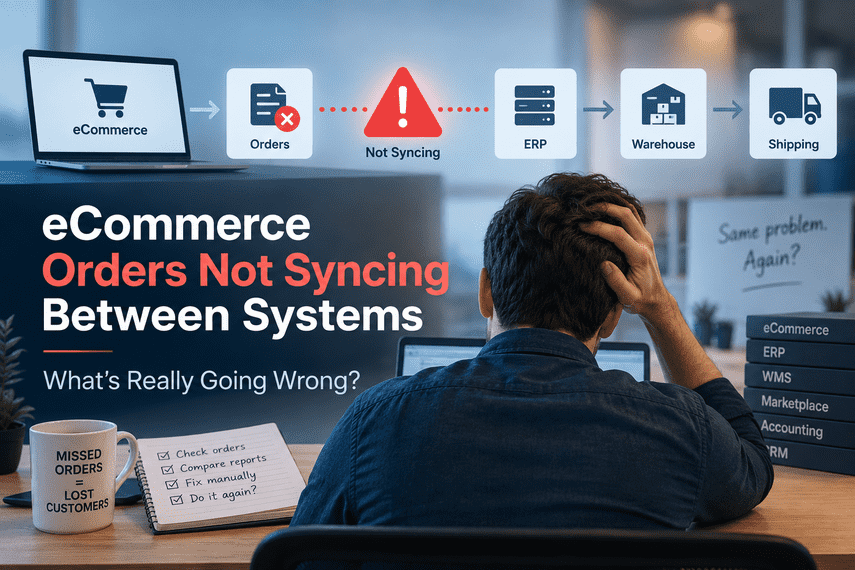

Your eCommerce store is online. Customers can place orders. Payments are going through. But something still feels wrong.
An order appears in the store, but doesn't show up in the ERP.
An order reaches the ERP, but doesn't reach the warehouse.
A marketplace order doesn't get processed correctly.
Someone on your team notices the problem hours later and manually fixes it.
Then it happens again.
And again.
Why do we still have people checking whether our systems are talking to each other?
This is one of the most frustrating problems in a growing eCommerce business.
And it is often much bigger than a simple “integration error.”
The store can be working while the business is still breaking
An eCommerce business rarely runs on one system.
There may be a storefront, ERP, WMS, payment gateway, marketplace, CRM, accounting system, shipping platform, PIM, or other tools involved in processing an order.
The customer sees one website.
Behind that website, several systems may need to work together.
↓
Store creates the order
↓
Payment is confirmed
↓
Order is sent to ERP
↓
ERP processes it
↓
Warehouse receives it
↓
Order is fulfilled
↓
Tracking comes back
↓
Customer receives an update
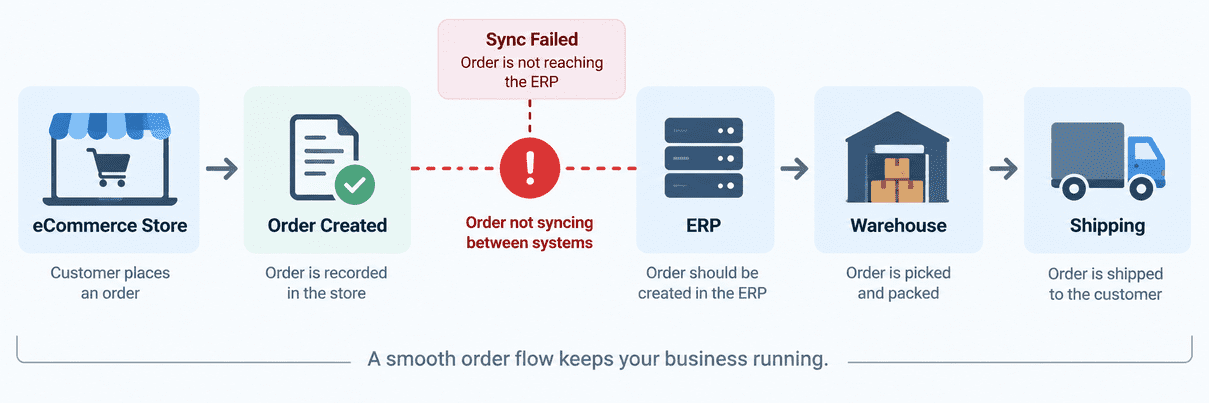
Ideally, this happens automatically.
But what happens when one step fails?
That is where the real problem begins.
The dangerous part isn't always the failure
A failed order synchronization is bad.
But an undetected failed synchronization can be much worse.
Imagine that 500 orders are placed during a busy day.
Five of them don't make it from one system to another.
The store still says the orders exist.
The customer still expects delivery.
The warehouse doesn't know about them.
Nobody notices immediately.
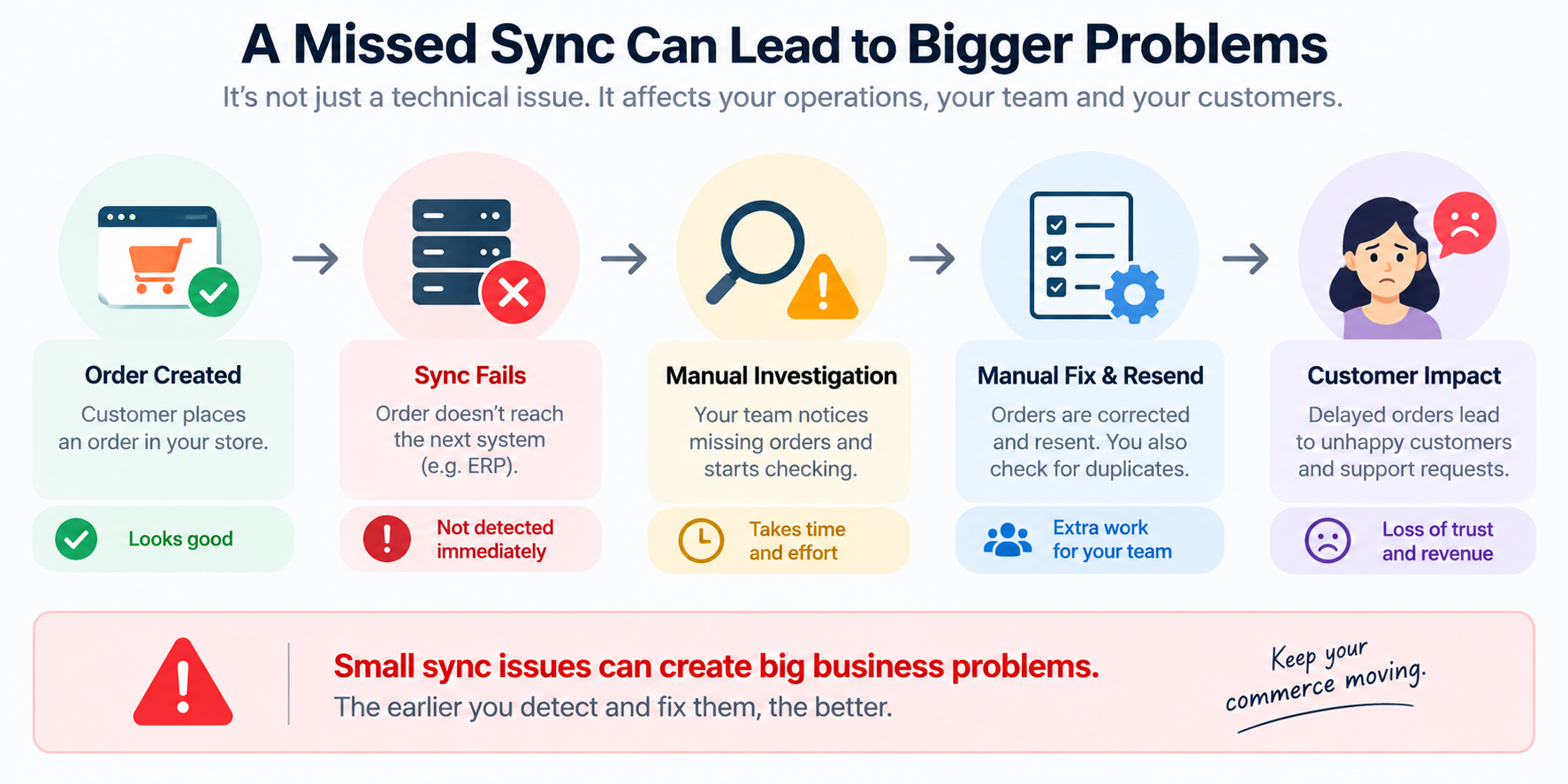
Eventually, someone discovers the missing orders and starts investigating.
Now your team has to:
Find the missing orders.
Identify what failed.
Determine where they stopped.
Correct the data.
Resend the order.
Check that it worked.
Make sure there wasn't a duplicate.
Explain the delay to the customer.
The technical failure may have taken seconds.
The business may spend hours dealing with it.
How does your team know when something fails?
This is one of the most important questions to ask.
When an order doesn't move from your eCommerce platform to another system:
Is there an automatic alert?
Is there an exception queue?
Does someone check logs?
Does someone compare reports?
Does someone notice because the customer complains?
Or does someone simply run a spreadsheet every morning and look for missing orders?
Manual checking becomes expensive as you grow
When order volume is small, manual work can hide inside the business.
Someone checks a few orders.
Someone fixes a few inventory differences.
Someone resends a failed transaction.
It doesn't feel like a serious problem.
Then the business grows.
More orders. More warehouses. More marketplaces. More products. More systems. More edge cases.
The process that once required 20 minutes a day may now require several people checking different systems throughout the day.
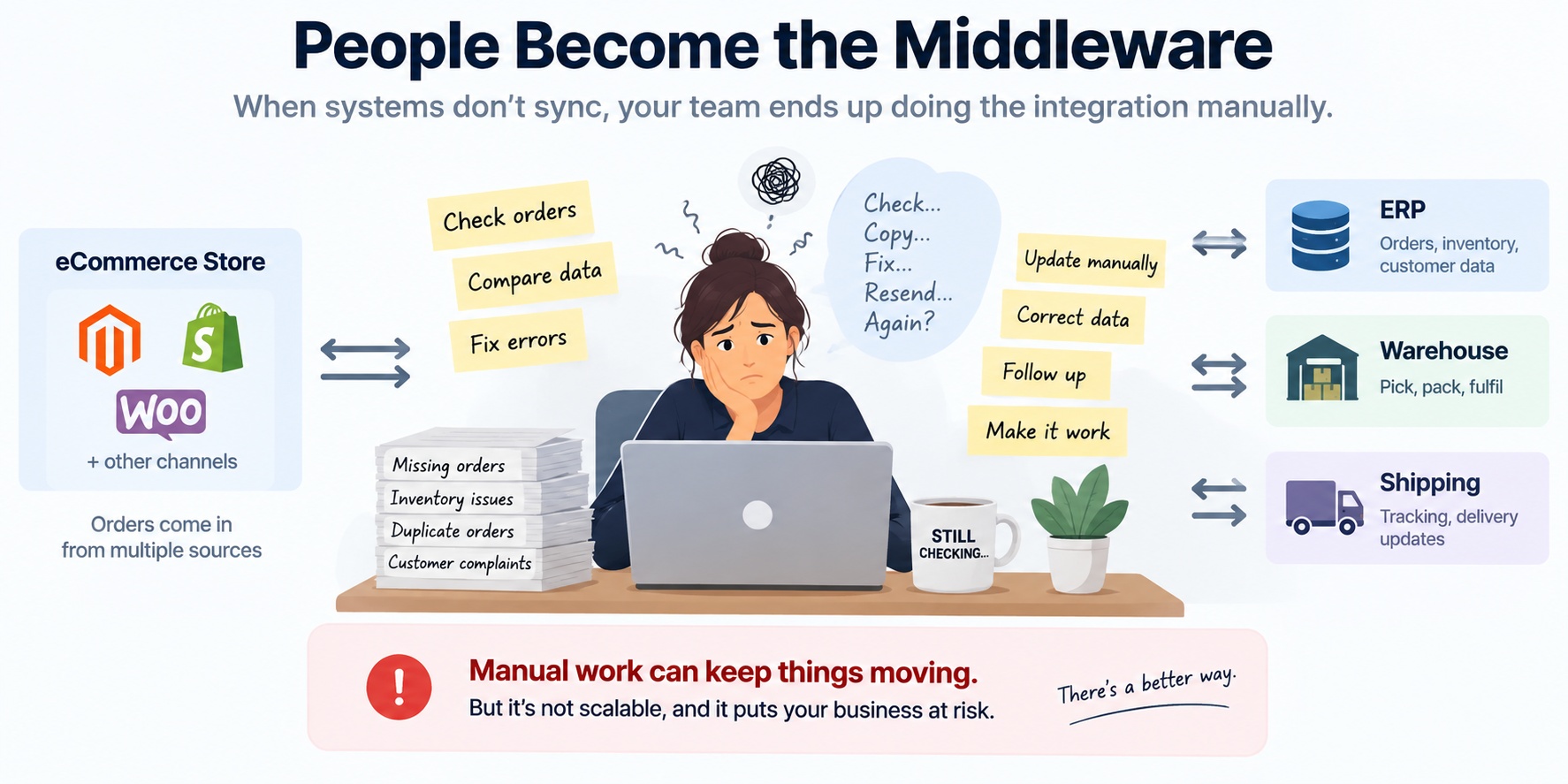
They move information from one system to another.
They identify exceptions.
They reconcile differences.
They decide what should be retried.
They correct data.
They follow up when something doesn't look right.
That is usually a sign that the underlying process needs attention.
Inventory problems often appear at the same time
Order synchronization problems frequently create inventory problems too.
For example:
↓
Store reduces inventory
↓
ERP doesn't receive the order
↓
ERP still shows the old quantity
↓
Another channel sells the same product
↓
Inventory mismatch
The problem may eventually appear as:
But the underlying issue may have started much earlier in the order flow.
This is why looking only at the storefront can be misleading.
The question isn't simply: “Is the website working?”
The better question is:
Why these problems are difficult to find
Integration failures aren't always obvious.
Sometimes the connection is completely down. That's easy to notice.
The harder situations are intermittent failures.
One order works. Another fails.
One product syncs correctly. Another doesn't.
Orders work during normal hours but fail under certain conditions.
A retry creates a duplicate.
A status update doesn't return correctly.
A field contains unexpected data.
Everything looks normal until someone discovers the exception.
That makes these problems especially frustrating for eCommerce teams.
Five questions worth asking
Before changing technology, it helps to understand what is actually happening.
1. How do we know when an order fails?
Not when someone happens to discover it. How do you know automatically?
2. Who is responsible for fixing it?
Is there a clear owner?
3. How often does it happen?
Once a year is different from every week.
4. How much manual work does it create?
Consider the checking, investigation, correction and follow-up—not just the original failure.
5. What happens if order volume doubles?
Would the process continue working, or would the business simply need more people checking more exceptions?
Those answers can reveal whether the problem is a small technical issue or a deeper operational weakness.
The goal isn't “zero errors”
Complex eCommerce environments will always have exceptions.
The real goal is something more practical:
Know when something goes wrong.
Understand what went wrong.
Make it easy to correct.
Prevent the same failure from repeatedly becoming manual work.
A reliable commerce operation doesn't depend on somebody constantly watching every system.
It makes important failures visible.
It provides a clear path to resolution.
And it gives the business confidence that an order placed by a customer will actually move through the systems that need to process it.
This problem isn't specific to Magento or Shopify
You may first experience the problem as:
“Magento orders aren't syncing.”
“Shopify orders aren't reaching the ERP.”
“Our marketplace orders aren't importing.”
“Our inventory doesn't match.”
“Our warehouse isn't receiving some orders.”
Those sound like different problems.
Often, they are symptoms of the same underlying issue:
The platform matters.
But the business problem comes first.
The real question is:
What should you do when this is happening?
Don't start by assuming you need a new platform.
Don't immediately replace your ERP.
Don't automatically rebuild every integration.
Start by understanding the failure.
Which system creates the information?
Where should it go?
What happens when it fails?
How is the failure detected?
Who handles it?
How often does it happen?
What does the failure cost the business?
Once those questions are clear, the right solution becomes much easier to determine.
Sometimes the answer is a configuration change.
Sometimes it is an integration fix.
Sometimes it is better monitoring and exception handling.
Sometimes the underlying process needs to be redesigned.
And sometimes the business has simply outgrown the way its systems were originally connected.
Your eCommerce business shouldn't depend on people being human middleware
When an eCommerce business grows, complexity grows with it.
The answer shouldn't always be adding another person to check another system.
The better question is:
That is where technology becomes valuable—not because it is “technical,” but because it allows the business to operate with less friction and less risk.
Something like this happening in your business?
You don't need to know whether the problem is Magento, Shopify, ERP, WMS, an API, or something else.
Start with the problem.
We'll start there too.
