
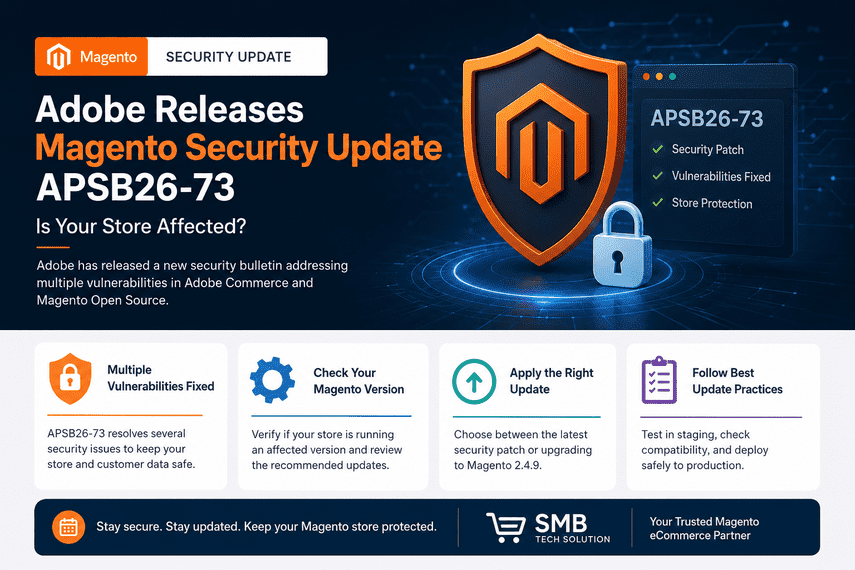

Adobe has released Security Bulletin APSB26-73, addressing multiple vulnerabilities affecting Adobe Commerce, Magento Open Source, Adobe Commerce B2B, and Adobe Commerce Events.
If your ecommerce store is running one of the affected versions, applying the latest security update should be a priority. Delaying security updates can expose your business to vulnerabilities that may impact customer data, website availability, and overall store security.
In this comprehensive guide, we'll explain the affected Magento versions, the potential business impact, whether you should install the latest security patch or upgrade to a newer Magento release, and the best practices for deploying updates safely.
📌 In This Guide You'll Learn
- Which Magento versions are affected by APSB26-73
- What vulnerabilities Adobe has addressed
- The business risks of delaying security updates
- Whether to apply the latest security patch or upgrade Magento
- Magento security update best practices
- Common mistakes to avoid during deployment
- How SMB Tech Solution can help secure your Magento store
APSB26-73 at a Glance
If you're short on time, here's a quick overview of Adobe's latest Magento security bulletin.
| Item | Details |
|---|---|
| Security Bulletin | APSB26-73 |
| Release Date | July 2026 |
| Priority | Priority 2 |
| Affected Products | Adobe Commerce, Magento Open Source, Adobe Commerce B2B, Adobe Commerce Events |
| Primary Risk | Multiple security vulnerabilities affecting Magento stores. |
| Recommended Action | Apply the latest Adobe security update or upgrade to the latest supported Magento version after proper testing. |
| Estimated Update Time | 2–8 hours depending on store size, extensions, and customizations. |
| Should You Update? | Yes. Adobe recommends reviewing affected versions and applying the latest security updates promptly. |
What is APSB26-73?
APSB26-73 is Adobe's latest security bulletin for Adobe Commerce and Magento Open Source, released on July 14, 2026. The update addresses multiple critical, important, and moderate security vulnerabilities that could potentially impact the security, stability, and reliability of Magento-powered ecommerce stores.
According to Adobe, successful exploitation of these vulnerabilities could allow attackers to perform actions such as arbitrary code execution, privilege escalation, and security feature bypass. Although Adobe is not aware of any active exploitation of these vulnerabilities at the time of publication, the company strongly recommends that merchants review the affected versions and apply the appropriate security update as soon as practical.
Regular security updates are a critical part of maintaining a secure Magento store. They not only protect your website against newly discovered vulnerabilities but also help safeguard customer information, maintain business continuity, and reduce the risk of cyberattacks.
Why Does Adobe Release Security Bulletins?
Adobe continuously monitors its products for newly discovered security vulnerabilities through internal testing, responsible disclosure programs, security researchers, and customer reports. When vulnerabilities are identified, Adobe publishes a security bulletin that explains:
- The products affected.
- The severity of each vulnerability.
- The versions impacted.
- The recommended security updates.
- The available patches or upgraded releases.
These bulletins enable Magento merchants, developers, and hosting providers to take timely action before vulnerabilities can be exploited by attackers.
What Security Risks Does APSB26-73 Address?
APSB26-73 resolves several security vulnerabilities across Adobe Commerce and Magento Open Source. While the technical details vary, the vulnerabilities generally fall into categories that could affect both website security and business operations.
| Security Risk | Potential Business Impact |
|---|---|
| Arbitrary Code Execution | Attackers may execute malicious code on the server, potentially compromising the entire Magento installation. |
| Privilege Escalation | Unauthorized users could obtain elevated permissions, increasing the risk of administrative compromise. |
| Security Feature Bypass | Existing security controls may be circumvented, allowing attackers to perform unauthorized actions. |
| Cross-Site Scripting (XSS) | Malicious scripts may execute in users' browsers, potentially exposing sensitive information or user sessions. |
| Unauthorized File Upload | Attackers could upload malicious files that may lead to server compromise or malware installation. |
⚠️ Important
Adobe has stated that it is not aware of any active exploitation of the vulnerabilities addressed in APSB26-73 at the time of release. However, security advisories are often reviewed by threat actors soon after publication, making timely patching an important part of reducing future risk. Adobe recommends applying the appropriate update promptly after validating it in a staging environment.
Which Magento Versions Are Affected by APSB26-73?
Adobe's APSB26-73 Security Bulletin affects multiple supported versions of Adobe Commerce, Magento Open Source, Adobe Commerce B2B, and Adobe Commerce Events. If your store is running one of the versions listed below, Adobe recommends reviewing the bulletin and applying the latest security update or upgrading to the latest supported release.
Keeping your Magento installation up to date is one of the most effective ways to protect your ecommerce store from newly discovered security vulnerabilities and ensure long-term platform stability.
| Product | Impacted Versions | Recommended Action |
|---|---|---|
| Adobe Commerce |
2.4.9 2.4.8-p5 & earlier 2.4.7-p10 & earlier 2.4.6-p15 & earlier 2.4.5-p17 & earlier 2.4.4-p18 & earlier | Upgrade to the latest Adobe-recommended patched version after validating compatibility in a staging environment. |
| Magento Open Source |
2.4.9 2.4.8-p5 & earlier 2.4.7-p10 & earlier 2.4.6-p15 & earlier | Apply the latest security patch or upgrade to the newest supported Magento version. |
| Adobe Commerce B2B |
1.5.3 1.5.2-p5 & earlier 1.4.2-p10 & earlier 1.3.4-p17 & earlier 1.3.3-p18 & earlier | Install the latest compatible B2B security update recommended by Adobe. |
| Adobe Commerce Events | Versions 1.6.0 to 1.20.0 | Update to the latest Adobe-recommended release. |
Important: Even if your Magento store appears to be operating normally, unpatched vulnerabilities can still be exploited. Adobe recommends applying security updates as soon as practical after validating them in a staging environment.
⚠️ Don't Know Which Magento Version You're Running?
Many Magento merchants are unsure whether their store is fully patched or whether previous security updates have been applied correctly.
Before making any changes, it's important to verify:
- ✔ Current Magento version
- ✔ Installed security patches
- ✔ Adobe Commerce or Magento Open Source edition
- ✔ Third-party extension compatibility
- ✔ PHP and server compatibility
- ✔ End-of-support status
Reviewing these items before applying APSB26-73 helps reduce deployment risks and minimizes the chance of unexpected issues during or after the update.
Why This Security Update Matters
Cybersecurity is no longer just an IT concern—it's a business priority. Ecommerce websites handle sensitive customer information, payment transactions, and valuable business data every day, making them attractive targets for cybercriminals.
The vulnerabilities addressed in Adobe Security Bulletin APSB26-73 could allow attackers to exploit weaknesses in affected Magento stores if left unpatched. While Adobe has stated that it is not aware of active exploitation at the time of publication, delaying security updates increases the likelihood that newly disclosed vulnerabilities could be targeted in future attacks.
A compromised Magento store can lead to significant financial losses, reputational damage, customer distrust, operational disruptions, and costly recovery efforts. Applying the latest Adobe security update is one of the most effective ways to reduce these risks and maintain a secure ecommerce environment.
Regular security updates also help ensure your Magento store remains compliant with industry best practices, protects customer information, and provides a safer shopping experience.
Potential Business Risks of Delaying APSB26-73
Ignoring security updates can expose your Magento store to risks that extend far beyond technical issues. Below are some of the potential business consequences of delaying this update.
| Business Risk | Potential Impact |
|---|---|
| 🔓 Unauthorized Access | Attackers may gain access to your Magento admin panel, customer information, or sensitive business data. |
| 💳 Customer Data Exposure | Compromised customer information can result in loss of trust, legal obligations, and reputational damage. |
| 🛒 Lost Revenue | Security incidents can interrupt checkout, reduce conversions, and negatively impact online sales. |
| 🦠 Malware & Website Compromise | Attackers may inject malicious code, redirect visitors, distribute malware, or deface your website. |
| 📉 SEO & Brand Reputation Damage | Search engines may warn users about compromised websites, causing ranking losses, reduced traffic, and declining customer confidence. |
| ⚠️ Operational Downtime | Recovering from a security breach often requires emergency maintenance, resulting in downtime and business disruption. |
| 💰 Higher Recovery Costs | Incident response, forensic investigations, malware removal, and recovery efforts are typically more expensive than applying preventative updates. |
✅ Magento Security Best Practice
Applying security updates should be part of your regular Magento maintenance process—not something you only do after a security incident.
Before deploying APSB26-73, Adobe recommends following a structured update process:
- ✔ Create a complete database and file backup.
- ✔ Test the update in a staging environment.
- ✔ Verify third-party extension compatibility.
- ✔ Test custom modules and integrations.
- ✔ Validate checkout, payment, shipping, and customer account functionality.
- ✔ Schedule production deployment during a planned maintenance window.
- ✔ Monitor logs and website performance after deployment.
Following these steps helps minimize deployment risks and reduces the likelihood of unexpected issues affecting your customers.
Protect Your Magento Store Before Vulnerabilities Become Incidents
Not every Magento update requires the same approach. Our Magento experts evaluate your store's version, customizations, extensions, and infrastructure to recommend the safest update strategy.
Our Security Assessment Includes:
- ✔ Magento Version Review
- ✔ Security Patch Verification
- ✔ Extension Compatibility Analysis
- ✔ Infrastructure Readiness Check
- ✔ Deployment Risk Assessment
- ✔ Patch vs. Upgrade Recommendation
Secure your Magento store with confidence and reduce the risk of downtime, compatibility issues, and security vulnerabilities.
Book Your Magento Security AssessmentWhat Vulnerabilities Does APSB26-73 Fix?
The APSB26-73 security bulletin addresses multiple vulnerabilities affecting Adobe Commerce and Magento Open Source. These vulnerabilities vary in severity, but together they could expose Magento stores to unauthorized access, data compromise, malicious code execution, and other security threats if left unpatched.
While some of the issues are technical in nature, their impact can be significant for ecommerce businesses. Understanding these vulnerabilities helps store owners appreciate why timely security updates are essential.
| Vulnerability | What It Means | Potential Business Impact |
|---|---|---|
| Arbitrary Code Execution | Allows an attacker to execute unauthorized code on the server hosting your Magento store. | Complete website compromise, malware installation, service disruption, and potential data theft. |
| Privilege Escalation | Enables attackers or low-privileged users to gain higher access rights than intended. | Unauthorized administrative access, configuration changes, and greater control over the Magento environment. |
| Stored Cross-Site Scripting (Stored XSS) | Malicious scripts are stored within the application and executed when users or administrators view affected pages. | Session hijacking, account compromise, malicious redirects, and reduced customer trust. |
| Unrestricted File Upload | Attackers may upload unauthorized files to the server if validation controls are bypassed. | Malware deployment, ransomware, website defacement, and complete server compromise. |
| Security Feature Bypass | Allows attackers to circumvent built-in security protections designed to prevent unauthorized actions. | Increased attack surface and reduced effectiveness of existing security controls. |
| Incorrect Authorization | Improper permission checks may allow users to access information or functionality they should not be able to use. | Exposure of sensitive business information and unauthorized administrative actions. |
| Improper Output Encoding | Application output is not correctly sanitized before being displayed to users. | Can contribute to cross-site scripting attacks and expose customer or administrator sessions. |
Why These Vulnerabilities Matter for Ecommerce Businesses
For many online retailers, a Magento store is more than just a website—it's the core of daily business operations. Security vulnerabilities can affect customer trust, sales, search visibility, and business continuity.
Successful exploitation of these vulnerabilities could lead to:
- Loss of sensitive customer information
- Unauthorized access to the Magento Admin Panel
- Website downtime and interrupted sales
- Malware infections and phishing attacks
- Reduced customer confidence and brand reputation
- Emergency recovery costs and operational disruption
- Potential search engine warnings or SEO impact if the website is compromised
Applying Adobe's latest security updates helps reduce these risks while keeping your Magento installation aligned with current security best practices.
💡 Expert Recommendation
Not every Magento store requires the same update strategy. Before applying APSB26-73, review your current Magento version, installed extensions, custom modules, PHP version, and hosting environment. Testing the update in a staging environment helps identify compatibility issues before deployment to your live store.
A structured deployment process significantly reduces the risk of downtime, checkout failures, and post-update issues.
Should You Apply the Latest Security Patch or Upgrade Magento?
One of the most common questions Magento merchants ask after Adobe releases a security bulletin is whether they should simply install the latest security patch or perform a full Magento upgrade.
The answer depends on several factors, including your current Magento version, the age of your store, installed extensions, customizations, business goals, and long-term maintenance strategy.
While applying a security patch may be sufficient for some stores, others will benefit more from upgrading to the latest supported Magento release to improve security, performance, compatibility, and future support.
Security Patch vs Magento Upgrade
| Comparison | Apply Latest Security Patch | Upgrade to Latest Magento Version |
|---|---|---|
| Primary Goal | Address known security vulnerabilities. | Improve security, performance, compatibility, and long-term support. |
| Implementation Time | Usually shorter with fewer changes. | Typically longer due to broader testing and validation. |
| Business Disruption | Generally lower when the environment is already supported. | May require additional planning, testing, and maintenance windows. |
| Extension Compatibility | Usually fewer compatibility issues, but validation is still required. | Comprehensive compatibility review is recommended. |
| Performance Improvements | Limited to security-related changes. | May include performance, platform, and infrastructure improvements. |
| Future Readiness | Suitable for maintaining supported versions. | Provides a stronger foundation for future updates and new features. |
| Best For | Stores already running a current supported Magento version. | Stores running older releases or planning long-term platform improvements. |
Which Option Is Right for Your Magento Store?
Every Magento store is different, so the right approach depends on your current environment and business objectives.
Apply the Latest Security Patch If:
- ✔ Your Magento version is currently supported by Adobe.
- ✔ Your store is stable and performing well.
- ✔ You need to address the latest security vulnerabilities quickly.
- ✔ You're not planning major platform changes in the near future.
- ✔ Your extensions and custom modules are already compatible.
Consider a Magento Upgrade If:
- ✔ Your Magento version is approaching end of support.
- ✔ Multiple security updates have accumulated.
- ✔ You're planning performance improvements.
- ✔ You want to upgrade PHP, MySQL, or infrastructure.
- ✔ Several third-party extensions also require updates.
- ✔ You're preparing for future Adobe Commerce releases.
💡 SMB Tech Solution's Recommendation
Don't choose between a security patch and a Magento upgrade based solely on the latest Adobe bulletin. Evaluate your current Magento version, custom modules, third-party extensions, hosting environment, and long-term business plans first.
For stores already running a supported release, applying the latest security patch may be the most efficient option. However, if your store is several versions behind or nearing end of support, upgrading to the latest supported Magento version is often a more sustainable investment.
A structured assessment helps you choose the safest approach while minimizing downtime, compatibility issues, and future maintenance costs.
Magento Security Update Deployment Checklist
Applying a Magento security update involves more than installing a patch. A structured deployment process helps reduce the risk of compatibility issues, unexpected downtime, and checkout failures while ensuring your store remains secure and operational.
Whether you're applying the APSB26-73 security update or performing a full Magento upgrade, we recommend following the checklist below.
| Step | Why It Matters |
|---|---|
| ✔ Review Current Magento Version | Verify your installed Magento version and determine whether applying a security patch or upgrading to the latest supported release is the most appropriate option. |
| ✔ Create Full Backups | Back up both your Magento files and database so your store can be restored quickly if any unexpected issues occur. |
| ✔ Prepare a Staging Environment | Never deploy security updates directly to production. Testing in staging helps identify compatibility issues before they affect customers. |
| ✔ Review Extension Compatibility | Ensure all third-party extensions support the Magento version and security update you intend to install. |
| ✔ Validate Custom Modules | Custom-developed functionality should be tested to confirm it continues to work correctly after the update. |
| ✔ Verify Server Compatibility | Confirm PHP, MySQL, OpenSearch/Elasticsearch, Composer, Redis, and other server components meet Adobe's requirements. |
| ✔ Apply the Security Update | Install the latest Adobe-recommended security patch or perform the Magento upgrade following documented deployment procedures. |
| ✔ Perform Regression Testing | Verify key business functions such as login, checkout, payments, shipping, customer accounts, and order processing. |
| ✔ Deploy During a Maintenance Window | Schedule production deployment during low-traffic periods to minimize customer impact. |
| ✔ Monitor After Deployment | Monitor application logs, checkout functionality, server performance, and customer feedback after deployment to quickly identify any issues. |
Recommended Magento Deployment Workflow
Review Current Version
⬇
Create Full Backup
⬇
Prepare Staging Environment
⬇
Review Extensions & Custom Modules
⬇
Apply Security Update
⬇
Regression Testing
⬇
Production Deployment
⬇
Post-Deployment Monitoring
✅ Magento Security Update Best Practices
- Never apply security updates directly to your live production environment.
- Always test updates in a staging environment first.
- Keep verified backups of both files and databases before making changes.
- Review compatibility for all third-party extensions and custom modules.
- Validate critical business functions, including checkout, payment gateways, shipping methods, and customer accounts.
- Schedule deployments during periods of lower website traffic whenever possible.
- Monitor your store closely after deployment and address any issues promptly.
Common Mistakes to Avoid During a Magento Security Update
Applying a Magento security update may seem straightforward, but rushing the process can lead to unexpected downtime, compatibility issues, or even data loss. Whether you're installing the APSB26-73 security update or upgrading to a newer Magento version, avoiding the following common mistakes can help ensure a smooth deployment.
| Common Mistake | Why It's a Problem | Recommended Approach |
|---|---|---|
| Updating the Live Store Directly | Applying updates directly to your production environment can cause downtime or unexpected errors that immediately affect customers. | Always test updates in a staging environment before deploying them to your live store. |
| Skipping Full Backups | Without a verified backup, recovering from an unsuccessful update can be difficult and time-consuming. | Create complete file and database backups and verify that they can be restored if needed. |
| Ignoring Extension Compatibility | Third-party extensions may not be compatible with the latest Magento release or security patch. | Review all installed extensions and update or replace incompatible ones before deployment. |
| Not Testing Custom Modules | Custom functionality may stop working after the update if compatibility is not verified. | Perform functional testing on all custom modules in a staging environment. |
| Skipping Regression Testing | Issues with checkout, payment methods, shipping, or customer accounts may go unnoticed until customers report them. | Test all critical business workflows before deploying to production. |
| Ignoring Server Requirements | Unsupported PHP versions, Composer dependencies, or search services can cause deployment failures. | Verify that your hosting environment meets Adobe's recommended system requirements. |
| Not Monitoring After Deployment | Problems may only become visible after customers begin using the updated website. | Monitor logs, website performance, checkout functionality, and customer feedback after deployment. |
💡 Expert Tips from SMB Tech Solution
Over the years, we've found that most Magento update issues are not caused by Adobe's security patches—they're caused by insufficient preparation.
To minimize deployment risks, we recommend:
- ✔ Maintain a dedicated staging environment that mirrors production.
- ✔ Keep extensions and custom modules up to date throughout the year.
- ✔ Schedule regular Magento maintenance instead of waiting for emergency updates.
- ✔ Document your deployment and rollback procedures.
- ✔ Test business-critical workflows—not just the homepage.
- ✔ Plan security updates as part of your ongoing maintenance strategy.
⚠️ Don't Wait Until After an Attack
Many businesses only prioritize security updates after experiencing a website compromise, malware infection, or unexpected downtime. By that point, recovery often costs significantly more than preventive maintenance.
Applying security updates promptly and following a structured deployment process helps reduce the likelihood of emergency incidents and protects both your customers and your business.
How SMB Tech Solution Can Help
Applying Magento security updates requires more than installing a patch. Every Magento store has a unique combination of third-party extensions, custom modules, themes, server configurations, and business-critical workflows that should be validated before deployment.
At SMB Tech Solution, we help ecommerce businesses plan and implement Magento security updates with a structured approach that minimizes downtime, reduces compatibility risks, and keeps online stores running smoothly.
Whether you're applying the APSB26-73 security update, upgrading to the latest Magento release, or looking for ongoing Magento maintenance, our experienced team can help you choose the most appropriate strategy for your business.
Our Magento Security Update Process
Every Magento security update follows a structured deployment methodology designed to reduce risk while ensuring business continuity.
| Step | What We Do |
|---|---|
| 1. Security Assessment | Review your current Magento version, installed patches, server environment, and identify whether your store is affected by APSB26-73. |
| 2. Compatibility Review | Evaluate third-party extensions, custom modules, themes, and integrations to identify potential compatibility issues before deployment. |
| 3. Secure Backup | Create complete database and file backups along with a rollback strategy to protect your business in case recovery is required. |
| 4. Staging Deployment | Apply the update in a staging environment where functionality can be validated without affecting live customers. |
| 5. Regression Testing | Verify key business functions including checkout, payment gateways, shipping methods, customer accounts, search, and order processing. |
| 6. Production Deployment | Deploy the update during a planned maintenance window to minimize customer impact and business disruption. |
| 7. Post-Deployment Monitoring | Monitor logs, website performance, checkout functionality, and system health after deployment to ensure everything operates as expected. |
Why Choose SMB Tech Solution?
Magento-Focused Expertise
Our team specializes in Magento and Adobe Commerce, helping businesses maintain secure, stable, and high-performing ecommerce stores.
Security-First Deployment
Every deployment follows a structured process with backups, staging validation, compatibility testing, and post-deployment monitoring.
Business-Focused Approach
We don't just install updates—we help minimize operational risks, reduce downtime, and protect your revenue during every deployment.
Long-Term Magento Support
Beyond security updates, we provide Magento upgrades, maintenance, performance optimization, audits, and ongoing technical support.
Magento Security Services
✅ Magento Security Assessment
✅ APSB26-73 Security Update
✅ Magento Version Upgrades
✅ Extension Compatibility Review
✅ Theme Compatibility Testing
✅ Custom Module Validation
✅ Staging Deployment
✅ Regression Testing
✅ Production Deployment
✅ Performance Optimization
✅ Ongoing Magento Maintenance
✅ Emergency Magento Support
Conclusion
Adobe's APSB26-73 Security Bulletin serves as an important reminder that keeping your Magento store secure requires ongoing attention—not just when a vulnerability is announced.
Whether you're running Adobe Commerce or Magento Open Source, regularly applying security updates, validating extension compatibility, and following a structured deployment process are essential steps in protecting your business, customers, and online revenue.
For some merchants, installing the latest security patch may be the right approach. For others, upgrading to the latest supported Magento version may provide greater long-term benefits, including improved security, better performance, enhanced compatibility, and continued Adobe support.
Rather than making assumptions, it's important to evaluate your current Magento version, customizations, server environment, and business requirements before deciding on the most appropriate update strategy.
Security updates should be viewed as part of a proactive Magento maintenance strategy rather than a reactive response to vulnerabilities. Taking action early can help reduce operational risks, prevent costly downtime, and maintain customer confidence.
Frequently Asked Questions (FAQs)
Below are answers to some of the most common questions Magento merchants ask after Adobe releases a security bulletin.
1. What is APSB26-73?
APSB26-73 is Adobe's July 2026 Security Bulletin for Adobe Commerce and Magento Open Source. It addresses multiple security vulnerabilities and recommends applying the latest security updates to protect Magento stores from potential security risks.
2. Which Magento versions are affected by APSB26-73?
Several versions of Adobe Commerce, Magento Open Source, Adobe Commerce B2B, and Adobe Commerce Events are affected. Merchants should compare their installed version against Adobe's official affected versions list and apply the recommended security update.
3. Is APSB26-73 a critical security update?
Adobe has assigned APSB26-73 a Priority 2 rating. Although Adobe has not reported active exploitation at the time of publication, merchants are encouraged to install the update promptly to reduce future security risks.
4. Should I apply the latest security patch or upgrade Magento?
If your Magento version is currently supported, installing the latest security patch may be sufficient. If your store is running an older release or approaching end of support, upgrading to the latest supported Magento version is generally the better long-term strategy.
5. Is it safe to install the update directly on my live website?
No. Adobe recommends applying updates in a staging environment first. Testing before production deployment helps identify compatibility issues with extensions, themes, and custom modules.
6. How long does a Magento security update take?
The implementation time depends on the size and complexity of your store. Smaller stores may require only a few hours, while larger stores with extensive customizations typically require additional testing and deployment time.
7. Do I need a backup before installing APSB26-73?
Yes. Always create complete database and file backups before applying any Magento security update. A verified backup enables faster recovery if unexpected issues occur.
8. Will the update affect my extensions?
Possibly. Third-party extensions should always be reviewed for compatibility before installing security patches or upgrading Magento.
9. What should I test after installing the update?
Verify checkout, payment methods, shipping, customer login, registration, product search, order placement, admin functionality, and any custom integrations before considering the deployment complete.
10. Can I delay installing APSB26-73?
Delaying security updates increases the window of exposure to potential attacks. Adobe recommends reviewing and applying security updates as soon as practical after proper testing.
11. How can I check if my Magento store is vulnerable?
Review your Magento version, installed security patches, server environment, and compare them with Adobe's affected versions list. A Magento security assessment can also identify potential risks.
12. Does APSB26-73 affect Adobe Commerce and Magento Open Source?
Yes. APSB26-73 affects both Adobe Commerce and Magento Open Source, as well as certain versions of Adobe Commerce B2B and Adobe Commerce Events.
13. What are the biggest risks of ignoring Magento security updates?
Ignoring security updates may increase the risk of unauthorized access, customer data exposure, malware infections, service disruptions, SEO issues, reputational damage, and financial losses.
14. How often should Magento be updated?
Magento should be reviewed regularly for new Adobe releases, security patches, extension updates, and infrastructure compatibility. Regular maintenance helps keep your ecommerce store secure and stable.
15. Can SMB Tech Solution help with Magento security updates?
Yes. SMB Tech Solution provides Magento security assessments, security patch installation, Magento upgrades, extension compatibility reviews, regression testing, performance optimization, and ongoing Magento maintenance to help businesses keep their stores secure and up to date.
Keep Your Magento Store Secure with Confidence
Whether you need help applying APSB26-73, upgrading to the latest Magento version, or planning your long-term maintenance strategy, our Magento specialists are here to help.
Protect your ecommerce business before security vulnerabilities become business problems.
Request a Free Magento Security Assessment