
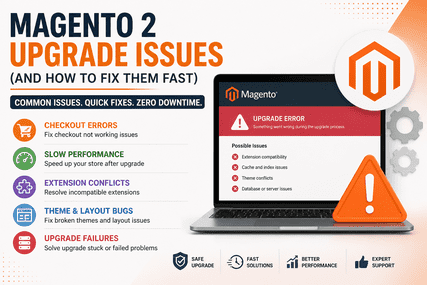

Upgrading Magento sounds simple… until your store breaks.
One small mistake, and suddenly:
- Checkout stops working
- Extensions fail
- Website becomes slow
- Sales drop instantly
If you’re planning a Magento upgrade—or already facing issues—this guide will help you identify and fix the most common problems FAST.
Why Magento 2 Upgrade Issues Happen
Before jumping into fixes, understand this:
Magento upgrades fail mainly because of:
- Incompatible extensions
- Outdated themes
- Custom code conflicts
- Server configuration issues
Most problems are not Magento bugs—they’re compatibility issues.
1. Magento Checkout Not Working After Upgrade
Problem:
- Customers can’t place orders
- Payment fails
- Infinite loading spinner
Fix:
- Disable third-party checkout extensions
- Check JS console errors
- Recompile:
php bin/magento setup:di:compile
php bin/magento cache:flush
Pro Tip: 80% of checkout issues come from extensions.
2. Magento Site Slow After Upgrade
Problem:
- Pages load slowly
- High bounce rate
- Server CPU spikes
Fix:
- Enable production mode:
php bin/magento deploy:mode:set production- Reindex:
php bin/magento indexer:reindex- Optimize images & enable caching
Also test using Google PageSpeed Insights
3. Extensions Not Working After Upgrade
Problem:
- Features missing
- Errors in admin panel
- Website crashes
Fix:
- Check compatibility with new Magento version
- Update via Composer:
composer update- Disable incompatible modules
Always test in staging before live upgrade.
4. Theme Broken After Upgrade
Problem:
- Layout broken
- CSS missing
- Mobile view messed up
Fix:
- Redeploy static content:
php bin/magento setup:static-content:deploy -f- Check theme compatibility
- Fix LESS/CSS issues
5. Magento Upgrade Stuck or Failed
Problem:
- Upgrade process stops midway
- White screen / errors
Fix:
- Check logs:
var/log/system.log
var/log/exception.log- Increase memory limit
- Run upgrade again:
php bin/magento setup:upgrade6. Admin Login Issues After Upgrade
Problem:
- Cannot login to admin
- Redirect loop
Fix:
- Clear cache & sessions
- Check base URL
- Disable problematic extensions
7. Database & Schema Errors
Problem:
- Tables missing
- Upgrade scripts fail
Fix:
- Run:
php bin/magento setup:upgrade- Check DB permissions
- Backup before retry
How to Avoid These Issues (IMPORTANT)
Before upgrading:
✔ Take full backup
✔ Use staging environment
✔ Check extension compatibility
✔ Test everything before going live
This alone can prevent 90% of upgrade failures
💼 Real Insight (From Our Experience)
We’ve seen stores lose ₹5–10 lakhs in revenue because of a broken upgrade.
Most common mistake?
Upgrading directly on live site without testing.
Need Help With Magento Upgrade?
If your:
- Store is broken after upgrade
- Checkout not working
- Website slow
We fix Magento upgrade issues fast & safely
What we ensure:
- Zero downtime
- No data loss
- Fully tested upgrade
Let’s Fix Your Store
Message us +91 860-003-0374 or book a quick audit—we’ll identify the issue in minutes.
Final Thoughts
Magento upgrades are necessary—but risky if done wrong.
The key is:
Preparation + Testing + Expert handling
If you follow the fixes above, you can solve most issues quickly.
