
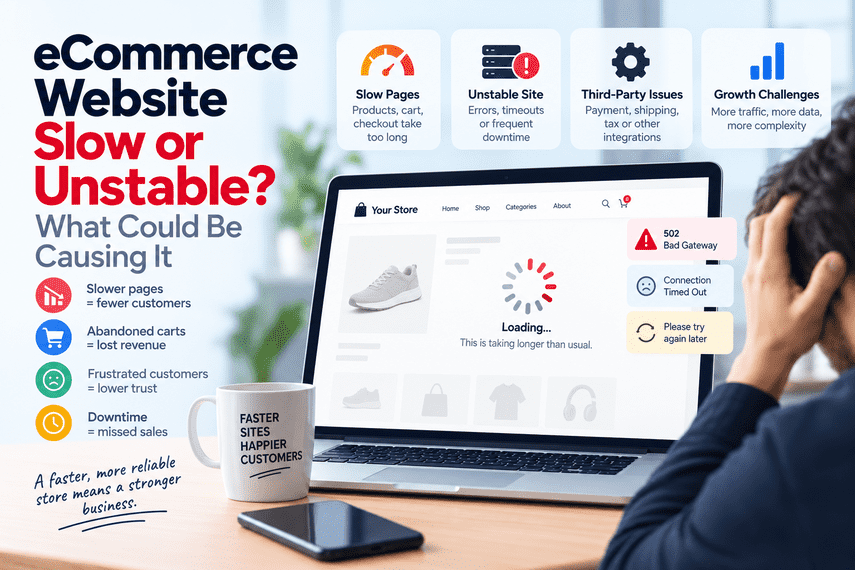

Your website is online. The pages load. Customers can browse products. But it feels slow.
Sometimes a product page takes several seconds to load.
Sometimes the cart feels sluggish.
Checkout takes too long.
The site becomes slow when traffic increases.
Or, occasionally, the entire store goes down.
At first, it may seem like a technical inconvenience.
It isn't.
For an eCommerce business, your website is part of the sales operation.
A website can be “working” and still have a performance problem
This is one of the most confusing parts of eCommerce performance.
Someone on your team opens the homepage.
It loads.
They open a product page.
It loads.
They say:
But that doesn't tell you much.
A store can technically be online while still delivering a poor customer experience.
For example:
The homepage may load quickly.
Product pages may be slow.
The cart may become slow when more items are added.
Checkout may take too long.
Search may return results slowly.
The site may become significantly slower during peak traffic.
Some customers may experience errors while others don't.
So the real question isn't:
It's:
Where customers actually feel a slow website
Customers don't experience server metrics.
They experience waiting.
They click a product.
Nothing seems to happen.
They open the cart.
It takes too long.
They enter checkout.
The page keeps loading.
They click payment.
Nothing happens.
Sometimes they refresh.
Sometimes they leave.
The homepage may not be the problem
A common mistake is testing only the homepage.
The homepage loads quickly, so the site is assumed to be healthy.
But eCommerce performance is rarely about one page.
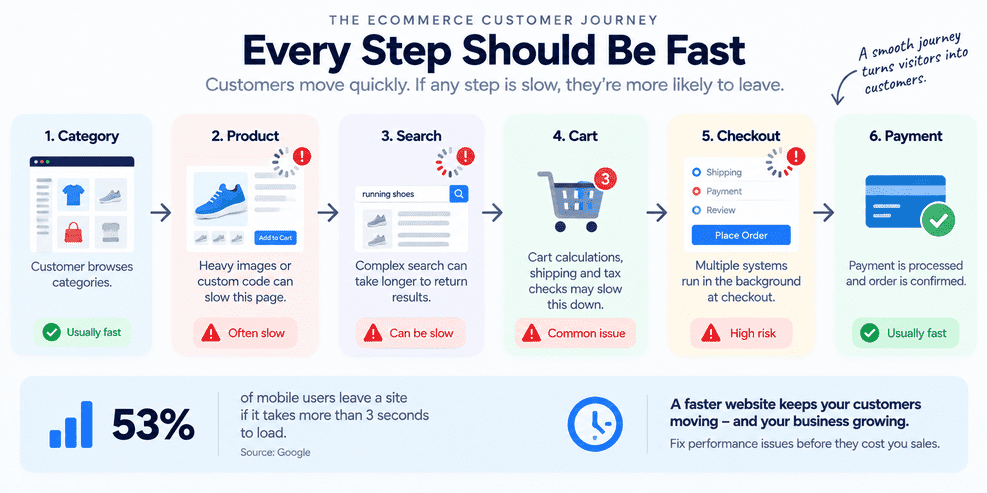
Different parts of the journey can behave very differently.
A product page may have too much data.
Search may be slow.
The cart may trigger expensive calculations.
Checkout may call several external services.
A particular product type may create significantly more processing.
So performance needs to be understood across the customer journey, not just the homepage.
Traffic isn't always the only reason a store becomes slow
When a store slows down, the immediate assumption is often:
Sometimes infrastructure is part of the problem.
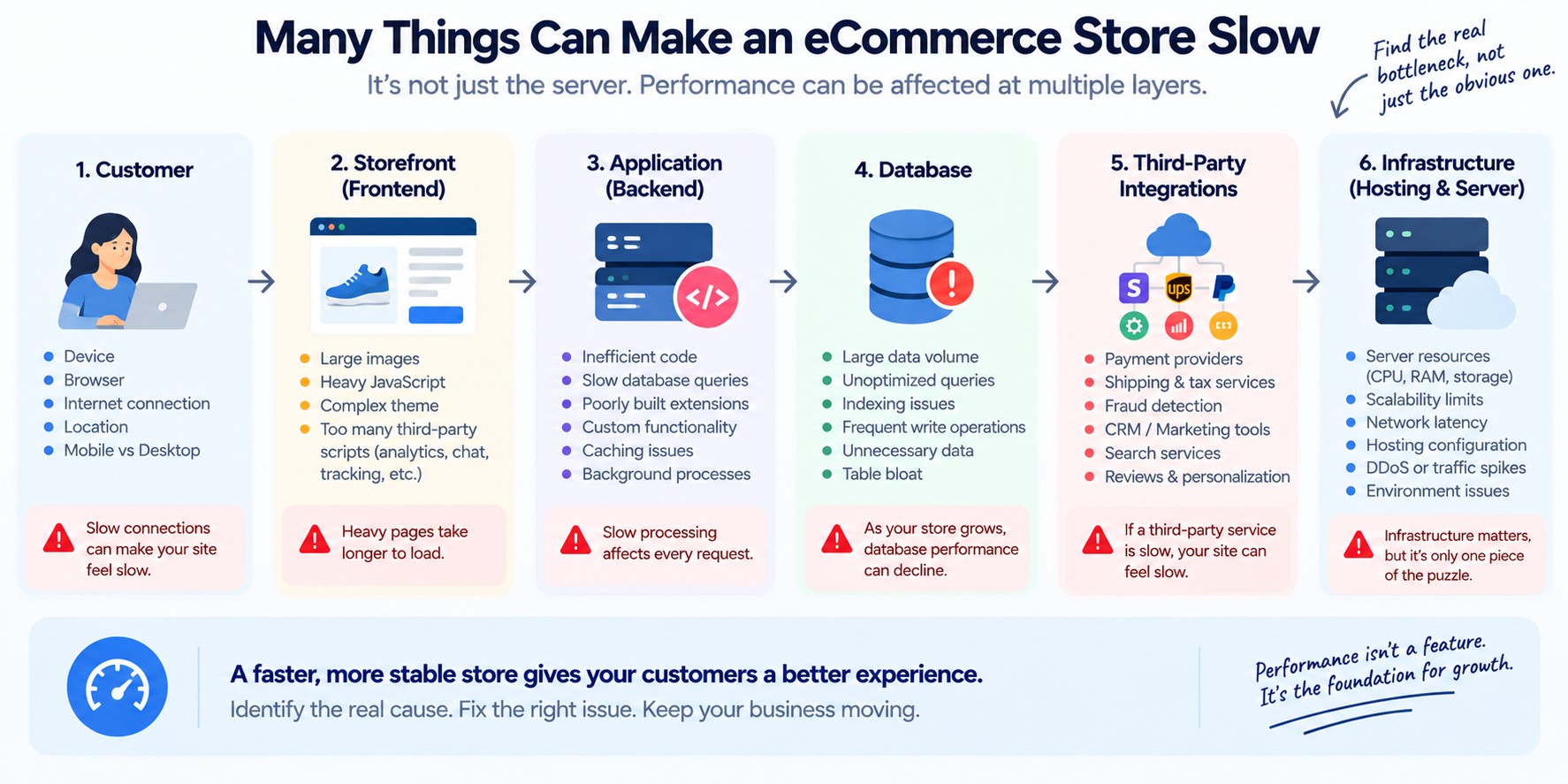
But performance can be affected by many different things.
Inefficient database queries
Large or poorly optimized images
Excessive JavaScript
Third-party scripts
Poorly designed extensions
Custom code
Slow APIs
Inefficient search
Database growth
Background processes
Caching problems
Infrastructure limitations
External services
Configuration changes
The important part is not to guess.
A larger server can sometimes improve a symptom without fixing the underlying cause.
The problem may only happen at certain times
A store may be fast at 10 AM and slow at 8 PM.
It may work normally on weekdays and struggle during promotions.
It may become slow only when a campaign sends a large amount of traffic.
It may slow down when inventory is updated.
It may become unstable during large imports or background jobs.
That makes the question:
less useful than:
Timing can reveal patterns that a single speed test cannot.
A slow store can become an operational problem
Performance doesn't affect only customers.
Your internal team may feel it too.
Imagine customer service trying to open orders.
Someone in operations is trying to update a product.
Marketing is creating a promotion.
A manager is checking reports.
A developer is trying to troubleshoot a problem.
Everyone is waiting for pages to respond.
So performance can affect:
Customers
Revenue
Support
Operations
Marketing
Internal productivity
It becomes a business problem rather than simply a technical metric.
What happens when the site becomes unstable?
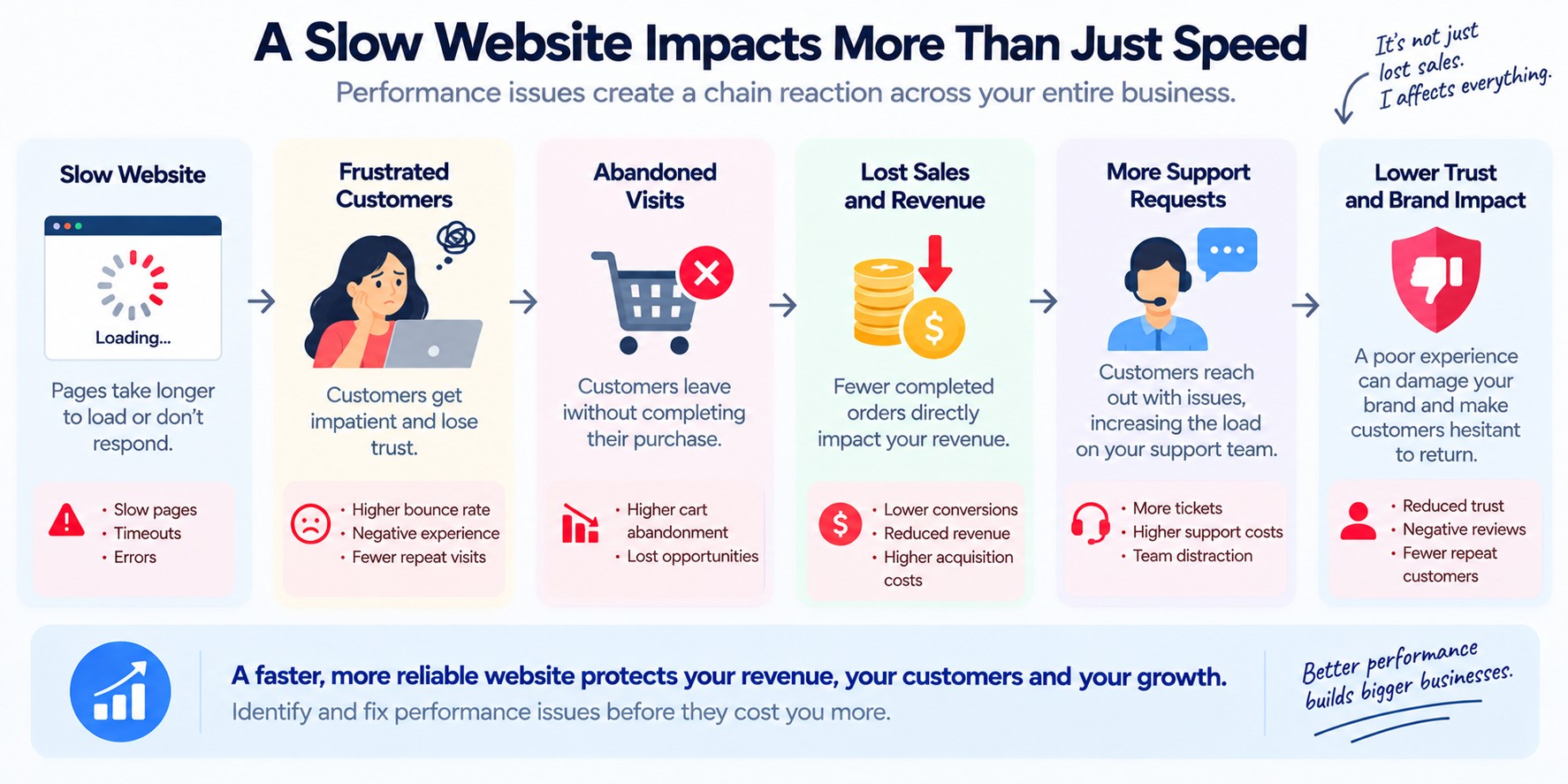
Slow is frustrating.
Unstable is worse.
A customer may see:
or
Timeouts
or a page that never finishes loading.
The business may experience:
Failed orders
Interrupted checkout sessions
Support requests
Abandoned purchases
Manual recovery work
Emergency troubleshooting
Missed sales
And sometimes the most difficult part is discovering that the site went down in the first place.
How do you know when your store is having problems?
If your team only knows there is a problem because someone says:
there is a gap.
You should have some way to detect important problems.
That might include monitoring for:
Downtime
Slow response times
Checkout failures
Error rates
Unusual traffic patterns
Infrastructure resource exhaustion
Application exceptions
Failed background processes
External service failures
The exact monitoring setup depends on the business.
One customer's experience may not represent everyone
A performance problem can be highly variable.
A customer on a fast connection.
A customer on a slower mobile connection.
A shopper using an older device.
A customer in another country.
A shopper using a particular browser.
A customer visiting during peak traffic.
They may all experience the same website differently.
That is why a single test from one computer isn't enough to understand the entire problem.
Mobile performance matters too
For many eCommerce businesses, a large portion of visitors may arrive from mobile devices.
A page that feels acceptable on a high-end desktop may feel very different on a phone.
Large images.
Heavy scripts.
Complex interfaces.
Slow third-party services.
Long checkout flows.
All of these can create additional friction.
Third-party services can slow down your store
Modern eCommerce websites often depend on many external services.
Payment providers
Shipping services
Tax services
Fraud detection
Analytics
Personalization
Reviews
Chat tools
Search platforms
Marketing systems
Each dependency adds another variable.
If one service becomes slow, the customer may feel the effect.
The website can look fine from a code perspective while waiting on something outside the core platform.
This is why performance investigation often needs to look beyond the website itself.
More features can mean more complexity
A growing eCommerce business naturally adds functionality.
A new marketing tool.
A new payment method.
A new marketplace.
A new search feature.
A personalization tool.
A loyalty system.
A review system.
A new integration.
Each addition may solve a legitimate business need.
But the combined system can become significantly more complicated.
Not every feature needs to be removed.
But every important dependency should be understood.
Database growth can change performance over time
A store can perform well when it is smaller and become slower as the business grows.
More products.
More customers.
More orders.
More attributes.
More promotions.
More search data.
More integration data.
The business changes.
The system grows with it.
Something that worked efficiently at a smaller scale may not work as well later.
That means performance isn't always a one-time project.
Background processes can affect the storefront
Not everything happening on an eCommerce platform is visible to the customer.
These processes can consume resources or create unexpected contention.
This is one reason a store can appear fine under normal conditions and suddenly become slow during a particular operation.
What changed before the store became slow?
This is often one of the most useful questions.
Performance problems sometimes appear after:
A platform upgrade
A theme change
A new extension
New custom functionality
An infrastructure migration
A new integration
A database change
A configuration change
A new marketing tool
A major increase in traffic
A new product catalogue
The latest change isn't automatically responsible.
But comparing:
↓
After the problem
can provide useful clues.
The slowest page isn't always the biggest business problem
Suppose your category page takes 3 seconds.
Your product page takes 4 seconds.
Checkout takes 8 seconds.
Which should you fix first?
The answer isn't necessarily the page with the worst raw number.
You also need to consider:
How many customers reach that page?
What are they trying to do there?
Does the delay stop the transaction?
Does it cause customers to leave?
Does it create operational work?
A slow internal admin report may be inconvenient.
Performance should therefore be prioritized according to business impact, not just technical measurements.
Five questions worth asking your team
1. Where is the customer experience actually slow?
Homepage? Search? Category? Product? Cart? Checkout? Payment?
2. When does the problem happen?
All the time? Only during peak traffic? Only on mobile? Only during certain operations?
3. Who is affected?
Everyone? A particular country? Device? Browser? Customer type? Product type?
4. What changed before the problem started?
Platform? Code? Infrastructure? Integrations? Traffic? Configuration? Catalogue size?
5. How do you know when performance becomes a business problem?
Do you monitor the customer journey, or do you wait for complaints?
Don't optimize everything at once
Performance investigations can quickly become overwhelming.
There may be dozens of possible improvements.
But trying to fix everything at the same time can make it difficult to know what actually helped.
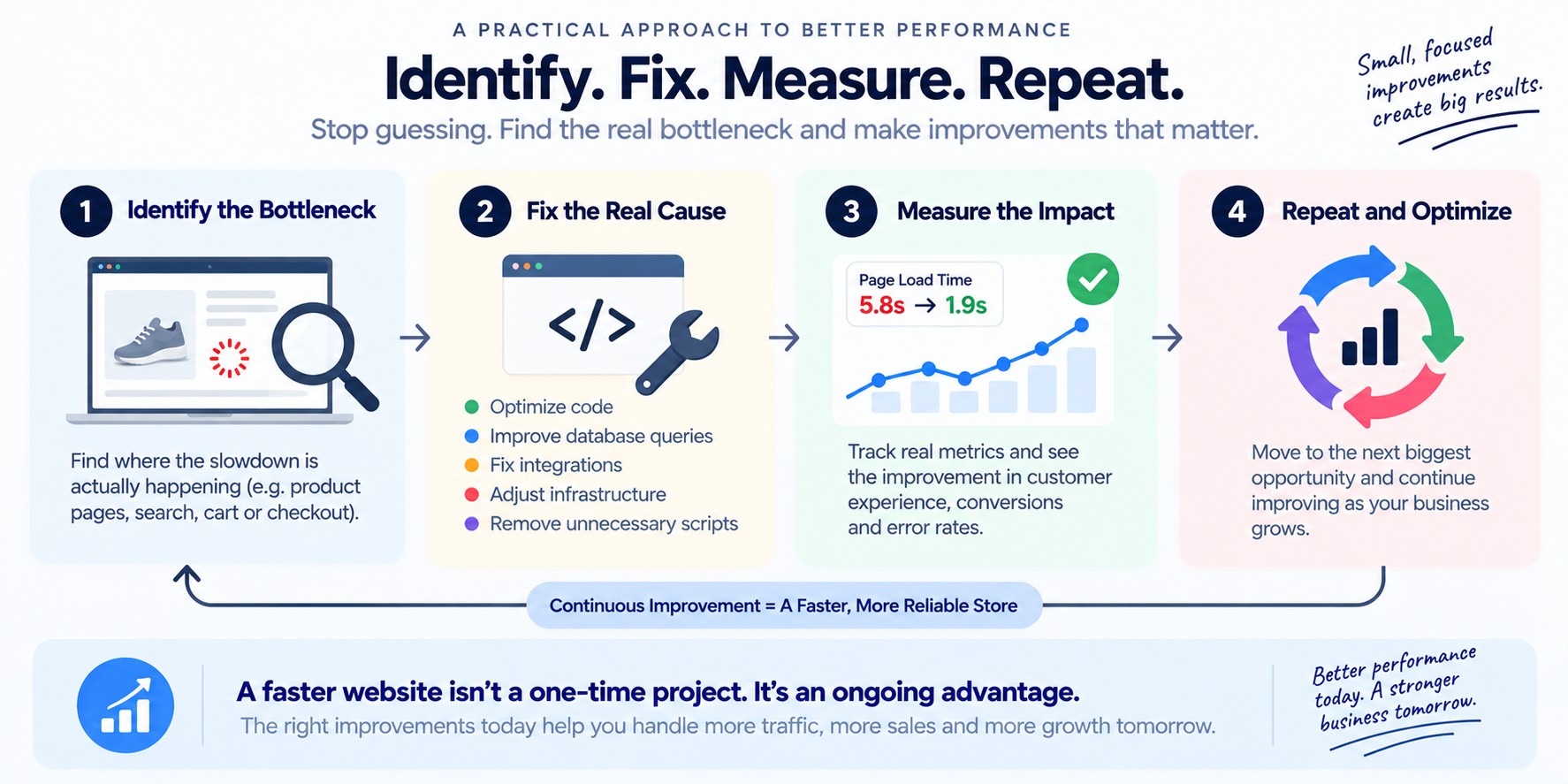
A better approach is to identify the biggest business-impacting bottleneck first.
For example:
Then determine why.
Maybe the issue is a payment dependency.
Maybe it is a database query.
Maybe it is custom code.
Maybe it is infrastructure.
Maybe it is a combination of several factors.
Fix the meaningful bottleneck.
Measure again.
Then move to the next one.
Don't assume a bigger server is the answer
More infrastructure can help.
But it isn't a universal solution.
If the real problem is inefficient code, an expensive query, a broken cache strategy, a slow third-party service, or an application bottleneck, adding infrastructure may only postpone the problem.
Once that is understood, you can decide whether the solution involves infrastructure, code, configuration, architecture, integrations, or something else.
The goal isn't a perfect performance score
A performance score can be useful.
But the business doesn't make money from a score.
Customers buy when the store lets them complete what they came to do.
That is a much more useful definition of performance.
Your website should get stronger as your business grows
Growth should not mean:
More traffic → more instability.
More products → slower search.
More orders → slower administration.
More integrations → more random failures.
More customers → more firefighting.
As the business grows, the technology supporting it needs to handle that growth.
That may require better infrastructure.
Better code.
Better monitoring.
Better architecture.
Better processes.
Or simply removing things that no longer make sense.
The answer depends on what is actually causing the problem.
The real question
When someone says:
the technical response might be:
The business question is more important:
That changes the investigation.
Instead of chasing scores, you identify where the business is actually losing time, customers or money.
Instead of adding infrastructure blindly, you identify the bottleneck.
Instead of treating every slow page equally, you prioritize what matters.
A healthy eCommerce website should be something the business can rely on
Customers shouldn't have to think about your infrastructure.
They should be able to:
Your team should be able to operate the store without constantly wondering whether the next traffic spike, integration job, or deployment will cause a problem.
The technology behind the business may be complicated.
Is your eCommerce website slow, unstable or harder to trust than it should be?
You don't need to know whether the cause is your hosting, code, database, integrations, third-party services, or something else.
Start with the problem. We'll start there too.
Tell Us What's Happening →