
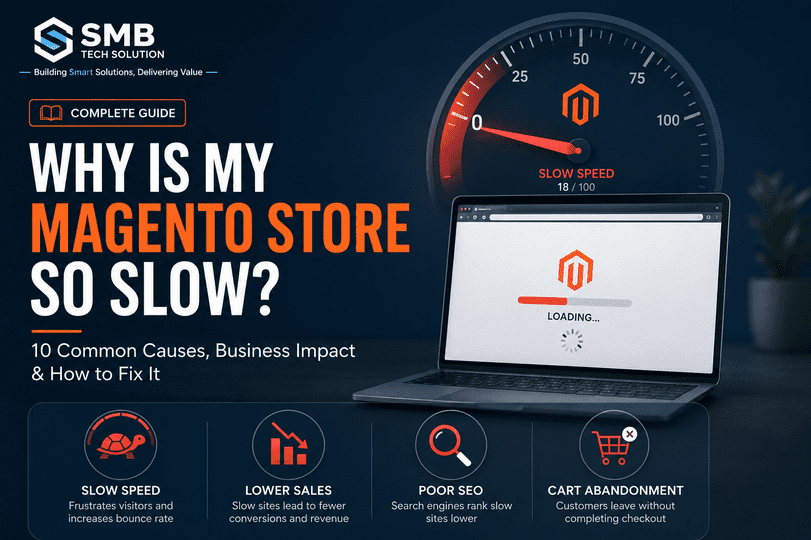
Is your Magento store taking more than 3 seconds to load?
You’re not alone.
One of the most common concerns we hear from Magento store owners is:
“Our Magento store has become slower over time. We haven’t changed much, so why is it happening?”
A slow Magento store doesn’t just frustrate visitors—it affects customer experience, search engine rankings, and ultimately your revenue.
The good news is that slow performance is rarely caused by a single issue. Once you identify the bottlenecks, most problems can be resolved.
What You’ll Learn
This guide is designed for Magento Store Owners, eCommerce Managers, CTOs, and Developers looking to improve store performance.
✔ Why Magento stores slow down over time
✔ How slow performance affects sales and SEO
✔ The 10 most common Magento performance issues
✔ Practical optimization techniques you can implement
✔ When a Magento upgrade is the best long-term solution
⏱ Reading Time: 8–10 Minutes
Why Website Speed Matters More Than Ever
Today’s online shoppers expect websites to load almost instantly.
Even a small delay can have a significant impact.
A slow Magento store can lead to:
- Higher bounce rates
- Lower conversion rates
- Poor checkout experience
- Reduced customer trust
- Lower Google rankings
- Decreased revenue
Customers rarely wait.
If your competitor’s store loads faster, many visitors simply leave and never return.
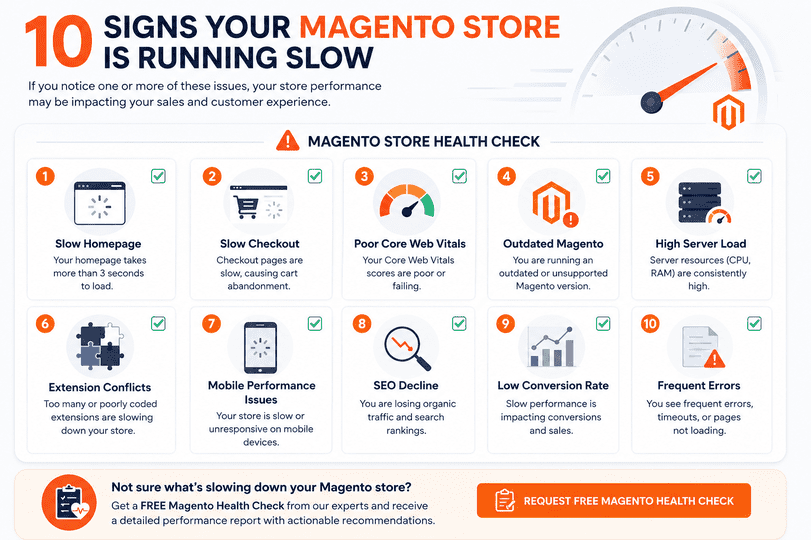
10 Signs Your Magento Store Is Running Slow
If you notice any of these symptoms, your store may have underlying performance issues.
– Homepage takes more than 3 seconds to load
– Product pages feel sluggish
– Category pages take too long to open
– Customers complain about slow checkout
– Admin panel is becoming slow
– Google PageSpeed scores are poor
– Core Web Vitals are failing
– Mobile experience feels laggy
– Search functionality is slow
– Server CPU usage remains consistently high
Common Causes of a Slow Magento Store
1. You’re Running an Outdated Magento Version
Older Magento versions often lack:
- Performance improvements
- Security patches
- PHP compatibility updates
- Database optimizations
Running an unsupported version also increases security risks and makes future upgrades more complex.
2. Poor Hosting Infrastructure
Magento is a powerful platform, but it requires the right server environment.
Common hosting problems include:
- Shared hosting
- Low server resources
- Slow SSD storage
- Incorrect PHP configuration
- Poor database tuning
A fast store starts with a strong hosting foundation.
3. Full Page Cache Isn’t Working Properly
Magento’s Full Page Cache dramatically reduces page generation time.
If caching is disabled or misconfigured:
- Every request is processed from scratch.
- Server response time increases.
- Customer experience suffers.
4. Too Many Third-Party Extensions
Extensions provide useful functionality—but every extension adds complexity.
Poorly developed modules may:
- Increase database queries
- Add unnecessary JavaScript
- Conflict with other extensions
- Slow checkout
- Create backend delays
Regular extension audits are essential.
5. Large and Unoptimized Images
Images are one of the biggest contributors to slow websites.
Common issues include:
- High-resolution uploads
- No compression
- Missing WebP support
- No lazy loading
Optimizing images can significantly improve loading speed.
6. Heavy JavaScript and CSS
Modern Magento themes often include:
- Large CSS files
- Multiple JavaScript libraries
- Unused assets
- Render-blocking resources
Reducing and optimizing frontend assets improves user experience.
7. Database Growth Over Time
As your business grows, so does your database.
Over time it accumulates:
- Old logs
- Sessions
- Temporary tables
- Search indexes
- Unused data
Without regular maintenance, database queries become slower.
8. Poor Core Web Vitals
Google measures website experience using Core Web Vitals.
The most important metrics include:
- Largest Contentful Paint (LCP)
- Interaction to Next Paint (INP)
- Cumulative Layout Shift (CLS)
Poor scores affect both user experience and SEO performance.
9. Third-Party Integrations
Payment gateways, shipping providers, analytics tools, CRMs, and chat widgets all introduce external requests.
Too many integrations can slow page rendering and checkout performance.
10. Lack of Performance Monitoring
Many businesses discover performance issues only after customers complain.
Regular monitoring helps identify bottlenecks before they affect sales.
Track:
- Server response time
- Database performance
- Cache efficiency
- Core Web Vitals
- Checkout performance
- Error logs
How to Diagnose Magento Performance Issues
Before making changes, understand where the slowdown occurs.
Start by testing your store with:
- Google PageSpeed Insights
- GTmetrix
- Lighthouse
- Chrome DevTools
- Magento Profiler
- New Relic (for enterprise stores)
Review:
- Time to First Byte (TTFB)
- Largest Contentful Paint (LCP)
- Server response time
- Database queries
- JavaScript execution
- Cache configuration
Quick Wins to Improve Magento Speed
Many performance improvements don’t require a complete rebuild.
Consider:
- Enable Full Page Cache
- Upgrade to the latest supported PHP version
- Compress and convert images to WebP
- Remove unused extensions
- Enable lazy loading
- Configure Redis and Varnish
- Optimize database indexes
- Use a Content Delivery Network (CDN)
- Minify CSS and JavaScript
- Review third-party integrations
When Is a Magento Upgrade the Right Solution?
Performance optimization is important—but sometimes the underlying platform itself becomes the limitation.
A Magento upgrade should be considered if your store is:
- Running an outdated Magento version
- No longer receiving security updates
- Experiencing recurring extension conflicts
- Limited by older PHP versions
- Struggling with compatibility issues
- Becoming increasingly difficult to maintain
A properly planned Magento upgrade doesn’t just improve speed—it also strengthens security, stability, compatibility, and long-term maintainability.
Our Magento Performance Assessment Process
At SMB Tech Solution, we don’t recommend upgrades unless they’re genuinely needed.
We begin by understanding your store’s current health.
Our Free Magento Health Check includes:
– Magento version review
– Performance overview
– Core Web Vitals assessment
– Security status
– Upgrade readiness evaluation
You’ll receive practical recommendations to help you make an informed decision—whether that means optimization, an upgrade, or both.
Frequently Asked Questions
1. Why is my Magento store so slow?
A slow Magento store can result from several factors, including an outdated Magento version, poor hosting, inefficient caching, large images, heavy JavaScript, extension conflicts, database growth, or server configuration issues. Identifying the root cause is the first step toward improving performance.
2. Does upgrading Magento improve website speed?
Yes, in many cases. Newer Magento versions include performance improvements, better PHP compatibility, security updates, and optimizations that can significantly enhance store speed. However, an upgrade alone may not solve every performance issue if the server, theme, or extensions also need optimization.
3. What is an acceptable loading time for a Magento store?
Ideally:
- Homepage: Under 2 seconds
- Product pages: 2–3 seconds
- Checkout pages: Under 3 seconds
The faster your store loads, the better the customer experience and conversion rate.
4. How do I check my Magento store’s performance?
You can use tools such as:
- Google PageSpeed Insights
- GTmetrix
- Google Lighthouse
- Chrome DevTools
- WebPageTest
These tools help identify issues affecting speed, Core Web Vitals, and overall performance.
5. What are Core Web Vitals, and why do they matter?
Core Web Vitals are Google’s performance metrics that measure user experience.
The three primary metrics are:
- Largest Contentful Paint (LCP)
- Interaction to Next Paint (INP)
- Cumulative Layout Shift (CLS)
Good Core Web Vitals improve user experience and can contribute to better search visibility.
6. Can too many Magento extensions slow down my store?
Yes. Every extension adds additional code, database queries, or frontend resources. Poorly developed or unnecessary extensions can reduce performance and create compatibility issues. Regular extension reviews help maintain a healthy Magento store.
7. Does my hosting provider affect Magento performance?
Absolutely. Magento requires a well-configured hosting environment. Slow servers, insufficient resources, or poor configuration can significantly impact loading times, regardless of how well the website is optimized.
8. Should I optimize my Magento store or upgrade it?
It depends on your current setup.
If your store is running a supported Magento version and only has configuration or infrastructure issues, optimization may be enough.
If you’re using an outdated version, facing compatibility issues, or no longer receiving security updates, a Magento upgrade is often the better long-term solution.
9. How often should I perform a Magento performance audit?
A comprehensive performance audit is recommended:
- Every 6–12 months
- Before major sales events
- After installing multiple extensions
- After infrastructure changes
- Before planning a Magento upgrade
Regular audits help identify issues before they impact customers.
10. How can I improve Magento speed without rebuilding my website?
Many stores can achieve significant improvements through:
- Optimizing images
- Configuring Full Page Cache
- Using Redis and Varnish
- Upgrading PHP
- Removing unused extensions
- Optimizing the database
- Using a Content Delivery Network (CDN)
- Improving Core Web Vitals
These optimizations often deliver noticeable performance gains without requiring a complete redesign.
Final Thoughts
A slow Magento store is more than a technical inconvenience.
It can impact your customer experience, search visibility, and revenue.
The good news is that most performance issues can be identified and resolved with the right approach.
Whether your store needs performance tuning, infrastructure improvements, or a complete Magento upgrade, the first step is understanding what’s really causing the slowdown.
Not Sure Why Your Magento Store Is Slow?
Request your FREE Magento Health Check from SMB Tech Solution.
We’ll help you identify:
- Performance bottlenecks
- Security risks
- Upgrade opportunities
- Extension conflicts
- Actionable recommendations
Start with insights, then make the right decision for your business.