
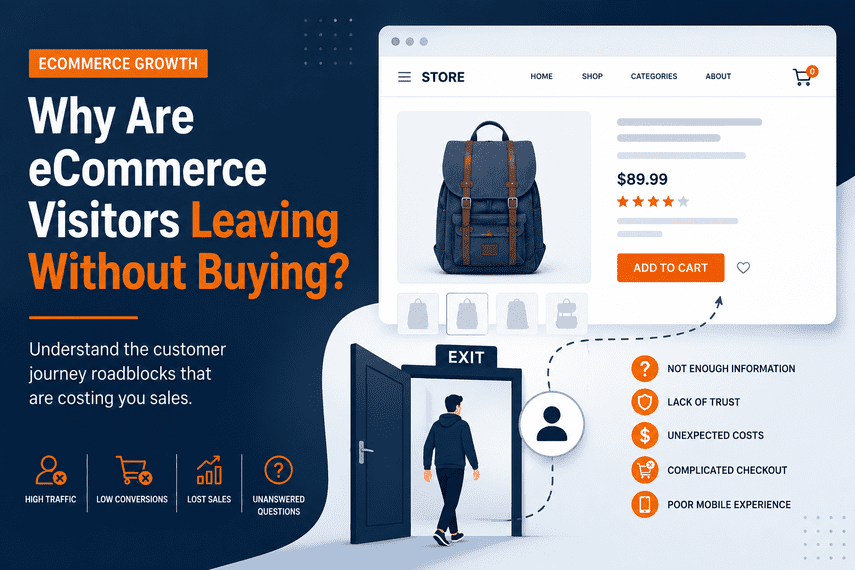

Why Are eCommerce Visitors Leaving Without Buying?
Your visitors don't always leave because they don't want your products. Discover the points of friction that can cause interested shoppers to abandon the buying journey.
Someone visits your eCommerce store.
They look at a product. Maybe they browse a category. Maybe they read the product details. Maybe they even add something to their cart.
And then they leave.
"They were interested enough to visit. So why didn't they buy?"
This is one of the most important questions an eCommerce business can ask.
Because visitors leaving your store doesn't automatically mean your products are wrong.
It may mean something in the buying journey is creating enough uncertainty, friction or resistance to stop the customer from moving forward.
Think About the Complete Customer Journey
A customer doesn't go directly from visiting your website to placing an order.
They May Not Immediately Understand Where to Go
When someone lands on your store, they should quickly understand what they can do next.
If the page is crowded, confusing or doesn't provide a clear direction, visitors may not know where to go.
This can happen because of:
- Unclear navigation.
- Too many choices.
- Confusing category structures.
- Weak calls to action.
- Unclear product positioning.
- Distracting promotional elements.
The customer shouldn't have to figure out how your website works.
The store should make the next useful action obvious.
They May Not Find the Product They Want
Sometimes the customer is interested. The problem is that they can't easily find the right product.
Product discovery can become difficult when a store has:
- Poor site search.
- Weak filtering.
- Confusing categories.
- Unclear product names.
- Poor sorting options.
- Too many irrelevant products.
- Long or complicated navigation paths.
Your customers shouldn't need to understand your internal catalog structure.
They should be able to describe what they need and quickly find relevant products.
They May Not Understand the Product Well Enough
Finding a product is only the beginning.
Before buying, customers often need answers to important questions.
If important questions remain unanswered, the customer may continue researching elsewhere.
They May Not Trust the Store Enough
A customer can want the product and still decide not to buy.
Especially when purchasing from a company for the first time, customers are evaluating risk.
They may look for:
- Reviews and ratings.
- Customer testimonials.
- Clear return policies.
- Shipping information.
- Secure payment options.
- Company information.
- Contact details.
- Guarantees or assurances.
The customer may not be saying "no." They may simply not be confident enough to say "yes."
The Experience May Feel Too Complicated
Every additional obstacle creates another opportunity for a customer to leave.
Friction can come from small things:
- Too many clicks.
- Unclear buttons.
- Unexpected popups.
- Complicated forms.
- Difficult navigation.
- Confusing product options.
- Unclear shipping information.
None of these problems may seem significant on their own.
But together they can make buying feel harder than it needs to be.
The Mobile Experience May Be Different
A customer shopping on a phone experiences your store differently from someone sitting at a desktop computer.
They may encounter:
- Difficult navigation.
- Slow-loading pages.
- Small controls.
- Difficult product images.
- Awkward forms.
- Intrusive popups.
- Checkout problems.
A store can technically be "mobile responsive" and still provide a poor mobile buying experience.
They May Encounter Unexpected Costs
Imagine a customer has found the right product.
They like it. They trust the store. They're ready to buy.
Then they discover unexpected shipping costs, taxes or other charges.
The purchase decision can change the moment the total cost changes.
That's why pricing and shipping information should be communicated clearly enough that customers aren't surprised late in the buying process.
They May Not Be Ready to Buy Yet
Not every visitor who leaves is a failed conversion.
Some customers genuinely aren't ready to purchase.
They may be:
- Researching options.
- Comparing prices.
- Waiting for payday.
- Discussing the purchase with someone else.
- Looking for more information.
- Comparing competitors.
This is why you shouldn't automatically treat every exit as a website failure.
The important question is:
Are the right visitors leaving because they weren't ready—or because your experience failed to move them forward?
They May Not See Enough Reason to Buy From You
Customers can often find similar products from multiple businesses.
So they may ask:
If the store doesn't communicate a clear reason to choose it, the customer may continue comparing.
The Problem May Be Somewhere Else in the Journey
This is the most important point.
A visitor leaving a product page doesn't necessarily mean the product page is the problem.
A visitor leaving checkout doesn't necessarily mean checkout is the root cause.
Customer behavior is connected.
Look at the Journey, Not Just the Exit
Instead of asking only:
"Where did the customer leave?"
also ask:
"What happened before they left?"
The difference is important because the visible symptom isn't always the underlying cause.
Questions to Ask When Visitors Leave
Don't Immediately Assume You Need a Redesign
When visitors leave, it can be tempting to conclude:
"Our website isn't good enough. We need to redesign it."
A redesign may eventually be the right decision. But first, understand the problem.
Otherwise, you may spend significant time and money changing the store without addressing the reason customers are leaving.
The better sequence is:
Visitors Leaving Doesn't Always Mean Your Store Is Failing
Every eCommerce store has visitors who leave without buying.
The real issue is understanding why the right visitors are leaving.
Some aren't ready. Some aren't the right audience. Some are comparing alternatives.
And some may be leaving because your store is creating unnecessary friction.
The goal isn't to make every visitor buy. The goal is to remove the barriers preventing the right visitors from buying.
Your Visitors Are Coming. What's Stopping Them From Buying?
If your store is getting traffic but not enough revenue, there may be one or more problems affecting the customer journey.
Explore the broader problem and understand the areas that may be preventing your eCommerce store from converting enough of its traffic into revenue.
Explore the ProblemFinal Takeaway
When visitors leave without buying, don't immediately ask how to get more visitors.
First ask:
Where are the right customers leaving, and what is causing them to leave?
Once you understand that, you can make a much better decision about what your store actually needs.
