
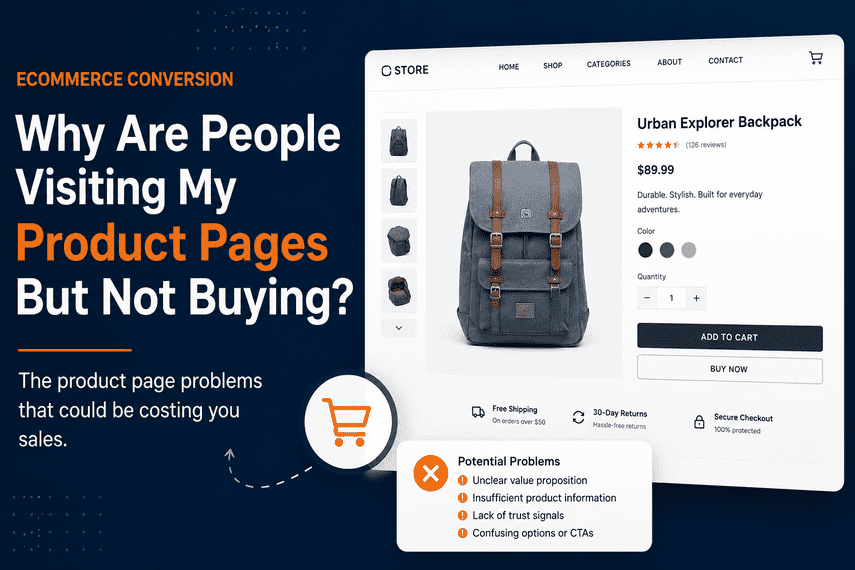

Why Are People Visiting My Product Pages But Not Buying?
Your customers are finding your products, but something is stopping them from moving forward. Here's what to examine when product-page traffic isn't turning into sales.
Your analytics show something encouraging.
People are reaching your product pages.
They're looking at your products. They're seeing your images. They're reading your descriptions.
But they're not buying.
"If customers are reaching the product page, what's stopping them from purchasing?"
This is an important distinction.
The customer has already moved beyond simply discovering your business. They've shown enough interest to evaluate a specific product.
So if they continue leaving without buying, something may be preventing them from becoming confident enough to take the next step.
The Product Page Is Part of the Sales Process
A product page isn't just a place to display product information.
The Customer May Not Understand the Product Quickly
When someone reaches a product page, they shouldn't have to work hard to understand what they're looking at.
Within seconds, they should be able to understand:
If the customer has to search through the page to understand the basic value of the product, you've introduced unnecessary friction.
The Product Images May Not Answer Their Questions
Customers can't physically touch or examine your product through a screen.
Your product photography therefore has a much bigger job than simply making the page look attractive.
Customers may want to understand:
- Size and scale.
- Details and materials.
- How the product looks from different angles.
- How the product is actually used.
- What they will receive.
If the images don't reduce uncertainty, customers may continue looking elsewhere.
The Description May Explain the Product Without Selling the Value
Product descriptions often focus heavily on specifications.
Specifications are important. But customers also need to understand the outcome.
Instead of only answering:
"What is this product?"
the page should also help answer:
"Why should I care about this product?"
The strongest product experiences connect features to customer benefits.
Customers May Still Have Unanswered Questions
A customer can be interested in the product and still hesitate because important questions remain unanswered.
They may be wondering:
- Will this work for my situation?
- Is this the right size?
- How long will it last?
- How does it compare with another option?
- How quickly will it arrive?
- Can I return it?
- What happens if there is a problem?
Every unanswered question creates uncertainty.
Good product pages don't eliminate every question. They answer the questions that matter most to the purchase.
The Page May Not Create Enough Trust
Product information tells customers what you're selling.
Trust helps them feel comfortable buying it from you.
Depending on the product and business, customers may look for:
- Reviews.
- Ratings.
- Customer photos.
- Testimonials.
- Guarantees.
- Return information.
- Shipping information.
- Secure payment information.
Trust elements work best when they appear where customers naturally need reassurance.
The Price May Appear Without Enough Context
Customers don't evaluate price in isolation.
They compare it with what they believe they're getting.
If the product costs more than alternatives, customers need to understand why.
That doesn't necessarily mean offering a discount.
The question may not be "Is it too expensive?" but "Have we communicated enough value?"
Discounting without understanding the underlying problem can reduce margin without fixing conversion.
The Call to Action May Not Be Clear Enough
Once the customer is convinced, the next action should be obvious.
Confusing product options, unclear buttons or unnecessary interaction can create hesitation.
The customer shouldn't have to ask:
"What am I supposed to do now?"
The product page should make the next step easy to identify and easy to complete.
The Product May Not Feel Low-Risk Enough
Every online purchase contains some level of perceived risk.
The customer may worry:
- What if it doesn't fit?
- What if I don't like it?
- What if it arrives damaged?
- What if delivery takes too long?
- What if the product isn't what I expected?
Your product page can help reduce this perceived risk by making important policies and expectations clear.
Mobile Customers May Be Having a Different Experience
Product pages can become particularly difficult on mobile.
Customers may have trouble with:
- Product images.
- Variant selection.
- Quantity controls.
- Descriptions.
- Reviews.
- Sticky purchase actions.
- Page speed.
A product page that feels excellent on desktop may feel significantly harder to use on a phone.
The Product Page May Not Be the Root Cause
This is the most important thing to remember.
If a customer visits a product page and doesn't buy, it doesn't automatically mean the product page is broken.
The visitor may have arrived through the wrong traffic source.
The product may not match what they expected.
The price may be outside their budget.
The product may genuinely not be right for them.
Or the problem may occur later in checkout.
Don't Optimize the Page in Isolation
Instead of asking only:
"How do we make this product page convert better?"
ask:
"What is preventing the right customer from becoming confident enough to purchase?"
What Should You Check on Your Product Pages?
Don't Start by Redesigning Every Product Page
When product pages aren't converting, it's tempting to immediately redesign them.
But changing the design without understanding the underlying problem can create a lot of work without creating meaningful improvement.
A better approach is:
A Product Page Should Reduce Uncertainty
The best product pages don't simply provide more information.
They provide the right information at the right moment.
The customer should progressively become more confident:
If that progression breaks down, the customer may leave.
Your Product Pages Are Getting Visitors. Are They Creating Enough Confidence to Buy?
Product-page conversion is only one part of the larger eCommerce customer journey.
If you're getting traffic but not enough revenue, the bigger question is identifying which part of the journey is actually holding your store back.
Explore the ProblemFinal Takeaway
If people are visiting your product pages but not buying, don't immediately assume that you need more traffic.
You may need to understand why interested visitors aren't becoming confident buyers.
More product-page traffic won't solve a conversion problem if the customer experience is preventing people from moving forward.
Diagnose the journey first. Then decide what deserves to be changed.
