
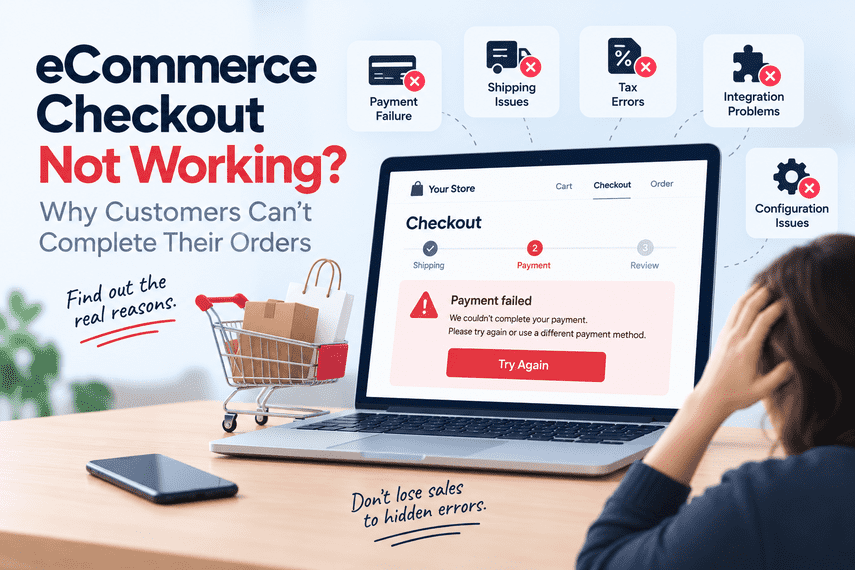

People are visiting your store. They are finding products. They are adding them to the cart. Then something happens.
The checkout doesn't load.
The payment fails.
The shipping option doesn't appear.
The customer gets an error.
The page keeps spinning.
Or the customer simply gives up.
From the business side, the site may look like it is working.
The homepage loads.
Product pages work.
The cart works.
And that makes checkout problems different from many other website issues.
When checkout is the problem, the whole store is affected
An eCommerce store exists to help customers move from:
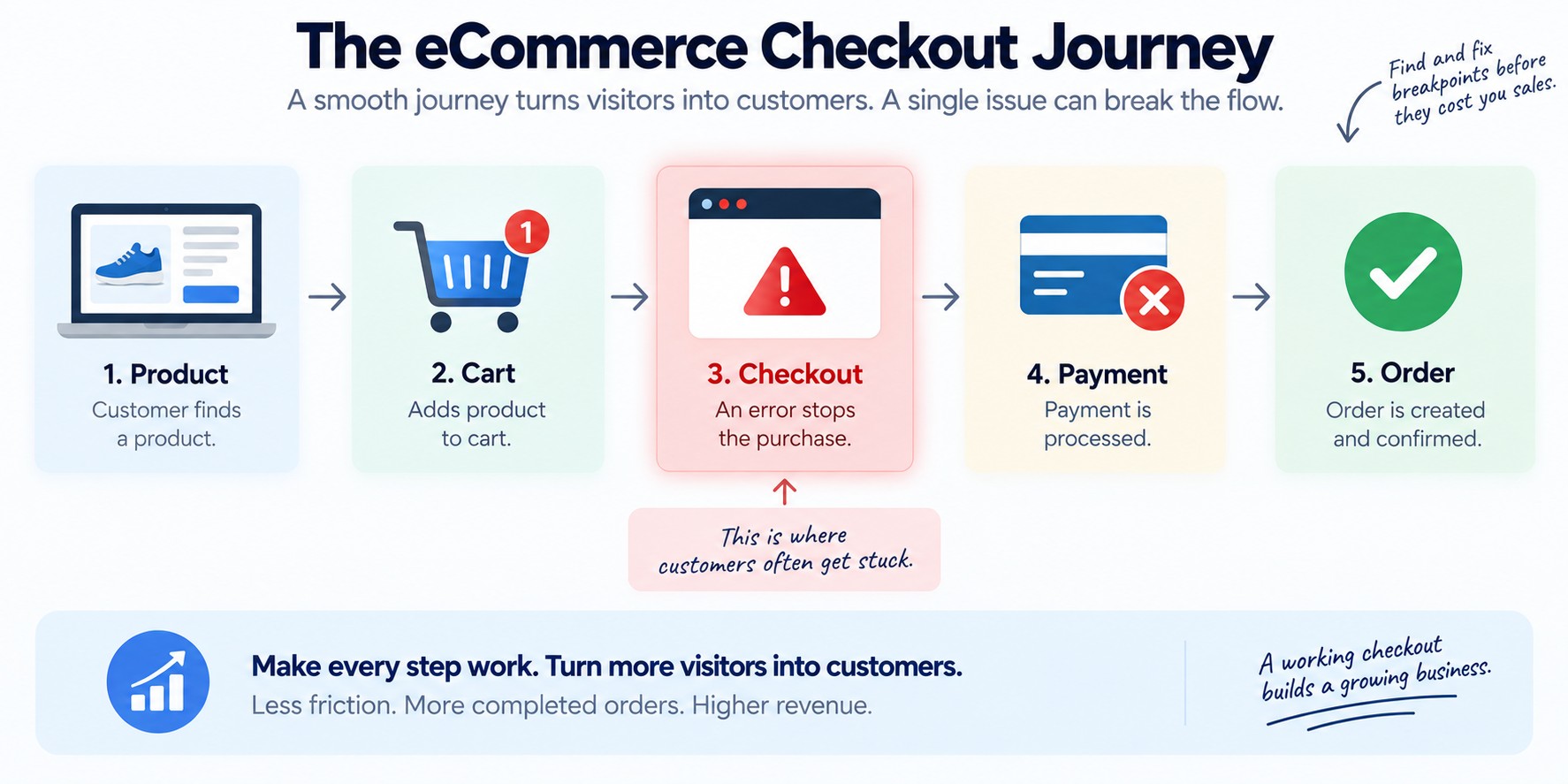
If checkout breaks, everything that happened before it may no longer matter.
You can have excellent traffic.
Good products.
Competitive pricing.
Strong marketing.
A fast product page.
But if customers cannot complete the order, the business still loses the sale.
That is why checkout problems deserve attention quickly.
The frustrating part: checkout problems aren't always obvious
Sometimes the problem is easy to see.
The checkout page displays an error.
The payment gateway is clearly unavailable.
The page doesn't load at all.
Those problems are relatively easy to identify.
The harder problems are the ones that appear to work for some customers but not others.
One payment method succeeds. Another fails.
One shipping location works. Another doesn't.
One browser completes checkout. Another gets stuck.
A guest customer can purchase. A logged-in customer cannot.
The payment appears successful, but the order isn't created correctly.
Everything looks fine until the business notices that orders have suddenly dropped.
That is when checkout troubleshooting becomes much more than looking for an error message.
“Checkout is working” isn't the same as “customers can buy”
Your team may test the checkout and say:
But what does that actually mean?
Did you test different payment methods?
Did you test different shipping locations?
Did you test guest checkout?
Did you test logged-in customers?
Did you test mobile devices?
Did you test different browsers?
Did you test discount codes?
Did you test tax calculation?
Did you test different product types?
Did you test different order values?
A checkout can work in one scenario and fail in another.
So the real question is not:
It is:
Payment failures are only one possibility
When someone says:
the first assumption is often that the payment gateway is broken.
Sometimes it is.
But checkout is usually a chain of dependencies.
↓
Enter customer details
↓
Calculate shipping
↓
Calculate tax
↓
Validate cart
↓
Apply promotions
↓
Select payment
↓
Authorize payment
↓
Create order
↓
Send information to downstream systems
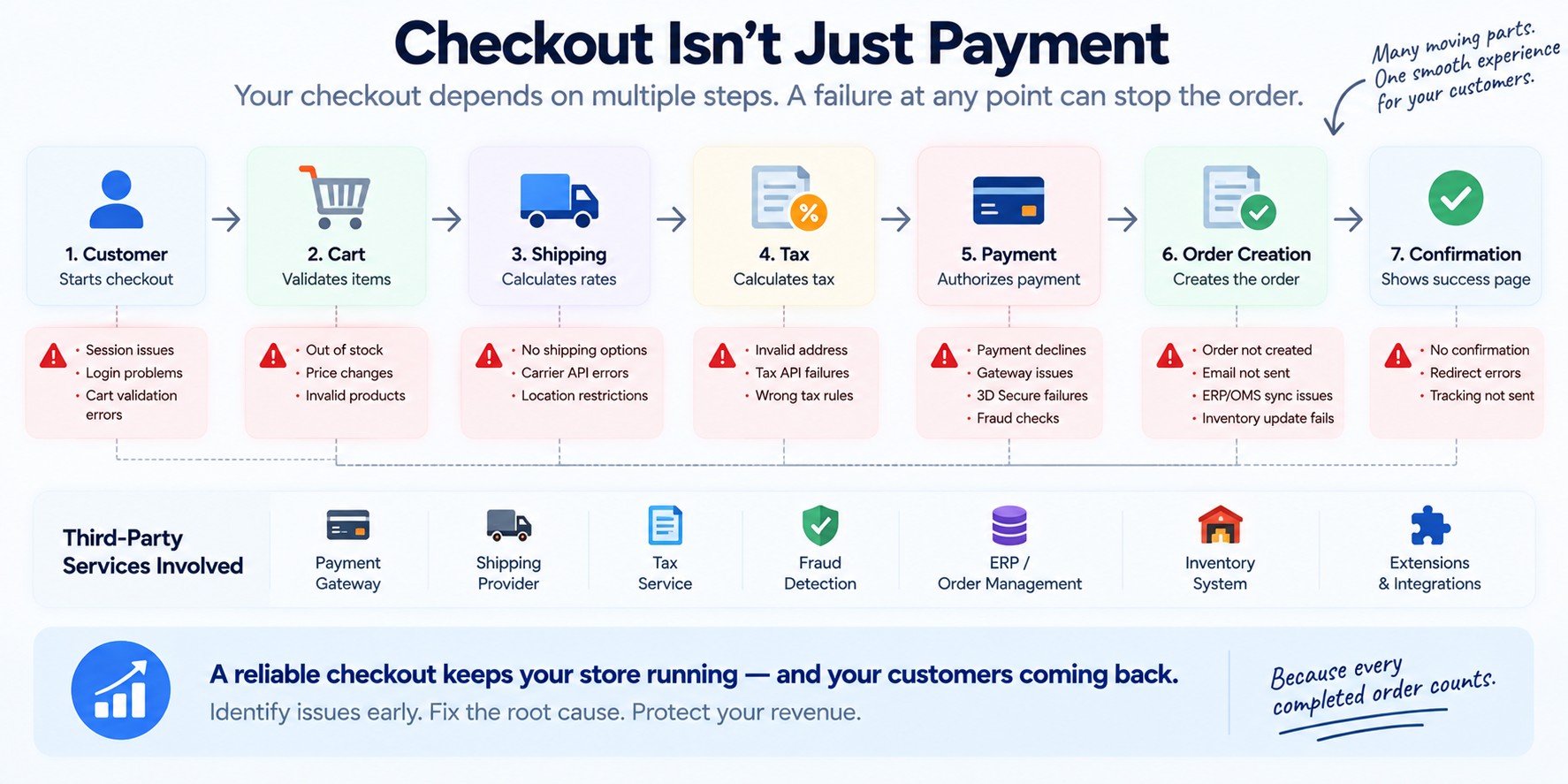
A failure at any one of those stages can stop the purchase.
The payment gateway may be perfectly healthy while checkout is still failing.
Shipping can break checkout too
Imagine a customer adds a product to the cart.
They reach checkout.
They enter their address.
And suddenly:
From the customer's perspective, the store doesn't work.
But the underlying problem could be:
A shipping rule
An incorrect region configuration
A carrier integration
An API failure
A product dimension or weight issue
A warehouse or location rule
A minimum order condition
An integration timeout
The symptom is: “I can't complete checkout.”
The underlying cause may be somewhere completely different.
Tax and address calculations can create similar problems
Checkout often depends on customer location.
That can affect taxes, shipping, pricing, compliance rules, and payment availability.
A configuration change can therefore produce an unexpected result.
A customer enters a valid address.
The system tries to calculate something.
The calculation fails.
Checkout stops.
The customer doesn't know why.
Third-party systems can become part of your checkout
Modern eCommerce checkout rarely operates in isolation.
Payments
Fraud detection
Shipping
Tax
Customer accounts
Promotions
Analytics
ERP
Order management
Inventory
Loyalty
Subscriptions
Each dependency can introduce another possible failure point.
This creates an important question:
If the answer is:
then the business may have a reliability problem that extends beyond the storefront itself.
The worst checkout problems may be silent
A visible error is often easier to investigate.
A silent failure can be much more dangerous.
Customers reach checkout.
They click “Place Order.”
Something fails.
The customer doesn't complete the purchase.
But nobody on the business side receives an alert.
There is no obvious outage.
The website remains online.
Traffic continues.
The problem is only discovered when someone notices that:
By then, the business may have already lost sales.
How do you know when checkout breaks?
This is one of the most important questions.
Checkout errors
Payment failures
Order creation failures
Conversion drops
Unusual abandonment
Failed transactions
Third-party API problems
Do you have monitoring for these?
Or does someone discover the problem because a customer says:
If customers are the monitoring system, there is a gap.
Don't look only at website errors
A common mistake is to search for obvious technical errors.
But a checkout problem should also be investigated from the customer's perspective.
↓
Cart
↓
Checkout
↓
Address
↓
Shipping
↓
Payment
↓
Confirmation
Ask:
Do they reach the checkout page?
Do they enter their address?
Do they see shipping options?
Do they select payment?
Do they submit the order?
Do they receive confirmation?
Each stage tells you something different.
What changed recently?
Checkout problems often appear after something changes.
A platform update
A theme change
A payment gateway update
A new extension
A configuration change
A shipping integration
A tax change
A server or infrastructure change
A deployment
A third-party service change
That doesn't automatically mean the latest change caused the problem.
But it is an important place to investigate.
Mobile checkout deserves special attention
A checkout that works on desktop may still fail on mobile.
And the customer may never report it.
They simply leave.
That makes mobile testing important when investigating checkout issues.
Look at the complete journey:
A problem can occur at any step.
And because the customer is trying to complete a transaction, even a small amount of friction can matter.
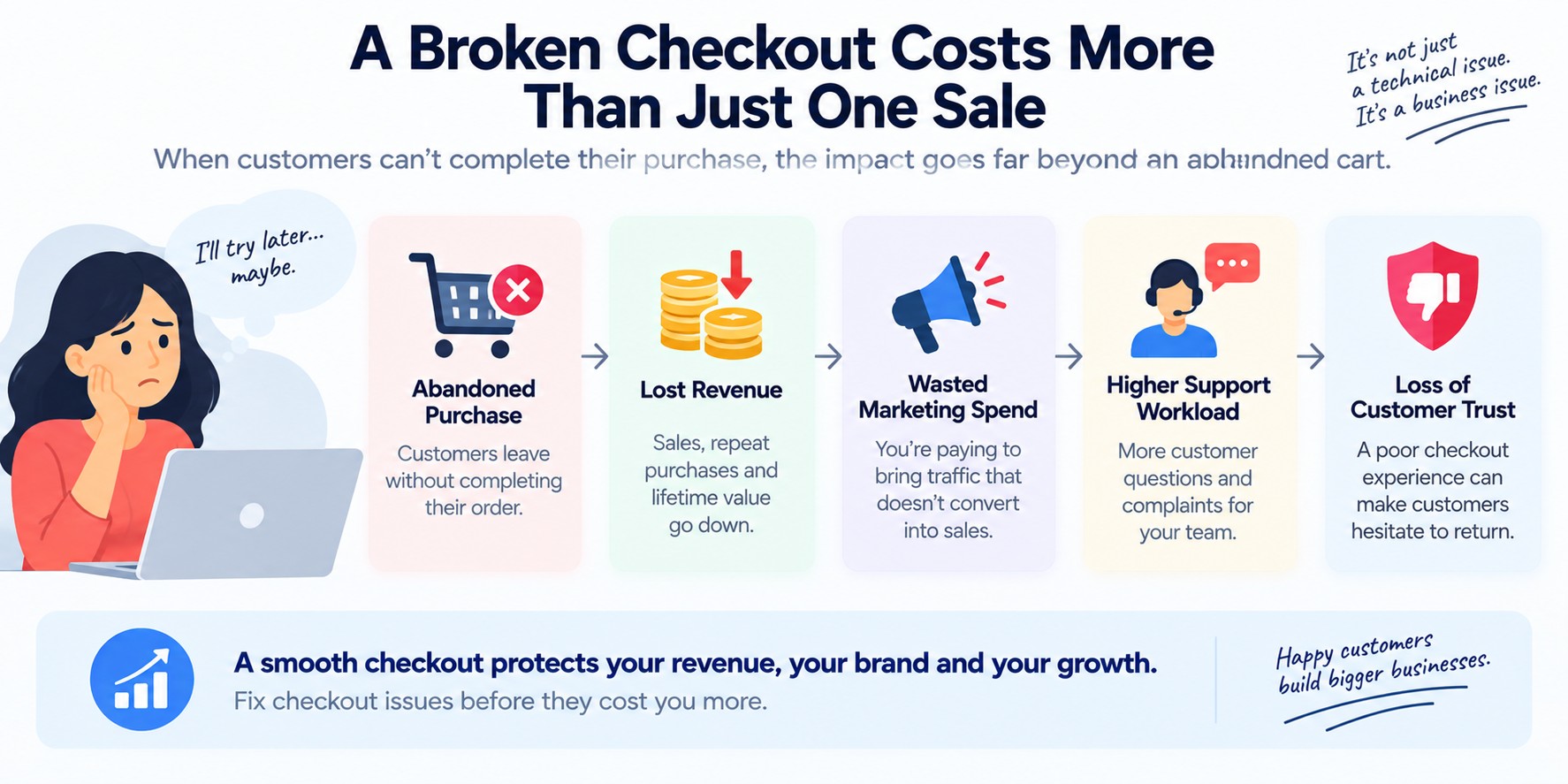
What happens when customers can't check out?
Lost revenue
The most obvious consequence.
A customer who cannot complete the purchase may not come back.
Wasted marketing spend
You may be paying to bring traffic to the store.
But if checkout fails, some of that traffic has no chance to become revenue.
Customer frustration
The customer did the work.
They found the product.
They decided to buy.
Then the store stopped them.
Support workload
Customers start contacting support.
“Why can't I pay?”
“Why is shipping unavailable?”
“Why did my order fail?”
Now the same technical problem creates another operational problem.
Loss of trust
Customers may not understand what went wrong.
They may simply conclude that the store is unreliable.
The question isn't “Can we reproduce it?”
Reproducing the problem is useful.
But it isn't the only objective.
How many customers are affected?
Which checkout paths are affected?
When did it start?
How often does it happen?
Which payment or shipping methods are involved?
Is the order being created?
Is the payment being captured?
Is the failure being detected automatically?
These questions help distinguish a small edge case from a business-critical checkout problem.
Five questions worth asking your team
1. Where exactly does the customer fail?
Checkout page? Shipping? Payment? Order creation? Confirmation?
2. How do you know when checkout starts failing?
Monitoring? Alerts? Conversion data? Customer complaints?
3. Which customers are affected?
Everyone? Only mobile users? A specific country? A payment method? A specific product type?
4. What happens after the failure?
Does the customer see an error? Does the payment get authorized? Does an order get created? Does someone have to investigate manually?
5. What changed before the problem started?
Look for recent deployments, configurations, integrations, platform changes, infrastructure changes, and third-party changes.
Checkout reliability is bigger than payment reliability
Payment is important.
But a reliable checkout is an entire customer journey.
And sometimes additional downstream processes.
A checkout can therefore fail even when the payment gateway is perfectly healthy.
That is why troubleshooting needs to look at the whole transaction flow.
Don't immediately rebuild the checkout
When something goes wrong, the instinct can be:
Sometimes that is justified.
But replacing a major component before understanding the actual failure can create more risk.
Start with the customer journey.
Identify exactly where the transaction breaks.
What failed?
Why did it fail?
Who was affected?
How was it detected?
What happens when it fails?
Can it recover safely?
Those answers should guide the solution.
A healthy checkout is one customers don't have to think about
Customers shouldn't have to understand your technology.
They shouldn't care whether you use Magento, Shopify, WooCommerce, a custom storefront, an ERP, or a particular payment gateway.
They just expect:
That experience should feel simple.
Behind the scenes, the technology may be complicated.
The real question
When checkout stops working, the technical question may be:
The business question is more important:
That changes the way the problem should be approached.
The objective isn't simply to remove an error message.
It is to restore a reliable path from customer intent to completed order.
Is your eCommerce checkout not working the way it should?
You don't need to know whether the problem is payment, shipping, tax, an integration, your platform, or something else.
Start with the problem. We'll start there too.
Tell Us What's Happening →