
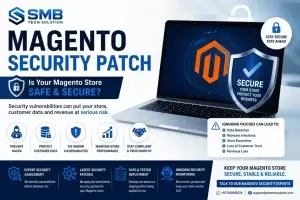

Your Magento store may look perfectly fine today.
Customers can browse products.
Orders are coming in.
Everything appears normal.
But underneath the surface…
Your store could already be exposed to known security vulnerabilities.
Cybercriminals don’t wait for your website to slow down or stop working.
They actively look for stores running outdated Magento versions with publicly known vulnerabilities.
If your Magento store hasn’t been updated with the latest security patches, you’re taking a risk that could affect your business, customer trust, and revenue.
Why Magento Security Patches Matter
Magento powers thousands of online stores worldwide.
As with any widely used platform, security vulnerabilities are occasionally discovered.
When this happens, Adobe releases official security patches to address those vulnerabilities before they can be exploited.
Installing these updates is one of the most important steps you can take to keep your store secure.
What Can Happen If You Delay Security Updates?
Many businesses postpone Magento updates because the website appears to be working normally.
Unfortunately, attackers don’t need your website to be broken—they only need it to be vulnerable.
Running an outdated Magento version may increase the risk of:
- Unauthorized access
- Customer data exposure
- Payment-related security concerns
- Malware infections
- Website defacement
- SEO spam attacks
- Store downtime
- Loss of customer trust
- Emergency recovery costs
A security incident often costs significantly more than keeping your store up to date.
Signs Your Magento Store May Need a Security Review You don’t have to wait for an attack to take action.
Consider reviewing your Magento security if:
- You’re running an older Magento version.
- You haven’t applied the latest Adobe security patches.
- You aren’t sure which Magento version you’re using.
- Your store hasn’t been updated in several months.
- You’ve recently installed new extensions.
- Your website experienced unusual traffic or suspicious activity.
- You’re planning a Magento upgrade.
A proactive review helps identify potential risks before they become business problems.
Common Reasons Businesses Delay Magento Security Patches
We often hear concerns such as:
“We’re worried the update might break the website.”
“We’ll do it next month.”
“The store is working fine.”
These concerns are understandable.
The good news is that a well-planned update process—including compatibility checks, staging validation, and regression testing—can significantly reduce the risk of disruption.
Our Magento Security Update Process
At SMB Tech Solution, we follow a structured process to help businesses apply Magento security updates safely.
Our approach includes:
- Reviewing your current Magento version
- Identifying applicable Adobe security patches
- Checking extension compatibility
- Reviewing custom code
- Applying updates in a staging environment
- Performing functional and regression testing
- Deploying only after successful validation
This helps reduce risk while ensuring your store remains stable.
Security Patch vs Magento Upgrade
Many merchants ask whether they should simply apply the latest security patch or upgrade to a newer Magento version.
The answer depends on your current version, installed extensions, customizations, and long-term plans.
In many cases:
- A security patch is the quickest way to address known vulnerabilities.
- A full Magento upgrade may provide additional performance improvements, platform enhancements, and longer-term support.
Before recommending either option, it’s important to assess your store’s compatibility and business requirements.
Real-World Example
A client recently contacted us after Adobe released a new Magento security bulletin.
Their store was running an affected Magento version.
Instead of immediately upgrading, we first reviewed the installed extensions, server environment, and customizations.
Based on our findings, we recommended the most suitable update path, minimizing risk while ensuring the latest security fixes were applied.
Planning the update in advance helped avoid compatibility issues and unnecessary downtime.
Why Businesses Choose SMB Tech Solution
Magento security isn’t just about applying patches.
It’s about protecting your business while keeping your store stable.
Our Magento specialists help businesses with:
- Magento Security Updates
- Adobe Security Patch Installation
- Magento Version Upgrades
- Extension Compatibility Reviews
- Security Assessments
- Performance Optimization
- Ongoing Magento Maintenance
With 14+ years of Magento experience, we focus on secure, tested deployments that minimize disruption to your business.
Is Your Magento Store Up to Date?
If you’re unsure whether your Magento store is running the latest security patch or whether it is affected by recently disclosed vulnerabilities, now is a good time to review it.
Our team can assess your current Magento version, identify applicable security updates, and recommend the safest approach for your store.
📞 Talk to a Magento Security Expert
WhatsApp: +91 7020500374
Email: support@smbtechsolution.com
Frequently Asked Questions
What is a Magento security patch?
A Magento security patch is an official update released by Adobe to address known security vulnerabilities and help protect Magento stores from potential attacks.
How often does Adobe release Magento security patches?
Adobe releases security updates whenever significant vulnerabilities are identified. Store owners should regularly monitor Adobe security bulletins and keep their stores updated.
How do I know if my Magento store needs a security update?
Check your current Magento version against the latest Adobe security releases. If your version is affected by a published security bulletin, you should review your update options.
Is a security patch different from a Magento upgrade?
Yes. A security patch primarily addresses vulnerabilities, while a Magento upgrade may also include new features, performance improvements, and broader platform changes.
Can installing a security patch break my store?
If your store has customizations or third-party extensions, compatibility should be reviewed before applying updates. Testing in a staging environment helps reduce the risk of unexpected issues.
Should I skip a security patch if my store is working fine?
No. A store can appear to function normally while still being vulnerable to known security issues. Applying security updates is an important part of maintaining a secure Magento environment.
Conclusion
Magento security patches are more than routine maintenance—they are an essential part of protecting your online business.
Keeping your store updated helps reduce exposure to known vulnerabilities, safeguard customer data, and maintain confidence in your brand.
If you’re unsure whether your store is up to date or need guidance on the best update strategy, a structured review can help you make an informed decision before vulnerabilities become business risks.
